Type text, add images, blackout confidential details, add comments, highlights and more.
02. Sign it in a few clicks
Draw your signature, type it, upload its image, or use your mobile device as a signature pad.
03. Share your form with others
Send it via email, link, or fax. You can also download it, export it or print it out.
How to use or fill out mt statutory with our platform
Ease of Setup
DocHub User Ratings on G2
Ease of Use
DocHub User Ratings on G2
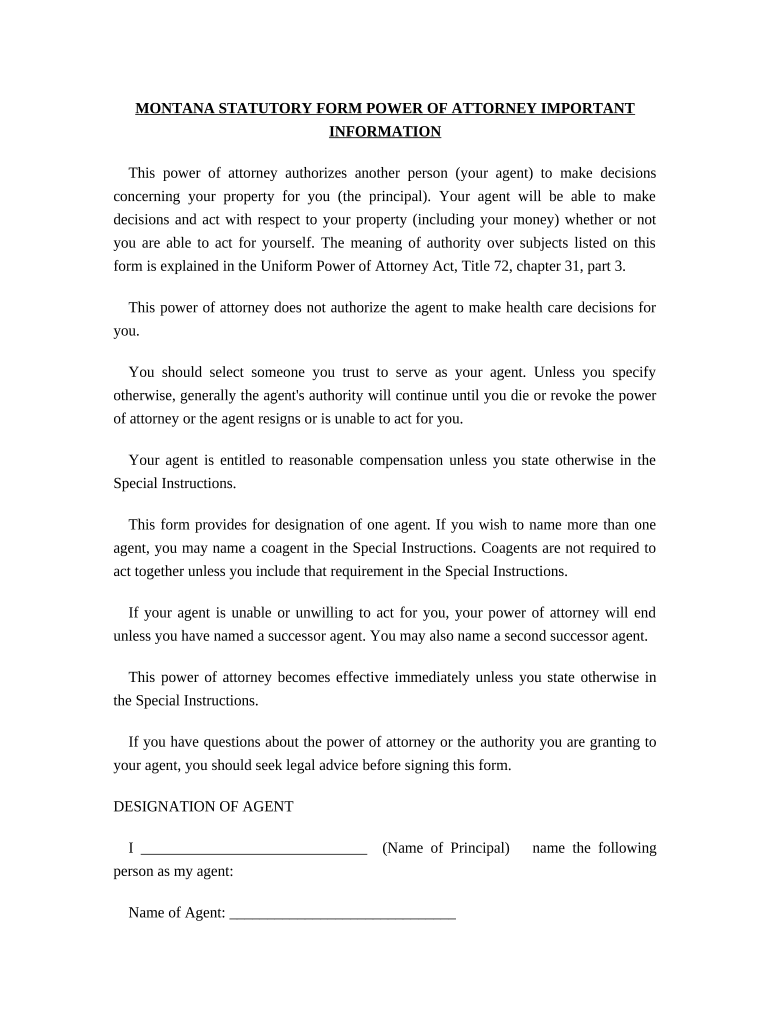
Click ‘Get Form’ to open the mt statutory in the editor.
Begin by entering your name as the principal in the designated field. This identifies you as the person granting authority.
Next, fill in the name, address, and telephone number of your chosen agent. Ensure this is someone you trust to manage your property.
If desired, designate a successor agent by providing their details in the optional section. This ensures continuity if your primary agent cannot act.
In the 'Grant of General Authority' section, initial each subject area where you want your agent to have authority. You can also choose 'All Preceding Subjects' for comprehensive coverage.
If applicable, include any special instructions that may limit or specify your agent's authority.
Finally, sign and date the document at the bottom. Ensure all information is accurate before finalizing.
Start using our platform today to easily complete your mt statutory form online for free!
This power of attorney authorizes another person (your agent) to make decisions concerning your property for you (the principal). Your agent will be able toRead more
This is a compilation of the Montana State Constitution and all state laws, also called statutes. It is updated after each legislative session.Read more
Cookie consent notice
This site uses cookies to enhance site navigation and personalize your experience.
By using this site you agree to our use of cookies as described in our Privacy Notice.
You can modify your selections by visiting our Cookie and Advertising Notice.