Tx rights 2026

Get Form
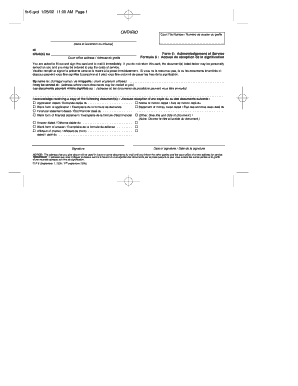
tx rights Preview on Page 1

Here's how it works

01. Edit your form online
Type text, add images, blackout confidential details, add comments, highlights and more.
02. Sign it in a few clicks
Draw your signature, type it, upload its image, or use your mobile device as a signature pad.
03. Share your form with others
Send it via email, link, or fax. You can also download it, export it or print it out.

How to use or fill out tx rights with our platform

Form edit decoration
9.5
Ease of Setup
DocHub User Ratings on G2
9.0
Ease of Use
DocHub User Ratings on G2
  1. Click ‘Get Form’ to open the tx rights document in the editor.
  2. Begin by reviewing the introductory section, which outlines the purpose of the General Warranty Deed. Ensure you understand the implications of community property and rights of survivorship.
  3. Locate the fields for Grantor and Grantee information. Enter the names of both parties accurately, ensuring that all required fields are filled out completely.
  4. In the property description section, provide a detailed description of the property being conveyed. If necessary, attach an exhibit with this information.
  5. Complete any additional sections regarding easements or restrictions that may apply to the property. This ensures clarity on any conditions tied to the deed.
  6. Finally, review all entries for accuracy before saving your document. Use our platform’s features to sign and distribute your completed form securely.

Start using our platform today to effortlessly complete your tx rights form online for free!

be ready to get more

Complete this form in 5 minutes or less

Get form

Got questions?

We have answers to the most popular questions from our customers. If you can't find an answer to your question, please contact us.
Contact us

If you regularly deal with documents stored in your Google Drive, DocHub is an excellent solution for you to easily and quickly complete, edit, and approve them. This editor integrates well with Google services, so you can export your tx rights from your Google Drive to the editor without the need of downloading and re-uploading it. Right-click on your document, select Open With → DocHub PDF Sign and Edit. In our editor, add and assign Signature Fields for all parties involved, then click on the Menu button above → Send → decide on how you want to share your paperwork.

In case your go-to email service is Gmail, it is simple to incorporate your DocHub editor into your work. Modify your tx rights with DocHub tools and connect it to your drafts in Gmail. See how effortless it is to exchange papers and work together having a swift PDF editing solution at hand.

No citizen of this State shall be deprived of life, liberty, property, privileges or immunities, or in any manner disfranchised, except by the due course of the law of the land.
Did You Know? 15 Real Texas Laws You Wont Believe No Concealed Carry of Wire Cutters. No Eating Your Neighbors Garbage. Marriage via Proclamation. Permit Required to Walk Barefoot. Spittoons Required. No Shooting Buffalo from the Balcony. Your Horse Needs Taillights. Windshield Wipers Required (But Not Windshields)
Civil rights generally include ensuring peoples physical and mental integrity, life, and safety, protection from discrimination, the right to privacy, the freedom of thought, speech, religion, press, assembly, and movement.

Security and compliance

At DocHub, your data security is our priority. We follow HIPAA, SOC2, GDPR, and other standards, so you can work on your documents with confidence.

Learn more
ccpa2
pci-dss
gdpr-compliance
hipaa
soc-compliance

People also ask

The Covenant deals with such rights as freedom of movement; equality before the law; the right to a fair trial and presumption of innocence; freedom of thought, conscience and religion; freedom of opinion and expression; peaceful assembly; freedom of association; participation in public affairs and elections; and

Related links