Type text, add images, blackout confidential details, add comments, highlights and more.
02. Sign it in a few clicks
Draw your signature, type it, upload its image, or use your mobile device as a signature pad.
03. Share your form with others
Send it via email, link, or fax. You can also download it, export it or print it out.
How to use or fill out lease machinery with our platform
Ease of Setup
DocHub User Ratings on G2
Ease of Use
DocHub User Ratings on G2
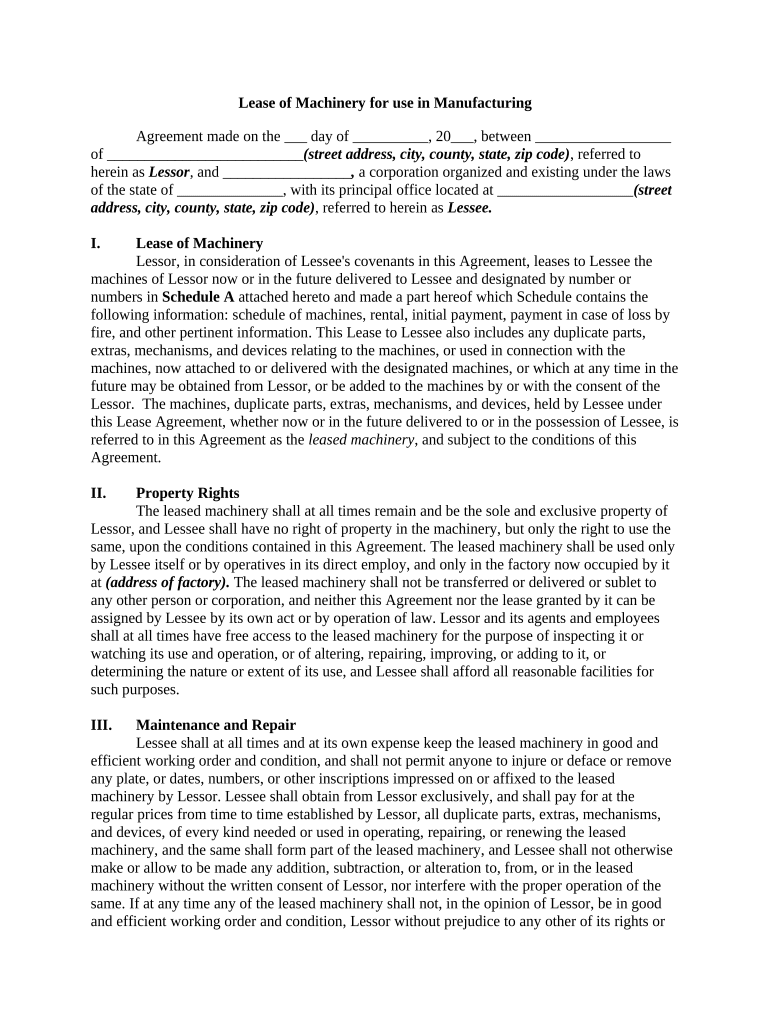
Click ‘Get Form’ to open the lease machinery document in the editor.
Begin by filling in the date and names of both the Lessor and Lessee at the top of the form. Ensure that all addresses are complete and accurate.
In Section I, list all machines being leased along with their corresponding details in Schedule A. This includes rental amounts, initial payments, and any specific conditions related to loss or damage.
Proceed to Section II to confirm that you understand property rights. Indicate that the machinery remains the property of the Lessor and specify how it will be used.
Complete Sections III through V by detailing maintenance responsibilities, tax obligations, and any other relevant information regarding usage and payments.
Finally, review all sections for accuracy before signing at the bottom of the document. Make sure to save your changes within our platform for future reference.
Start using our platform today for free to streamline your lease machinery process!
Own Your Own. Landis longtime slogan Own Your Own advertised the availability of their machinery for outright purchase, in marked contrast to that of theirRead more
Business Equipment Financing Leasing: 7 Key Tips to
Oct 11, 2017 Business equipment financing and leasing provides business owners the ability to increase revenues and keep up with new technology or machinery.Read more
Cookie consent notice
This site uses cookies to enhance site navigation and personalize your experience.
By using this site you agree to our use of cookies as described in our Privacy Notice.
You can modify your selections by visiting our Cookie and Advertising Notice.