Permission to use Quote or Personal Statement 2026

Get Form
personal statement signature Preview on Page 1

Here's how it works

01. Edit your personal statement signature online
Type text, add images, blackout confidential details, add comments, highlights and more.
02. Sign it in a few clicks
Draw your signature, type it, upload its image, or use your mobile device as a signature pad.
03. Share your form with others
Send it via email, link, or fax. You can also download it, export it or print it out.

How to use or fill out Permission to use Quote or Personal Statement with DocHub

Form edit decoration
9.5
Ease of Setup
DocHub User Ratings on G2
9.0
Ease of Use
DocHub User Ratings on G2
  1. Click ‘Get Form’ to open it in the editor.
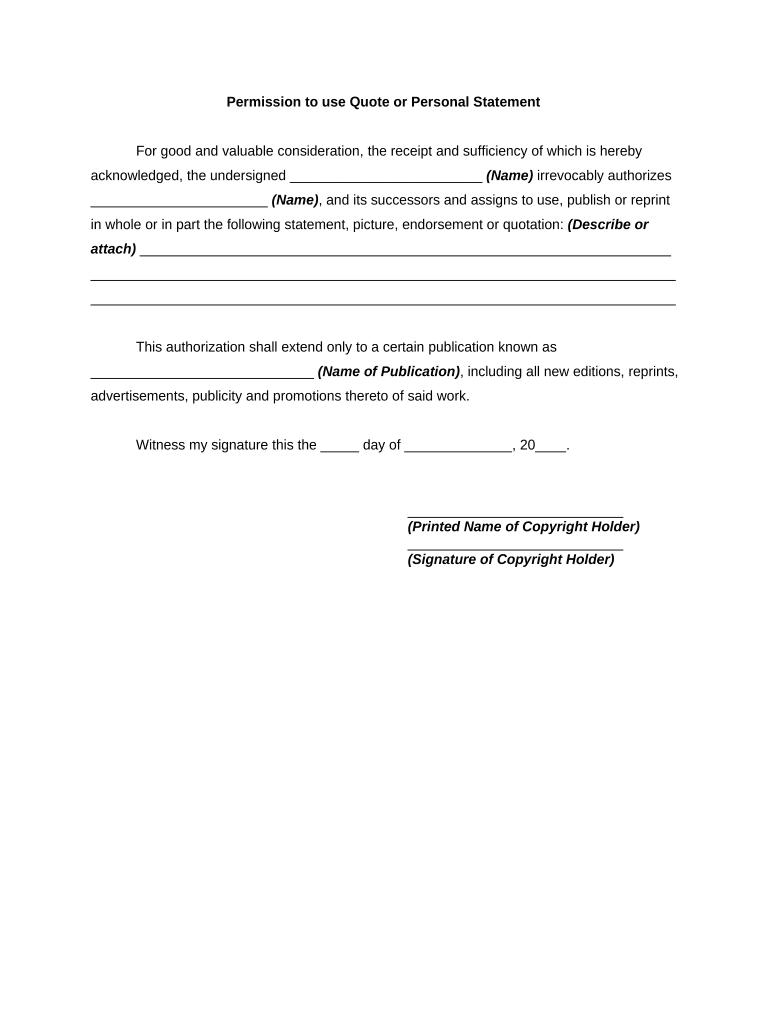
  2. Begin by entering your name in the designated field for the undersigned. This identifies you as the copyright holder granting permission.
  3. In the next section, provide the name of the individual or organization that will be using your quote or personal statement. This ensures clarity on who is authorized to use your content.
  4. Describe or attach the specific statement, picture, endorsement, or quotation you are authorizing for use. Be as detailed as possible to avoid any ambiguity.
  5. Fill in the name of the publication where your content will appear. This could include various formats such as print, online, or promotional materials.
  6. Finally, sign and date the document in the provided fields to validate your authorization. Ensure that all information is accurate before submitting.

Start using our platform today to easily complete and manage your Permission to use Quote or Personal Statement form for free!

be ready to get more

Complete this form in 5 minutes or less

Get form

Got questions?

We have answers to the most popular questions from our customers. If you can't find an answer to your question, please contact us.
Contact us
The permission letter should include: Date of request. Name of the author, web author, publisher or editor. Title and editions of material to be reproduced; include this for webpages. Exact material to be used, giving amount, page numbers, chapters.
If youre seeking permission to quote from a book, look on the copyright page for the rights holder; its usually the author. However, assuming the book is currently in print and on sale, normally you contact the publisher for permission. You can also try contacting the author or the authors literary agent or estate.
Contact a copyright owner or author as far as possible in advance of when you want to use the material specified in your permissions request. The copyright owner may work with an agent or service that grants licenses to use a work on the copyright owners behalf.
From the day I was born, I have wanted to be a occupational therapist is not believable and wont fully represent who you are. Similarly, using quotes is not advised as a personal statement is about you and so admission tutors want to learn about why you are a good fit, not Albert Einstein!
The letter typically includes a clear subject line, a polite salutation, an introduction, specific details about the request, justification for why permission is needed, and a courteous closing. A well-crafted permission request letter enhances communication and increases the chances of receiving a favorable response.

Security and compliance

At DocHub, your data security is our priority. We follow HIPAA, SOC2, GDPR, and other standards, so you can work on your documents with confidence.

Learn more
ccpa2
pci-dss
gdpr-compliance
hipaa
soc-compliance

People also ask

Follow these steps to ensure you craft a professional request for approval letter. Choose your contact method. Address the recipient professionally. Start with what you need. Explain why you need it. Tell them why they should care. Show your enthusiasm for their response. Conclude your message.
The use of relatively short direct quotes from a published work does not usually require permission from the copyright holder as it typically falls under the fair use provision.

Related links