Bathroom form 2026

Get Form
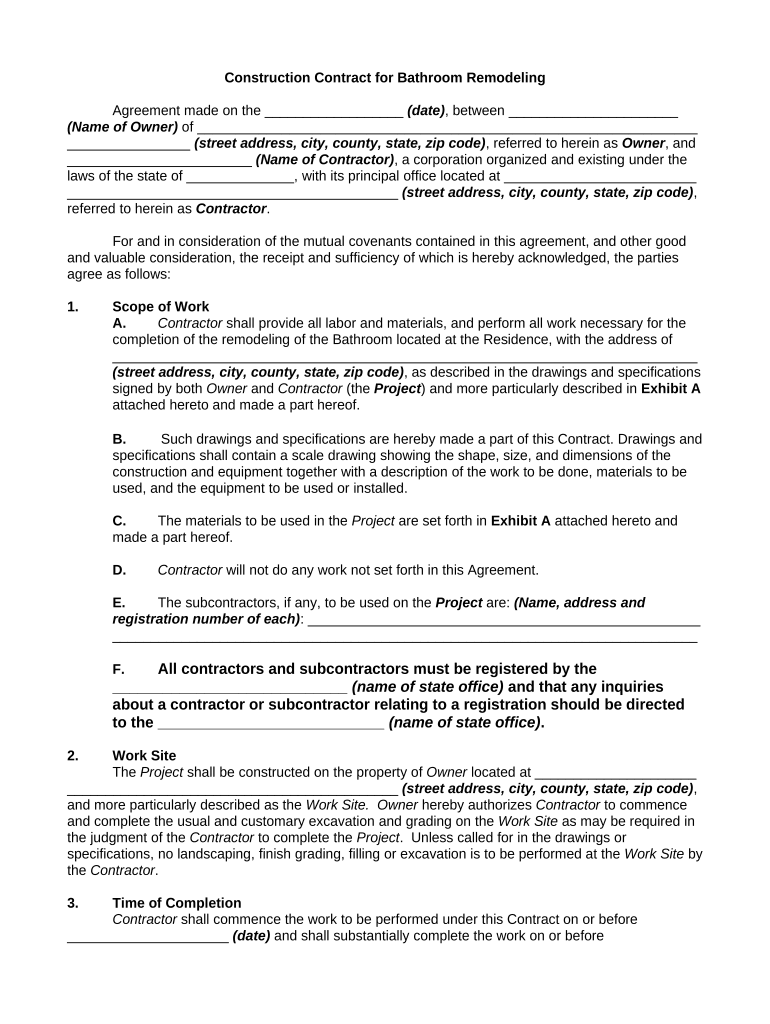
bathroom form online Preview on Page 1

Here's how it works

01. Edit your bathroom form online online
Type text, add images, blackout confidential details, add comments, highlights and more.
02. Sign it in a few clicks
Draw your signature, type it, upload its image, or use your mobile device as a signature pad.
03. Share your form with others
Send bathroom form via email, link, or fax. You can also download it, export it or print it out.

How to use or fill out bathroom form with our platform

Form edit decoration
9.5
Ease of Setup
DocHub User Ratings on G2
9.0
Ease of Use
DocHub User Ratings on G2
  1. Click ‘Get Form’ to open the bathroom form in the editor.
  2. Begin by entering the date of the agreement at the top of the form. This is crucial for establishing a timeline for your project.
  3. Fill in the Owner's name and address, ensuring all details are accurate to avoid any future disputes.
  4. Next, provide the Contractor's name and business address. This identifies who will be responsible for completing the work.
  5. In the 'Scope of Work' section, detail what remodeling tasks will be performed. Refer to any attached drawings or specifications as needed.
  6. Specify the Work Site address where the remodeling will take place, ensuring it matches your property records.
  7. Indicate start and completion dates for the project in the 'Time of Completion' section to set clear expectations.
  8. Review all sections carefully before signing to ensure accuracy and completeness. Any changes should be documented through a Change Order.

Start filling out your bathroom form online for free today!

be ready to get more

Complete this form in 5 minutes or less

Get form

Got questions?

We have answers to the most popular questions from our customers. If you can't find an answer to your question, please contact us.
Contact us

Microsoft Word doesn’t have signing tools to generate valid electronic signatures and enforceable forms. Luckily, DocHub is an online eSignature-compliant editor that works with different document formats, such as .doc files. Log in to your account and upload the Word edition of your bathroom form fill up from your device and cloud, or URL - our editor will automatically transform it into an editable PDF. Make all required alterations in your form and click Sign to generate your own legally-binding electronic signature. You will find four signing options from which to choose.

If you need to edit your bathroom form online quickly, it does not matter what internet browser you use. DocHub’s simple editing instruments are available using any internet browser. Just open the appropriate tab within our editor, add your document, and fill it out without stress.

Can I renovate a bathroom for $10,000? The short answer is yes. The longer answer is, it depends on what you want. The normal range for a bathroom remodel is anywhere from $6,600 to $17,600, but there are a few questions you can answer to have a better understanding of where youll fall within that range.
Your bathroom should feel intuitive to navigate, with clear paths between key fixtures. We recommend maintaining at least 700mm of clear floor space in front of each fixture, though more is preferable for optimal comfort. For accessible bathrooms, these measurements become even more important.
The 20-20 rule states: students are not allowed to go to the restroom during the first or last 20 minutes of every period, unless in an emergency situation.

People also ask

Based on the three specifications covered in this article, you can expect a bathroom renovation to cost on average (when using a mid-benchmark contractor): Bathroom: 10,289, or 1,729 per square metre. En-suite: 8,148, or 2,191 per square metre. WC: 3,405, or 1,576 per square metre.

Related links