Type text, add images, blackout confidential details, add comments, highlights and more.
02. Sign it in a few clicks
Draw your signature, type it, upload its image, or use your mobile device as a signature pad.
03. Share your form with others
Send it via email, link, or fax. You can also download it, export it or print it out.
How to use or fill out operating agreement with our platform
Ease of Setup
DocHub User Ratings on G2
Ease of Use
DocHub User Ratings on G2
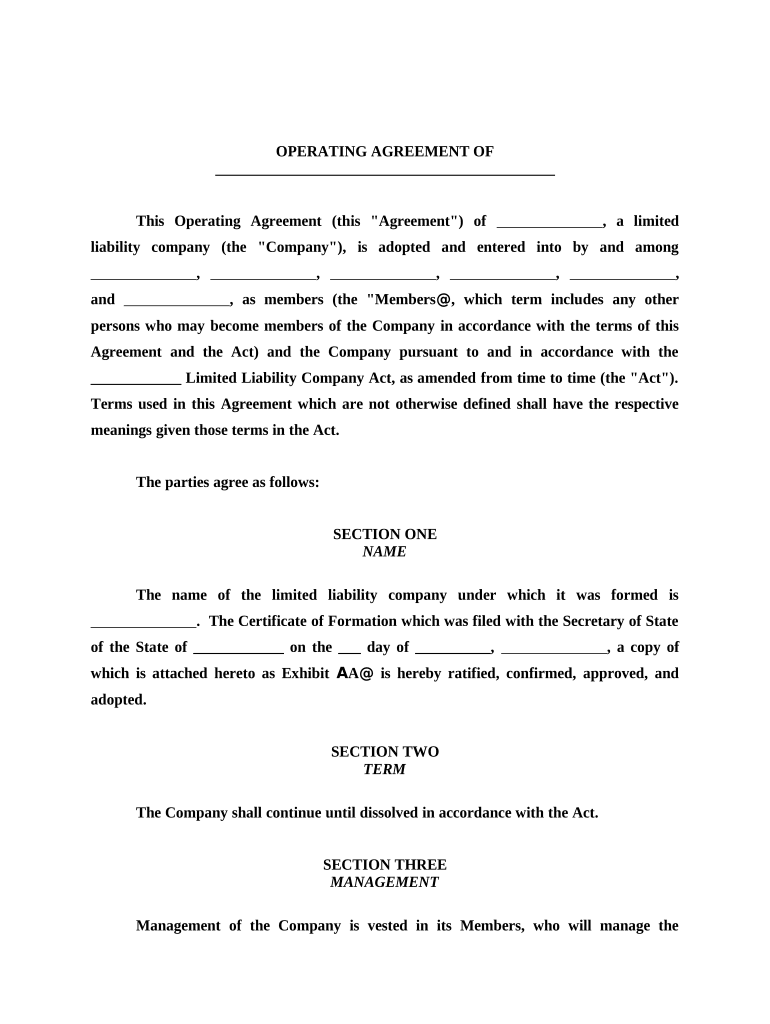
Click ‘Get Form’ to open the operating agreement in the editor.
Begin by filling in the name of your limited liability company in SECTION ONE. Ensure that you also include the date of formation and attach any necessary documents.
In SECTION TWO, specify the term of the company, indicating how long it will operate before dissolution.
For SECTION THREE, outline the management structure. Indicate who will manage the company and their responsibilities as per the Act.
In SECTION FOUR, clearly state the purpose of your company, detailing its business activities and objectives.
Fill out SECTION SIX by listing all members and their respective ownership percentages to clarify asset distribution.
Complete additional sections regarding profit allocation, distributions, member withdrawal procedures, and internal matters as needed.
Start editing your operating agreement for free today on our platform!
May 18, 2016 An operating agreement is a key document used by LLCs because it outlines the business financial and functional decisions including rules, regulations andRead more
Cookie consent notice
This site uses cookies to enhance site navigation and personalize your experience.
By using this site you agree to our use of cookies as described in our Privacy Notice.
You can modify your selections by visiting our Cookie and Advertising Notice.