




Here's how it works

01. Edit your payment promissory note online
Type text, add images, blackout confidential details, add comments, highlights and more.

02. Sign it in a few clicks
Draw your signature, type it, upload its image, or use your mobile device as a signature pad.

03. Share your form with others
Send sample promissory note for installment payment via email, link, or fax. You can also download it, export it or print it out.
How to use or fill out promissory note installment payments

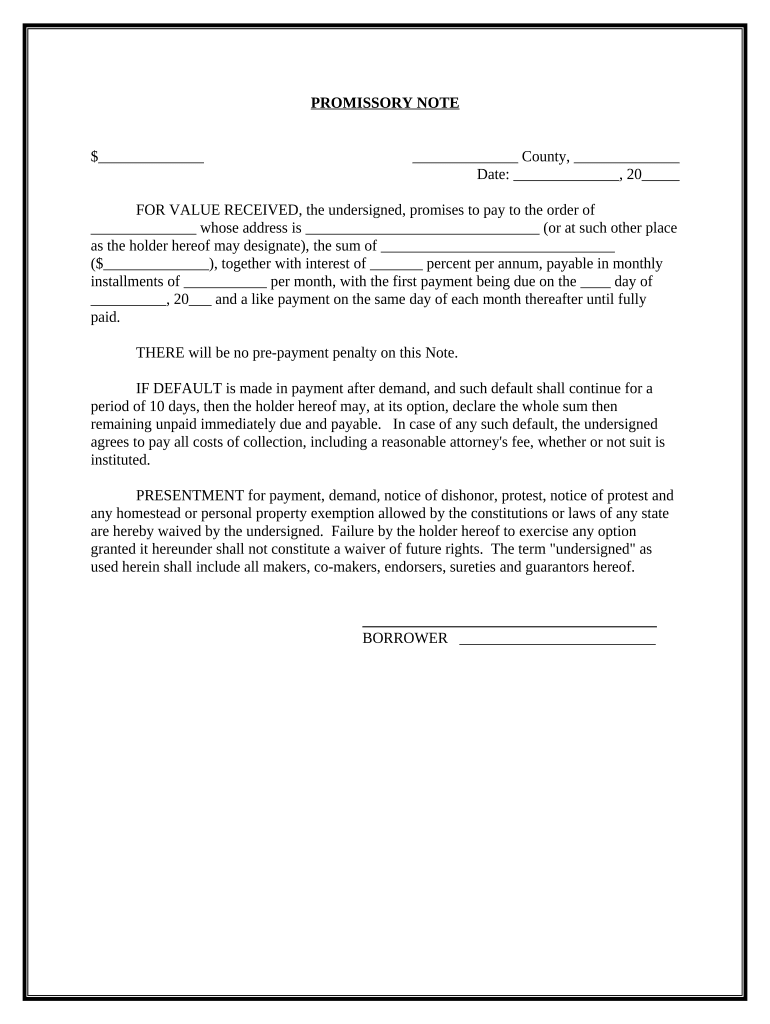
- Click ‘Get Form’ to open the promissory note in the editor.
- Begin by entering the loan amount in the first blank space labeled '$_____'. This is the total sum you are borrowing.
- Fill in the county and state where the agreement is being executed in the respective fields.
- Enter the date of signing in 'Date: _____, 20__'. Ensure this reflects when you are completing the document.
- In 'FOR VALUE RECEIVED', write your name as the borrower and provide your address in the designated area.
- Specify the total amount to be repaid, including interest, in 'the sum of __________ ($_____)'.
- Indicate the annual interest rate in 'interest of ____ percent per annum' and monthly payment amount under 'payable in monthly installments of _____ per month'.
- Set a due date for your first payment on 'the _ day of ___, 20___' and ensure subsequent payments are scheduled for the same day each month.
- Review all entries for accuracy before finalizing. Once complete, utilize our platform's signing feature to securely sign your document.
Start using our platform today to easily fill out your promissory note installment payments for free!
Fill out promissory note installment payments online
It's free
It's free
See more promissory note installment payments versions
We've got more versions of the promissory note installment payments form. Select the right promissory note installment payments version from the list and start editing it straight away!
| Versions | Form popularity | Fillable & printable |
|---|---|---|
| 2020 | 4.6 Satisfied (47 Votes) |
Security and compliance
At DocHub, your data security is our priority. We follow HIPAA, SOC2, GDPR, and other standards, so you can work on your documents with confidence.
Learn more


