Order Of Dismissal Upon Discharge - Wisconsin 2026

Get Form
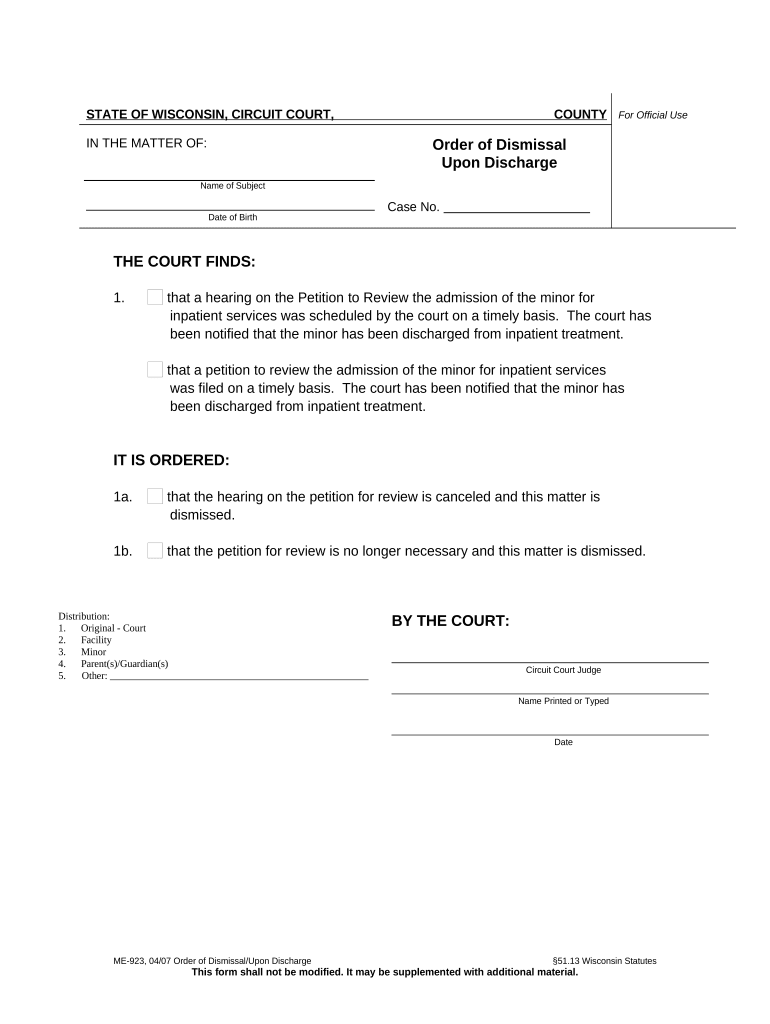
Order Of Dismissal Upon Discharge - Wisconsin Preview on Page 1

Here's how it works

01. Edit your form online
Type text, add images, blackout confidential details, add comments, highlights and more.
02. Sign it in a few clicks
Draw your signature, type it, upload its image, or use your mobile device as a signature pad.
03. Share your form with others
Send it via email, link, or fax. You can also download it, export it or print it out.

How to use or fill out Order Of Dismissal Upon Discharge - Wisconsin with our platform

Form edit decoration
9.5
Ease of Setup
DocHub User Ratings on G2
9.0
Ease of Use
DocHub User Ratings on G2
  1. Click ‘Get Form’ to open the Order of Dismissal Upon Discharge in the editor.
  2. Begin by entering the 'Name of Subject' and 'Date of Birth' in the designated fields. Ensure accuracy as this information is crucial for identification.
  3. Input the 'Case No.' in the appropriate section. This number helps track the case within the court system.
  4. Review the findings section, which confirms that a hearing was scheduled and that notification of discharge has been received. This section may not require any input but is essential for your understanding.
  5. In the order section, verify that it states both that the hearing is canceled and that the petition is dismissed. These statements are typically pre-filled but should be checked for correctness.
  6. Finally, ensure all distribution details are correct, including recipients like the court, facility, minor, and parents/guardians. Adjust if necessary.

Start using our platform today to easily complete your Order Of Dismissal Upon Discharge for free!

be ready to get more

Complete this form in 5 minutes or less

Get form

Got questions?

We have answers to the most popular questions from our customers. If you can't find an answer to your question, please contact us.
Contact us
A motion to dismiss is a formal request for a court to dismiss a case. The reasons for a dismissal vary greatly. Settlement: Approximately 95% of civil cases docHub settlements at some stage (can be before, after, or during the trial).
In Wisconsin, a defendant can file a motion to dismiss a court case based on legal grounds such as lack of subject matter jurisdiction. Additionally, a plaintiff can dismiss the case by serving and filing a notice of dismissal before the adverse party serves a responsive pleading or motion.
(4) A written motion, other than one which may be heard ex parte, and notice of the hearing thereof shall be served not later than 5 days before the time specified for the hearing, unless a different period is fixed by statute or by order of the court. Such an order may for cause shown be made on ex parte motion.
Grounds for filing a motion to dismiss include lack of subject matter jurisdiction, lack of personal jurisdiction, improper venue, insufficient service of process, failure to state a claim, statute of limitations, and failure to join a necessary party.
Writing a Persuasive Motion to Dismiss Be Clear and Concise: Use straightforward language and be diligent with proofreading. Stay Focused on the Legal Issues: Avoid unnecessary details and stick to the relevant legal arguments. Support Every Claim: Use statutes, case law, and rules of procedure to back up your points.

Security and compliance

At DocHub, your data security is our priority. We follow HIPAA, SOC2, GDPR, and other standards, so you can work on your documents with confidence.

Learn more
ccpa2
pci-dss
gdpr-compliance
hipaa
soc-compliance

People also ask

How you do it? File a motion to dismiss some action, write an order that is supported by the motion, collect exhibits, file everything with the court and all parties after setting a hearing date. respond to all legal writings and show up to the hearing(s).

Related links