Services Request Cover Sheet 2026

Get Form
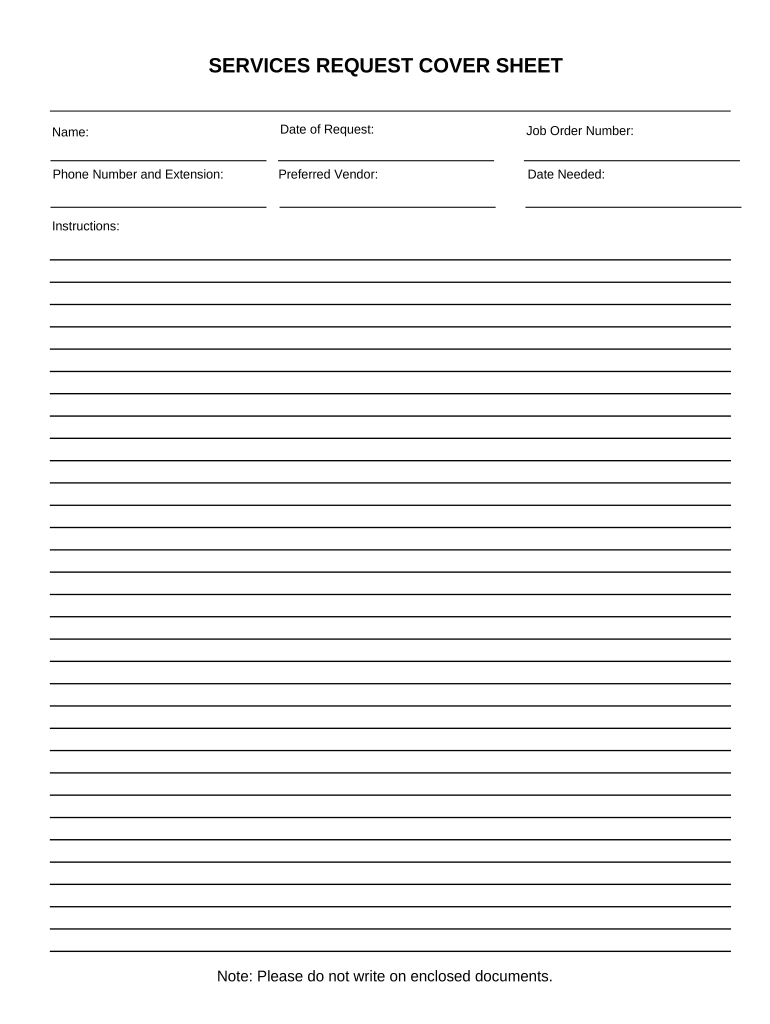
Services Request Cover Sheet Preview on Page 1

Here's how it works

01. Edit your form online
Type text, add images, blackout confidential details, add comments, highlights and more.
02. Sign it in a few clicks
Draw your signature, type it, upload its image, or use your mobile device as a signature pad.
03. Share your form with others
Send it via email, link, or fax. You can also download it, export it or print it out.

How to use or fill out Services Request Cover Sheet with our platform

Form edit decoration
9.5
Ease of Setup
DocHub User Ratings on G2
9.0
Ease of Use
DocHub User Ratings on G2
  1. Click ‘Get Form’ to open the Services Request Cover Sheet in the editor.
  2. Begin by entering your name in the designated field at the top of the form. This identifies you as the requester.
  3. Next, input the date of your request. This helps track when the service is needed.
  4. Fill in the Job Order Number if applicable. This number is crucial for referencing your request within organizational systems.
  5. Provide your phone number and extension to ensure easy communication regarding your request.
  6. Select your preferred vendor from the dropdown menu, if available, to streamline service fulfillment.
  7. Indicate the date needed for service completion. This ensures timely processing of your request.
  8. Review all entries for accuracy before submitting. Remember, do not write on enclosed documents as per instructions.

Start using our platform today to effortlessly complete your Services Request Cover Sheet online for free!

be ready to get more

Complete this form in 5 minutes or less

Get form

Got questions?

We have answers to the most popular questions from our customers. If you can't find an answer to your question, please contact us.
Contact us
Unlike a traditional full page cover letter, an e-note is shorter (think 1/3 to 1/2 of a page) but still captures the essence of your career success.
A cover page (also known as a title page) is the first page of a paper or report that lists basic information, such as the title, author(s), course name, instructor, date, and sometimes the name of the institution.
A fax cover sheet typically includes the recipients name and fax number, the senders name and fax number, the number of pages being sent, and a brief message or subject line. It may also include the date, the fax machines phone number, and any additional information or instructions.
This form, approved by the Judicial Conference of the United States in September 1974, is required for the use of the Clerk of Court for the purpose of initiating the civil docket sheet. Consequently, a civil cover sheet is submitted to the Clerk of Court for each civil complaint filed.
A resume cover page is the same thing as a cover letter. All the elements you include in a cover letter are elements that you should include on your cover page. A professional cover letter is something you include with your job application to tell a hiring manager why youre the right person for the job.

Security and compliance

At DocHub, your data security is our priority. We follow HIPAA, SOC2, GDPR, and other standards, so you can work on your documents with confidence.

Learn more
ccpa2
pci-dss
gdpr-compliance
hipaa
soc-compliance

People also ask

A cover page is a letter or email sent with a resume , and it is often the first thing an employer will read. While a resume outlines your education, professional qualifications and work experience, a detailed cover letter expands on your skills and suitability for a role.
A cover letter and a cover sheet are both professional documents through which you introduce yourself. While a cover letter is a written message that allows recruiters to consider a candidate, a cover sheet is a brief page of details that appears at the front of a document.

Related links