Start using our platform today to streamline your certification process for free!
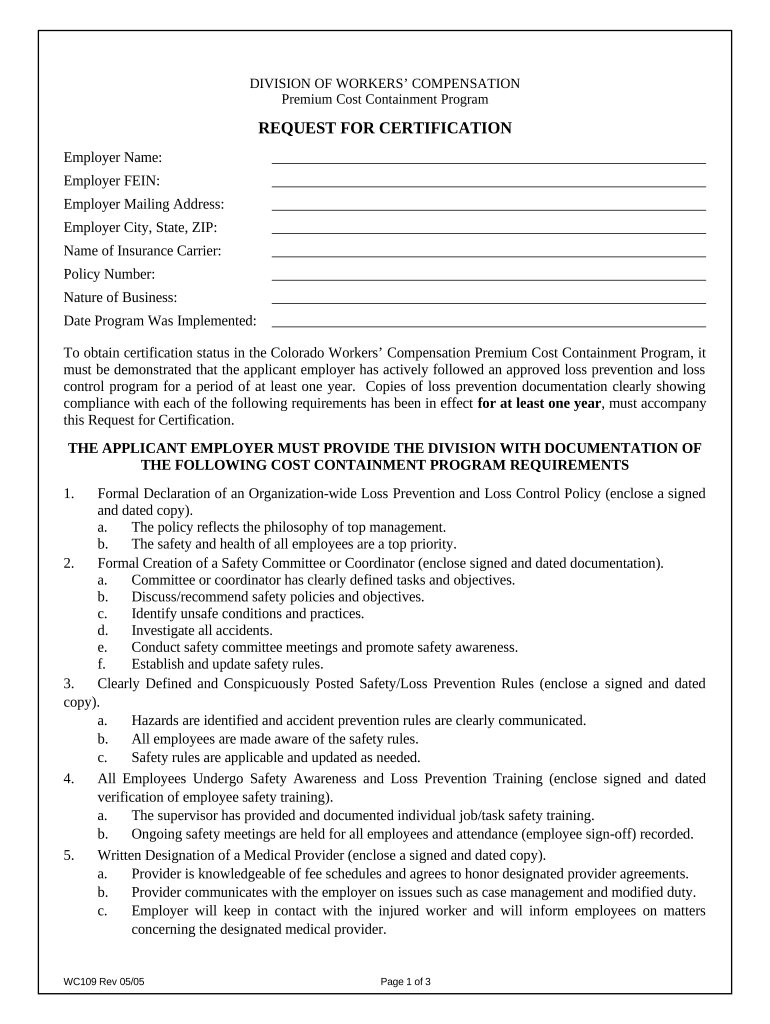
Microsoft Word doesn’t have signing tools to create valid electronic signatures and enforceable forms. Fortunately, DocHub is an online eSignature-compliant editor that supports different document formats, including .doc files. Log in to your account and add the Word edition of your Request for Certification for Workers' Compensation - Colorado from your device and cloud, or URL - our editor will automatically turn it into an editable PDF. Make all necessary modifications in your document and click Sign to create your own legally-binding eSignature. There are four signing methods from which to choose.
With DocHub, you have several convenient methods to edit your Request for Certification for Workers' Compensation - Colorado online. You can drag and drop the form and modify it directly at the DocHub site or use our browser extension to fill out your form right away. On top of that, you can modify your PDF on your phone, as DocHub is compatible with all the accessible mobile platforms.
At DocHub, your data security is our priority. We follow HIPAA, SOC2, GDPR, and other standards, so you can work on your documents with confidence.
Learn more