Affidavit of Presumptive Paternity - Colorado 2026

Get Form
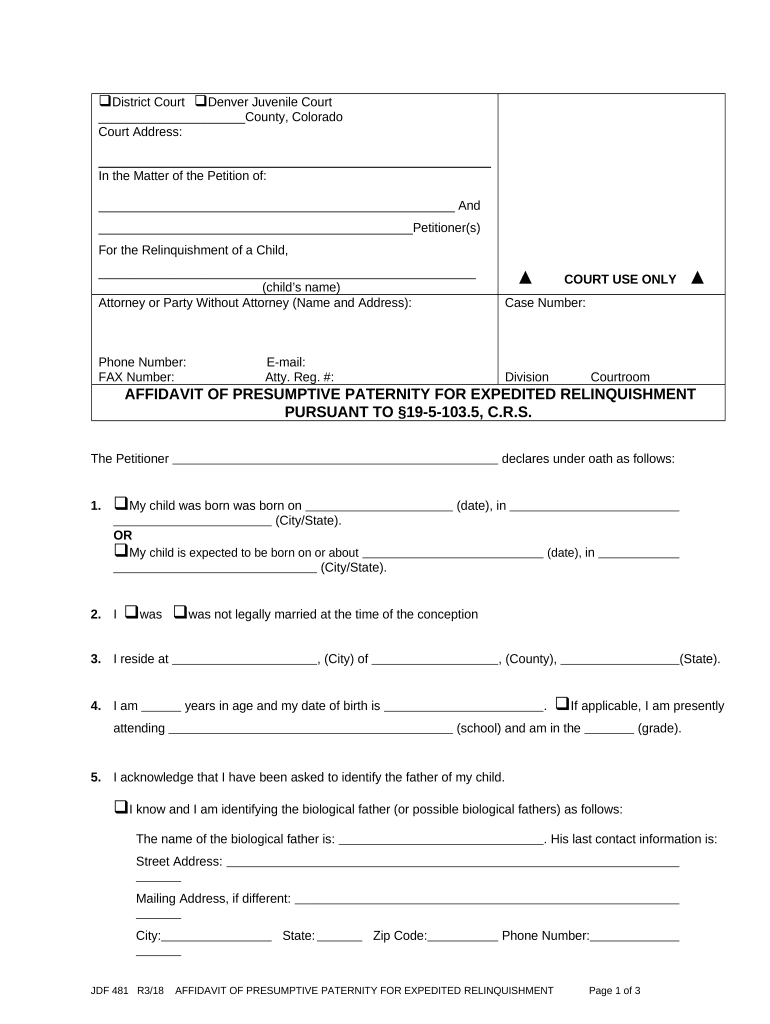
Affidavit of Presumptive Paternity - Colorado Preview on Page 1

Here's how it works

01. Edit your form online
Type text, add images, blackout confidential details, add comments, highlights and more.
02. Sign it in a few clicks
Draw your signature, type it, upload its image, or use your mobile device as a signature pad.
03. Share your form with others
Send it via email, link, or fax. You can also download it, export it or print it out.

How to use or fill out Affidavit of Presumptive Paternity - Colorado with DocHub

Form edit decoration
9.5
Ease of Setup
DocHub User Ratings on G2
9.0
Ease of Use
DocHub User Ratings on G2
  1. Click ‘Get Form’ to open the Affidavit of Presumptive Paternity in our editor.
  2. Begin by entering the court information at the top, including the county and court address. This sets the context for your affidavit.
  3. Fill in your name and contact details as the petitioner. Ensure accuracy, as this information is crucial for court communication.
  4. Provide details about your child, including their name and date of birth or expected birth date. This section establishes the subject of the affidavit.
  5. Indicate your marital status at conception by checking the appropriate box and providing relevant dates and locations.
  6. Identify the biological father(s) if known. Fill in their contact information and any additional descriptions that may assist in identification.
  7. Complete sections regarding tribal affiliation if applicable, ensuring compliance with the Indian Child Welfare Act.
  8. Review all entries for accuracy before signing. Use our platform’s features to ensure clarity and correctness.

Start filling out your Affidavit of Presumptive Paternity today for free using our platform!

be ready to get more

Complete this form in 5 minutes or less

Get form

Got questions?

We have answers to the most popular questions from our customers. If you can't find an answer to your question, please contact us.
Contact us

Managing your documents with DocHub this way is very straightforward once you have downloaded its extension for Google Chrome. Go to the Chrome Web Store and set up DocHub - Sign PDF from Gmail to get it. Give our tool access to your Google account, and then open an email containing Affidavit of Presumptive Paternity - Colorado as an attachment and point to the file with your cursor - the DocHub extension button will automatically show up there. Click on it to open your document in our editor. Make any essential edits, fill out the blanks, and click Sign to create your legally-binding electronic signature.

With a swift editing system like DocHub, you do not need anything but a browser and connection to the internet to edit your Affidavit of Presumptive Paternity - Colorado online easily. Upload your document or find the relevant form in DocHub’s catalog, open our editor with a single click, and finish it electronically. To revise your forms at any time, register a free profile with DocHub.

Security and compliance

At DocHub, your data security is our priority. We follow HIPAA, SOC2, GDPR, and other standards, so you can work on your documents with confidence.

Learn more
ccpa2
pci-dss
gdpr-compliance
hipaa
soc-compliance