Type text, add images, blackout confidential details, add comments, highlights and more.
02. Sign it in a few clicks
Draw your signature, type it, upload its image, or use your mobile device as a signature pad.
03. Share your form with others
Send it via email, link, or fax. You can also download it, export it or print it out.
How to use or fill out ohio judgment with our platform
Ease of Setup
DocHub User Ratings on G2
Ease of Use
DocHub User Ratings on G2
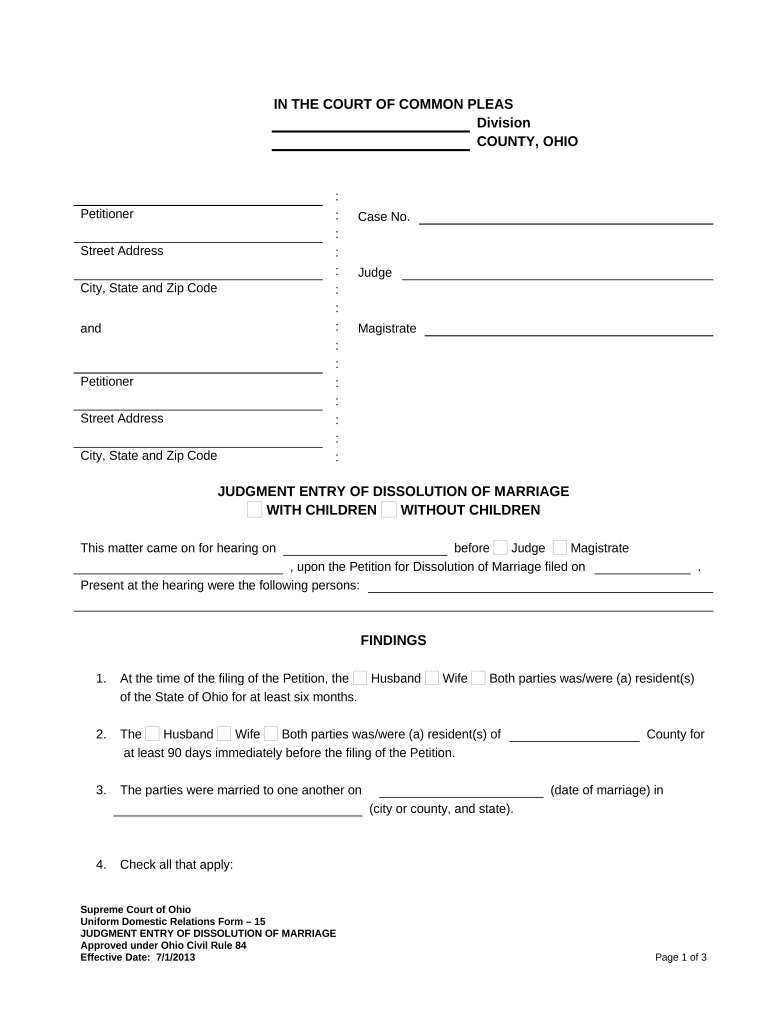
Click ‘Get Form’ to open the ohio judgment document in the editor.
Begin by filling in the 'Petitioner' section with your name and address details. Ensure accuracy as this information is crucial for court records.
In the 'Case No.' field, enter the assigned case number provided by the court. This helps in tracking your case efficiently.
Indicate whether you are filing for dissolution with or without children by checking the appropriate box.
Complete the 'Findings' section, detailing residency requirements and marriage information. Be sure to check all applicable statements regarding children and custody arrangements.
Review the 'Judgment' section carefully, ensuring that all agreements and plans are accurately reflected before signing.
Start using our platform today to streamline your ohio judgment form completion for free!
Ohio judgment lien expirationOhio revive dormant judgmentCertificate of judgmentOhio certificate of judgmentOhio wage garnishment statute of limitationsOhio Uniform enforcement of foreign judgments ActHow long does a lien stay on your property in Ohio
Security and compliance
At DocHub, your data security is our priority. We follow HIPAA, SOC2, GDPR, and other standards, so you can work on your documents with confidence.
Section 2329.02 | Judgment lien - certificate of judgment
Aug 27, 2024 Any judgment or decree rendered by any court of general jurisdiction, including district courts of the United States, within this state shall be a lien uponRead more
by ML Joseph 1961 For example, if a demurrer is overruled, the court can render judgment by default if the party declines to plead further. Types of Cases in Which. DefaultRead more
Cookie consent notice
This site uses cookies to enhance site navigation and personalize your experience.
By using this site you agree to our use of cookies as described in our Privacy Notice.
You can modify your selections by visiting our Cookie and Advertising Notice.