



01. Edit your yoga survey online
Type text, add images, blackout confidential details, add comments, highlights and more.

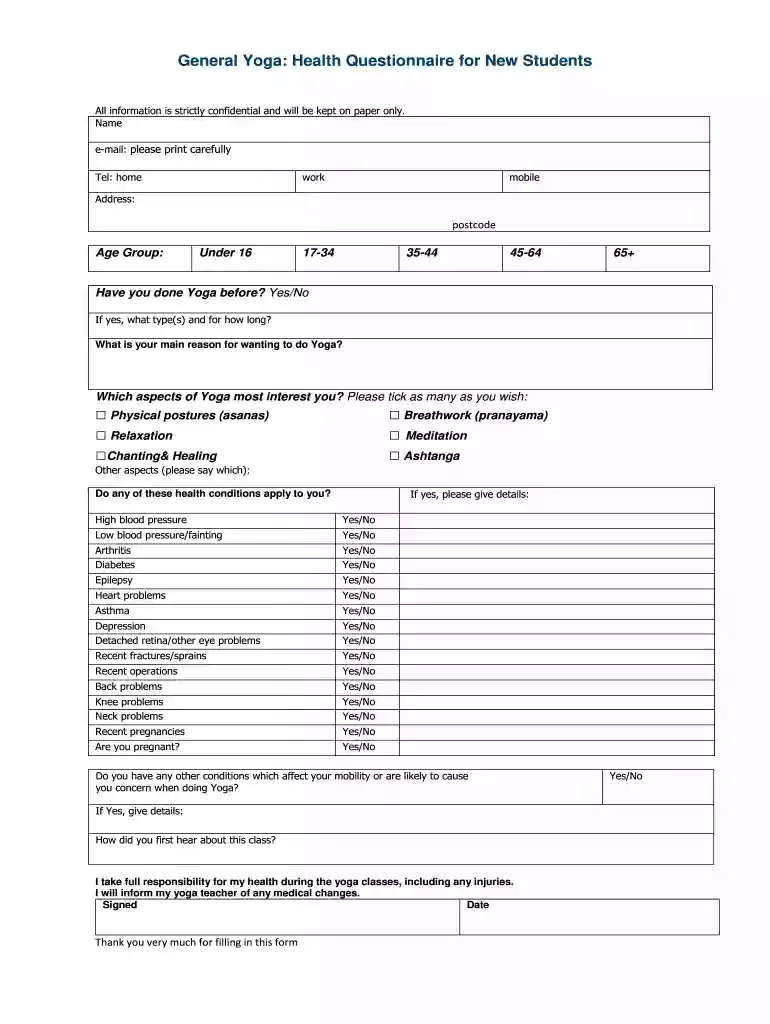
Type text, add images, blackout confidential details, add comments, highlights and more.

Draw your signature, type it, upload its image, or use your mobile device as a signature pad.

Send yoga health questionnaire via email, link, or fax. You can also download it, export it or print it out.

Start filling out your yoga health questionnaire today for free on our platform!
We've got more versions of the yoga survey form. Select the right yoga survey version from the list and start editing it straight away!
| Versions | Form popularity | Fillable & printable |
|---|---|---|
| 2013 | 4.5 Satisfied (68 Votes) |
A lot of software applications are available out there for document editing and signing. DocHub is one of the most popular online solutions that comply with all data protection and compliance standards and ensures your eSigned paperwork is legally enforceable. All you need to try it out is to register an account, upload your yoga questionnaire for students, fill out the required information, and click Sign. Generate your electronic signature by typing, drawing it, uploading its image to your form, or scanning a unique QR code.
As a comprehensive document editing platform, DocHub is accessible on smart phones. Open DocHub in your choice of mobile browser and use our smart mobile-friendly toolset to complete your yoga survey questions.
At DocHub, your data security is our priority. We follow HIPAA, SOC2, GDPR, and other standards, so you can work on your documents with confidence.
by CL Park 2018 Cited by 71 Analyses identified fourteen key dimensions of yoga interventions measured by the EPYQ: acceptance/compassion, bandhas, body awareness, breathwork, instructorRead more
Aug 15, 2014 using your own body weight like yoga, sit-ups or push-ups and health insurance or health coverage plans? [Select all that apply].Read more
by CL Park Cited by 71 The EPYQ will allow researchers to link specific yoga dimensions to identifiable health outcomes and optimize the design of yoga interven- tionsRead more


