




Here's how it works

01. Edit your dochub com fillable form online
Type text, add images, blackout confidential details, add comments, highlights and more.

02. Sign it in a few clicks
Draw your signature, type it, upload its image, or use your mobile device as a signature pad.

03. Share your form with others
Send dd2642 via email, link, or fax. You can also download it, export it or print it out.
How to use or fill out beneficiary claim form dd2642 1999 with our platform

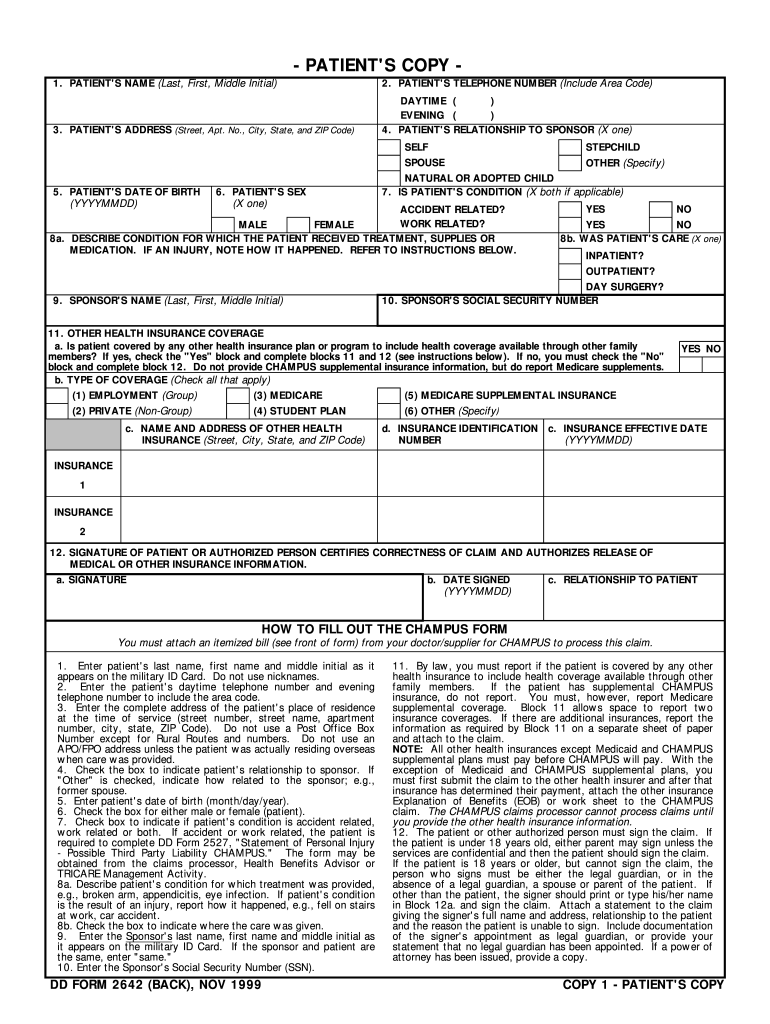
- Click ‘Get Form’ to open the beneficiary claim form dd2642 1999 in the editor.
- Begin by entering the patient's name in block 1 as it appears on their military ID. Ensure accuracy to avoid delays.
- In block 2, provide both daytime and evening telephone numbers, including area codes for easy contact.
- Fill out block 3 with the complete address of the patient’s residence at the time of service, avoiding P.O. Box addresses unless necessary.
- Indicate the patient's relationship to the sponsor in block 4 by checking the appropriate box.
- Complete blocks 5 and 6 with the patient's date of birth and sex, ensuring all information is accurate.
- In blocks 7 and 8a, specify if the condition is accident or work-related and describe the condition treated, providing details as needed.
- Enter sponsor's name and Social Security Number in blocks 9 and 10 respectively, ensuring they match official records.
- Report any other health insurance coverage in block 11, following instructions carefully to ensure compliance.
- Finally, sign and date block 12 to certify correctness of the claim before submitting it through our platform for processing.
Start filling out your beneficiary claim form dd2642 1999 online for free today!
Fill out beneficiary claim form dd2642 1999 online
It's free
It's free
See more beneficiary claim form dd2642 1999 versions
We've got more versions of the beneficiary claim form dd2642 1999 form. Select the right beneficiary claim form dd2642 1999 version from the list and start editing it straight away!
Security and compliance
At DocHub, your data security is our priority. We follow HIPAA, SOC2, GDPR, and other standards, so you can work on your documents with confidence.
Learn more


Related forms

FMCSA - Applicant Authorization to Release Safety Performance
The document is an authorization form for applicants to release their safety performance history to Clarendon ISD, as re ...

PURCHASING CARD MISSING RECEIPT FORM - finance utah
The document is a Purchasing Card Missing Receipt Form, intended for use when original receipts or invoices are unavaila ...

Maine Residential Purchase and Sale Agreement
The document is a legally binding Standard Form Contract for the Purchase and Sale of Real Estate in Maine. It outlines ...
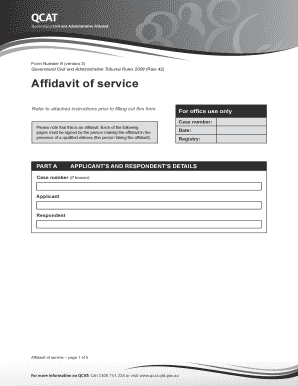
Form 9 - Affidavit of service - QCAT
The document is a Form Number 9 Affidavit of Service for the Queensland Civil and Administrative Tribunal (QCAT), outlin ...

Wood Destroying Organism Inspection Reports
The document is a Wood-Destroying Organisms Inspection Report from the Florida Department of Agriculture and Consumer Se ...

PRELIMINARY AUTHORIZATION TO PROVIDE MEDICAID WAIVER
The document is a Preliminary Authorization to Provide Medicaid Waiver Services issued by the North Dakota Department of ...

Ohio certificate medical necessity
The document is a Certificate of Medical Necessity (ODM 07137) issued by the Ohio Department of Medicaid, which certifie ...

Bcbs skilled nursing facility
The document is a Skilled Nursing Facility/Inpatient Rehabilitation Authorization Request form for BlueCross BlueShield ...