




Here's how it works



How to use or fill out fs form 5336 with our platform

- Click ‘Get Form’ to open fs form 5336 in the editor.
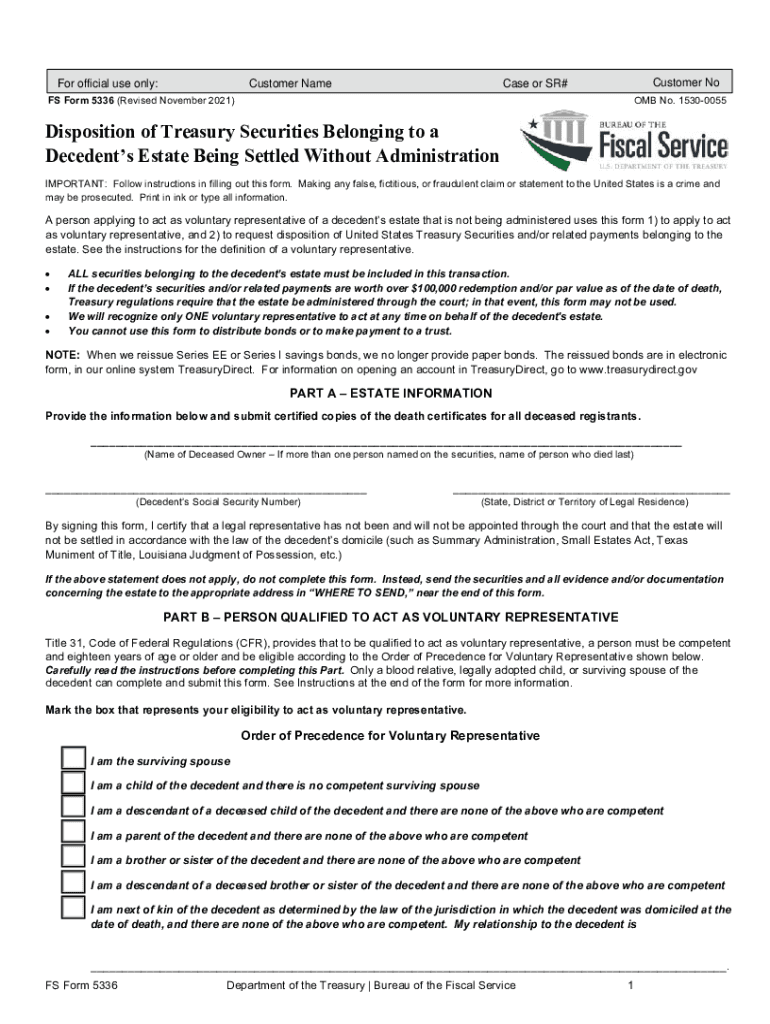
- In Part A, provide the decedent's name, Social Security Number, and state of legal residence. Ensure you have certified copies of death certificates ready for submission.
- Move to Part B and mark the box that represents your eligibility as a voluntary representative. Only blood relatives or legally adopted children can complete this section.
- In Part C, select the type of disposition you are requesting by marking the appropriate boxes based on your needs—payment, transfer, or distribution.
- Complete Part D if you are requesting payment. Fill in your name, mailing address, and details about the securities including title, issue date, and identifying numbers.
- If transferring unmatured marketable securities, fill out Part E with necessary account information and routing numbers for external transfers.
- Finally, sign in Part G to certify that all information is accurate and submit your completed form through our platform for processing.
Start using our platform today to easily fill out fs form 5336 online for free!
It's free
See more fs form 5336 versions
| Versions | Form popularity | Fillable & printable |
|---|---|---|
| 2025 | 4.3 Satisfied (31 Votes) | |
| 2021 | 4.8 Satisfied (137 Votes) | |
| 2021 | 4.3 Satisfied (83 Votes) | |
| 2019 | 4.1 Satisfied (72 Votes) | |
| 2018 | 4.3 Satisfied (57 Votes) | |
| 2015 | 4.4 Satisfied (236 Votes) | |
| 2015 | 4.2 Satisfied (193 Votes) | |
| 2010 | 4.1 Satisfied (58 Votes) | |
| 2007 | 4.4 Satisfied (50 Votes) |
Got questions?
Can I complete and sign my form 5336 treasury form online?
Sure, and it’s really straightforward! DocHub is a web-based PDF editor with advanced document management features that allow you quickly adjust your forms, complete blank fields and add new ones for others to fill out, and create eSignatures in several ways. Upload your form 5336 treasury form, provide information as requested, and decide how you want to eSign your template - by typing your name, drawing your signature, uploading its image, or using a QR code.
How to fill out treasury form fs 5336 on the internet for free in 2024?
With a swift editing system like DocHub, you do not need anything but a browser and connection to the internet to modify your treasury form fs 5336 online swiftly. Add your file or find the relevant form in DocHub’s catalog, open our editor with a single click, and finish it electronically. To revise your forms at any time, register a free profile with DocHub.
Security and compliance
At DocHub, your data security is our priority. We follow HIPAA, SOC2, GDPR, and other standards, so you can work on your documents with confidence.
Learn more




