




Here's how it works



How to use or fill out food safety plan worksheets with our platform

- Click ‘Get Form’ to open the Food Safety Plan Worksheets in the editor.
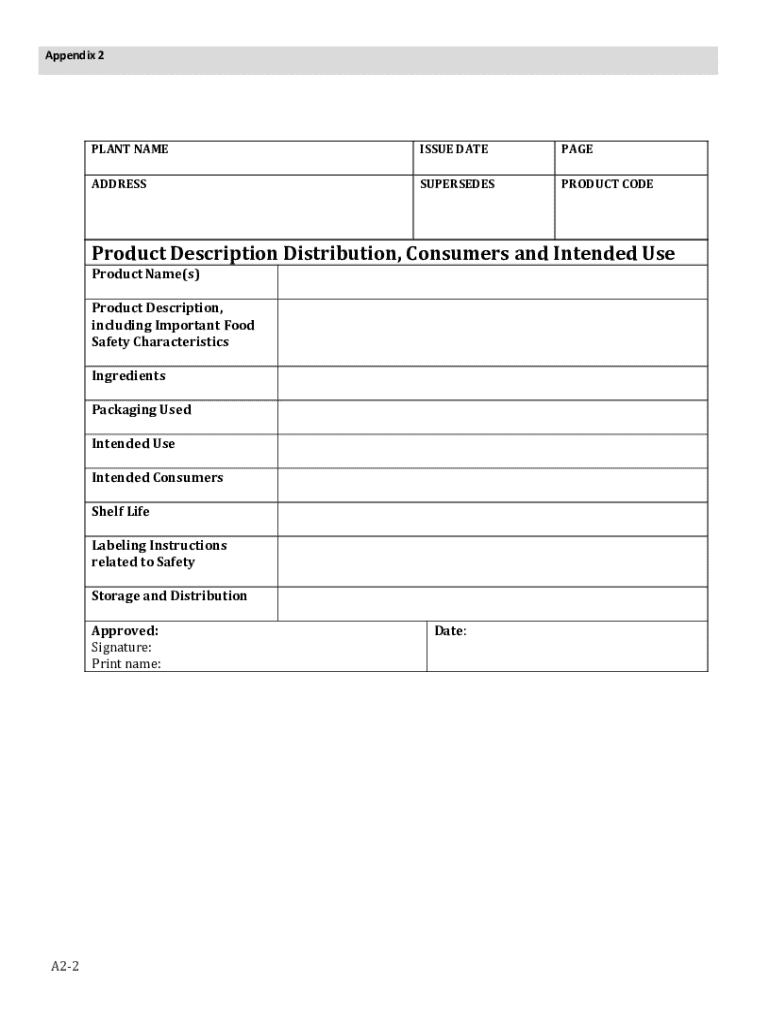
- Begin by filling out the 'Product Description' section. Include details such as product name, description, ingredients, and intended use. This information is crucial for understanding the context of your food safety plan.
- Move to the 'Hazard Analysis' section. Identify potential food safety hazards at each processing step and indicate whether they require preventive controls. Use the provided columns to justify your decisions and outline applicable preventive measures.
- Complete the 'Process Preventive Controls' section by detailing monitoring procedures, frequency, corrective actions, and verification methods for each identified hazard. Ensure that all records are accurately maintained.
- Review your entries for completeness and accuracy before saving or exporting your filled worksheet. Make sure to include necessary firm identification details if used for official purposes.
Start using our platform today to streamline your food safety documentation process for free!
It's free
See more food safety plan worksheets versions
| Versions | Form popularity | Fillable & printable |
|---|---|---|
| 2016 | 4.8 Satisfied (142 Votes) |
Got questions?
Can I sign my food safety worksheets electronically?
As outlined by eSignature laws, forms approved electronically have the same validity as traditionally approved ones. You can eSign almost any business and private documentation. Four types of documents still require wet signatures only - wills and testamentary trusts, court orders and other court papers, state statutes regulating divorce, adoption, or other family law, and notice of cancellation of utility services. If you follow the guidelines and utilize a safe and compliant software solution, like DocHub, you can eSign your food safety worksheets without printing it.
What browser do I need to edit food safety plan online?
If you want to edit your food safety plan online swiftly, it does not matter what browser you use. DocHub’s straightforward editing instruments are accessible using any internet browser. Simply open the appropriate tab in the editor, add your file, and fill it out without stress.
What are the 7 steps in developing a food safety plan?
How to create a food safety plan?
What is included in a food safety plan?
Security and compliance
At DocHub, your data security is our priority. We follow HIPAA, SOC2, GDPR, and other standards, so you can work on your documents with confidence.
Learn more


