




01. Edit your form online
Type text, add images, blackout confidential details, add comments, highlights and more.

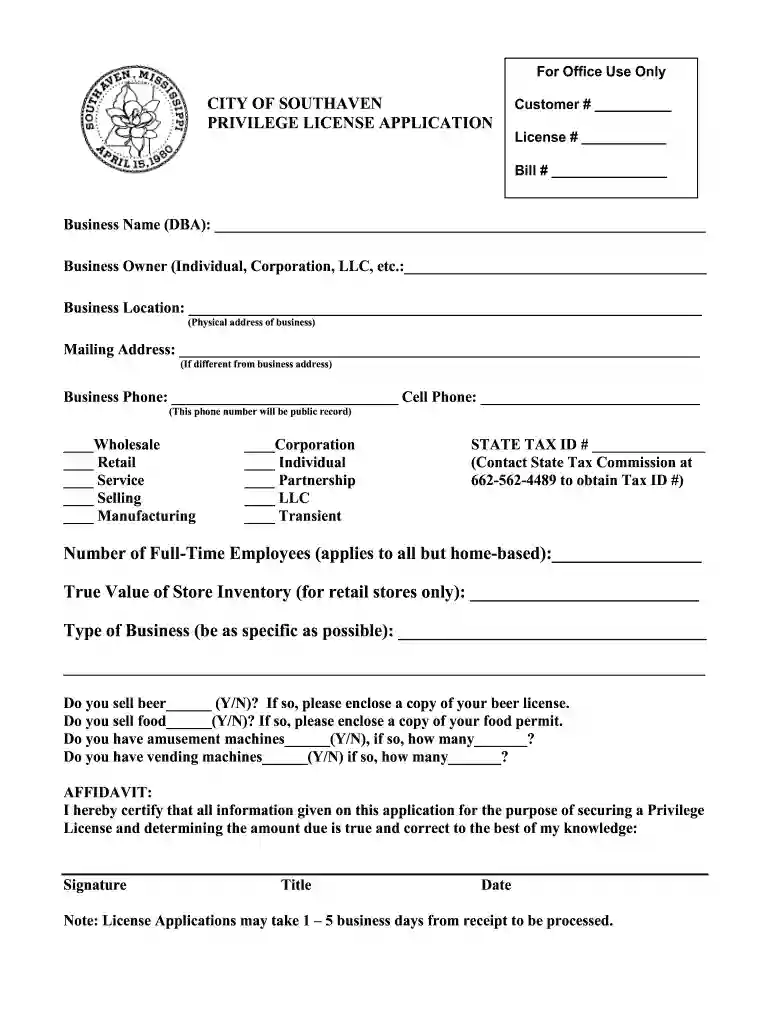
Type text, add images, blackout confidential details, add comments, highlights and more.

Draw your signature, type it, upload its image, or use your mobile device as a signature pad.

Send it via email, link, or fax. You can also download it, export it or print it out.

Start filling out your Privilege License Application today for free using our platform!
We've got more versions of the Business Owner (Individual, Corporation, LLC, etc - southaven form. Select the right Business Owner (Individual, Corporation, LLC, etc - southaven version from the list and start editing it straight away!
Electronic signatures are an excellent replacement for traditional signing, as they save time, effort, and money people spend on printing, scanning, and paper delivery. You can electronically sign your Business Owner (Individual, Corporation, LLC, etc - southaven utilizing a trustworthy and powerful online document processing services like DocHub. It complies with primary eSignature regulations (ESIGN and UETA), so all documents approved there are legally binding and have the same validity as manually signed ones.
You need only an internet connection and a browser to complete your Business Owner (Individual, Corporation, LLC, etc - southaven on an iOS phone. Open the DocHub website and authenticate. Then, add your file or choose it from the list in your dashboard. Then use our editing tools to complete your form and save all your modifications. You can also send it to a dedicated recipient immediately.
At DocHub, your data security is our priority. We follow HIPAA, SOC2, GDPR, and other standards, so you can work on your documents with confidence.
Currently, under the ownership of Jeff and Lisa Hoffman and Fred Manning, the property offers 90 RV and tent sites as well as 3 cabins for visitors to occupy.Read more
Nonpayment of property taxes puts property owners at risk of losing their homes, which is often their only investment. A property tax foreclosure can devastateRead more


