Oda1043 form 2026

Get Form
oda1043 form Preview on Page 1

Here's how it works

01. Edit your form online
Type text, add images, blackout confidential details, add comments, highlights and more.

02. Sign it in a few clicks
Draw your signature, type it, upload its image, or use your mobile device as a signature pad.

03. Share your form with others
Send it via email, link, or fax. You can also download it, export it or print it out.

How to use or fill out oda1043 form with our platform

Form edit decoration
9.5
Ease of Setup
DocHub User Ratings on G2
9.0
Ease of Use
DocHub User Ratings on G2
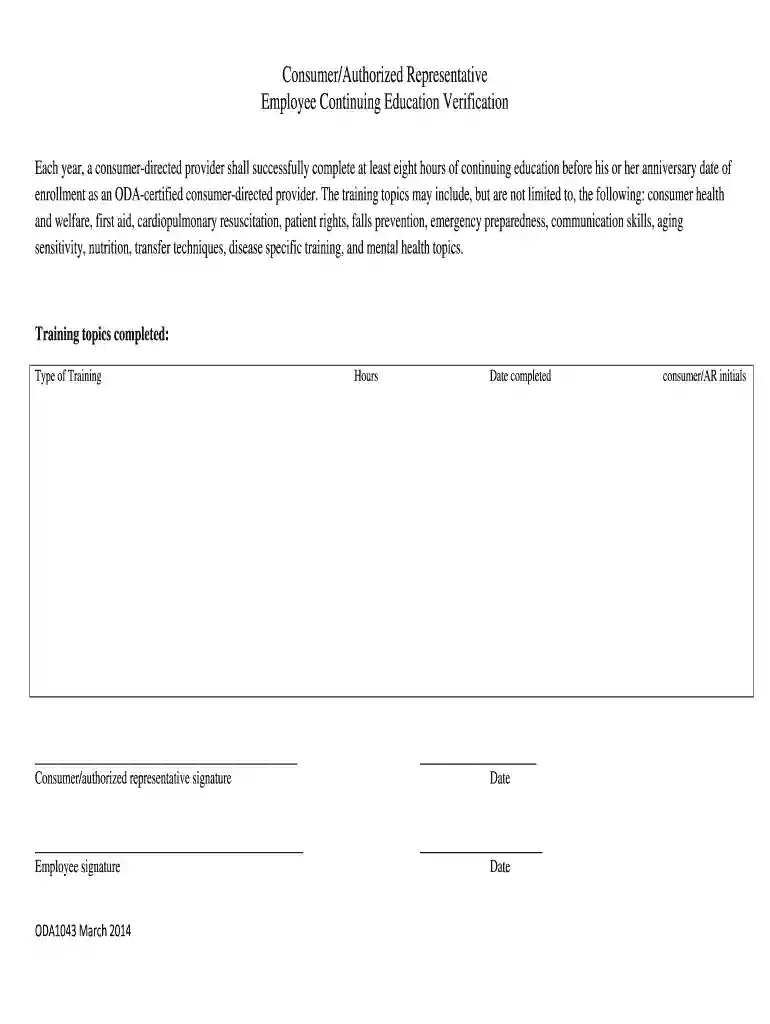
  1. Click ‘Get Form’ to open the oda1043 form in the editor.
  2. Begin by filling in the 'Type of Training' section. List the training topics you have completed, ensuring they align with the required continuing education subjects.
  3. In the 'Hours' field, enter the total number of hours completed for your training. This should reflect at least eight hours as mandated.
  4. Next, fill in the 'Date completed' field with the date you finished your training. Ensure this is before your anniversary date of enrollment.
  5. Sign in the 'Consumer/authorized representative signature' section to confirm that you have completed the necessary training.
  6. Finally, have the employee sign in their designated area and add their initials next to 'consumer/AR initials' for verification.

Start using our platform today to easily complete and manage your oda1043 form online for free!

See more oda1043 form versions

We've got more versions of the oda1043 form form. Select the right oda1043 form version from the list and start editing it straight away!
Versions Form popularity Fillable & printable
2014 4.8 Satisfied (100 Votes)
be ready to get more

Complete this form in 5 minutes or less

Get form

Got questions?

We have answers to the most popular questions from our customers. If you can't find an answer to your question, please contact us.
Contact us

Based on eSignature regulations, documents approved electronically have the same validity as traditionally approved ones. You can electronically sign almost any business and private paperwork. Four types of paperwork still require wet signatures only - wills and testamentary trusts, court orders and other court forms, state statutes governing divorce, adoption, or other family law, and notice of cancellation of utility services. If you follow the rules and use a trustworthy and compliant software solution, like DocHub, you can eSign your oda1043 form without printing it.

You can easily edit and complete your oda1043 form on any iOS device. Open an internet browser of your liking, go to the DocHub website, authorize or create a new account, add your file for editing, and make your required alterations. Our service is mobile-friendly, so utilizing its features on your smartphone will be a no-brainer, even on the first try.

This is a standard form required for use as a cover sheet for submission of pre-applications and applications and related information under discretionary programs. Some of the items are required and some are optional at the discretion of the applicant or the federal agency (agency).
The Individual Retirement Record (IRR), Standard Form (SF) 2806 / SF 3100, is used by OPM as the basic record for determining the retirement benefits payable to separated employees and their survivors.
The preliminary application is considered a preapplication and the Application for Federal Assistance SF424 is used for this purpose. Each applicant submitting a full application will be required to submit an Application for Federal Assistance SF424 at that point as well.

People also ask

The SF424 (Standard Form 424) is a standardized application form used by federal agencies, including the National Institutes of Health (NIH) and other organizations, for grant applications related to research, projects, or programs.

Related links