Aflac claim forms 2026

Get Form
aflac claim form Preview on Page 1

Here's how it works

01. Edit your aflac claim form online
Type text, add images, blackout confidential details, add comments, highlights and more.
02. Sign it in a few clicks
Draw your signature, type it, upload its image, or use your mobile device as a signature pad.
03. Share your form with others
Send aflac claim forms via email, link, or fax. You can also download it, export it or print it out.

How to use or fill out Aflac claim forms with our platform

Form edit decoration
9.5
Ease of Setup
DocHub User Ratings on G2
9.0
Ease of Use
DocHub User Ratings on G2
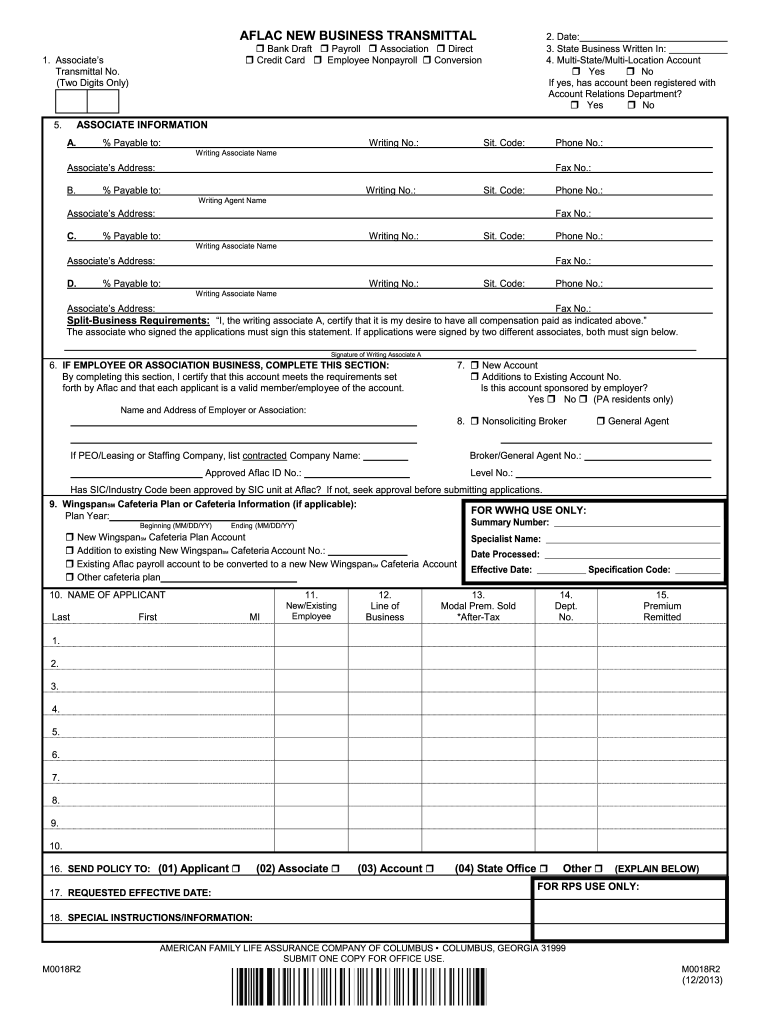
  1. Click ‘Get Form’ to open the Aflac New Business Transmittal in the editor.
  2. Begin by entering a two-digit identification number under 'Associate’s Transmittal No.' This helps in tracking your submissions.
  3. Fill in the date of completion and specify the state where the business is written. Ensure accuracy to avoid processing delays.
  4. Indicate if this is a multi-state or multi-location account and confirm registration with the Account Relations Department if applicable.
  5. Complete the associate information section, including commission percentages, names, addresses, and contact details for each writing associate involved.
  6. If applicable, certify that the account meets Aflac's requirements by completing the employee or association business section.
  7. Provide details for any WingspanSM Cafeteria Plan accounts, ensuring all premium amounts are correctly indicated as pre-tax or after-tax.
  8. Finally, review all entries for completeness and legibility before submitting your form through our platform.

Start using our platform today to streamline your Aflac claim form submissions for free!

See more aflac claim forms versions

We've got more versions of the aflac claim forms form. Select the right aflac claim forms version from the list and start editing it straight away!
Versions Form popularity Fillable & printable
2013 4.8 Satisfied (101 Votes)
be ready to get more

Complete this form in 5 minutes or less

Get form

Got questions?

We have answers to the most popular questions from our customers. If you can't find an answer to your question, please contact us.
Contact us
If you contracted with AFLAC for disability and they have denied your claim, you have 5 years form the date of the denial for a bdocHub of contract action.
Nonoccupational coverage No limit on the number of claims Pays regardless of any other insurance plans you may have Benefits available for your spouse and/or dependent children Benefits for both inpatient and outpatient treatment of covered accidents Guaranteed-issue (No underwriting is required to qualify
Enroll in claims direct deposit1 and file an online claim to get paid quickly. File your claim online at aflac.com/mypolicy or on the MyAflac mobile app. 3 You may file up to 20 claims within a 24-hour period, and submit claims as far back as 10 years.
Aflac Policy Claims Appeals: All appeals must be submitted within 180 days of the original claim decision.

Security and compliance

At DocHub, your data security is our priority. We follow HIPAA, SOC2, GDPR, and other standards, so you can work on your documents with confidence.

Learn more
ccpa2
pci-dss
gdpr-compliance
hipaa
soc-compliance