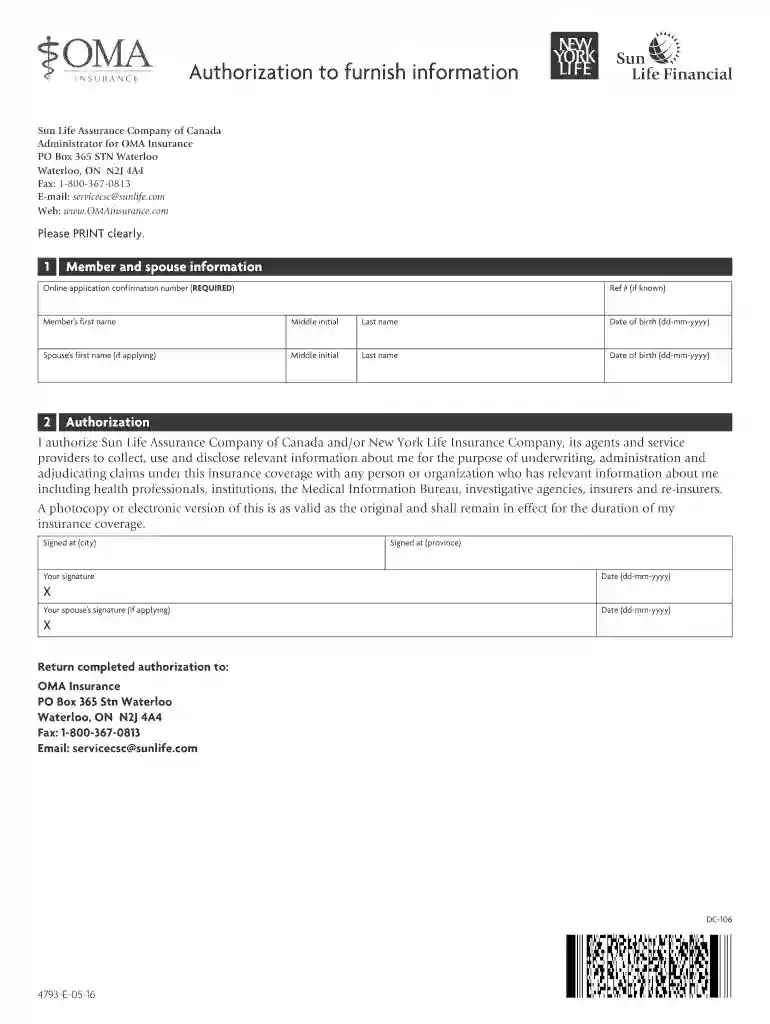
Authorization to furnish information 2026

Get Form
Authorization to furnish information Preview on Page 1

Here's how it works

01. Edit your form online
Type text, add images, blackout confidential details, add comments, highlights and more.

02. Sign it in a few clicks
Draw your signature, type it, upload its image, or use your mobile device as a signature pad.

03. Share your form with others
Send it via email, link, or fax. You can also download it, export it or print it out.

How to use or fill out Authorization to furnish information with our platform

Form edit decoration
9.5
Ease of Setup
DocHub User Ratings on G2
9.0
Ease of Use
DocHub User Ratings on G2
  1. Click ‘Get Form’ to open the Authorization to furnish information in the editor.
  2. Begin by entering your online application confirmation number in the designated field. This is a required field, so ensure it is filled out accurately.
  3. Next, provide your personal details. Fill in your first name, middle initial, last name, and date of birth (formatted as dd-mm-yyyy). If applicable, repeat this process for your spouse's information.
  4. In the Authorization section, read through the statement carefully. By signing, you permit Sun Life Assurance Company and associated entities to collect and disclose relevant information about you for insurance purposes.
  5. Sign the form at the indicated area for both yourself and your spouse if applying together. Ensure that you also include the city and province where you are signing.
  6. Finally, review all entered information for accuracy before submitting. You can return the completed authorization via fax or email as provided in the document.

Start using our platform today to easily complete your Authorization to furnish information form for free!

See more Authorization to furnish information versions

We've got more versions of the Authorization to furnish information form. Select the right Authorization to furnish information version from the list and start editing it straight away!
Versions Form popularity Fillable & printable
2021 4.7 Satisfied (35 Votes)
2016 4.3 Satisfied (31 Votes)
be ready to get more

Complete this form in 5 minutes or less

Get form

Got questions?

We have answers to the most popular questions from our customers. If you can't find an answer to your question, please contact us.
Contact us

You need to use only trustworthy software solutions with strong security compliance to approve your documents electronically. DocHub is just the type of service you need! It stores data on Amazon Web Servers and complies with all essential security standards and eSignature regulations, so it’s a trusted way to electronically sign your Authorization to furnish information or other documents using this tool.

You can find the latest and most relevant version of the Authorization to furnish information in our DocHub forms library. Search it by categories or use the search field to locate the exact template that fits your situation. You can open this form for editing after you find it.

8 Key Elements of a Compliant Medical Records Release Form Patient Information. Purpose of Request. Dates of Service. Recipient Information. Valid Authorization Signature. Date of Signature. Restrictions or Limitations. Revocation Clause.
The name (or other specific identification) of the person or class of persons authorized to make the requested use or disclosure. The name(s) or other specific identification of the person or class of persons to whom information will be disclosed. A description of the purpose of the requested use or disclosure.
(A) The patients legal representative, or to any person authorized to consent to the test. (B) The patients health care provider. (C) The Warden or designee pursuant to California Health Safety Code section 121070.

Security and compliance

At DocHub, your data security is our priority. We follow HIPAA, SOC2, GDPR, and other standards, so you can work on your documents with confidence.

Learn more
ccpa2
pci-dss
gdpr-compliance
hipaa
soc-compliance

People also ask

A HIPAA authorization is a form that must be completed by a patient or a health plan member when a covered entity wishes to use or disclose PHI for a purpose not permitted by the HIPAA Privacy Rule. The failure to obtain a valid HIPAA authorization is considered a serious violation of HIPAA compliance.
The Department adopts in paragraph (c)(1), the following core elements for a valid authorization: (1) a description of the information to be used or disclosed, (2) the identification of the persons or class of persons authorized to make the use or disclosure of the protected health information, (3) the identification
Clearly state your name and that youre writing to grant authorization to another individual or organization. In the body of your letter, identify the parties involved, specify the authority youre granting, define the duration, and include any other necessary information.
Authorization comes into action after the users identity has been verified through authentication. It provides full or partial access to resources such as devices, files, applications, specific operations or data.
An authorization for release of medical information form is a signed document that gives a healthcare provider permission to release a patients medical records. This consent is required by law in many countries to protect the patients sensitive data.

Related links