Annual Performance Review Form (Manager to Complete ... - HROI 2026

Get Form
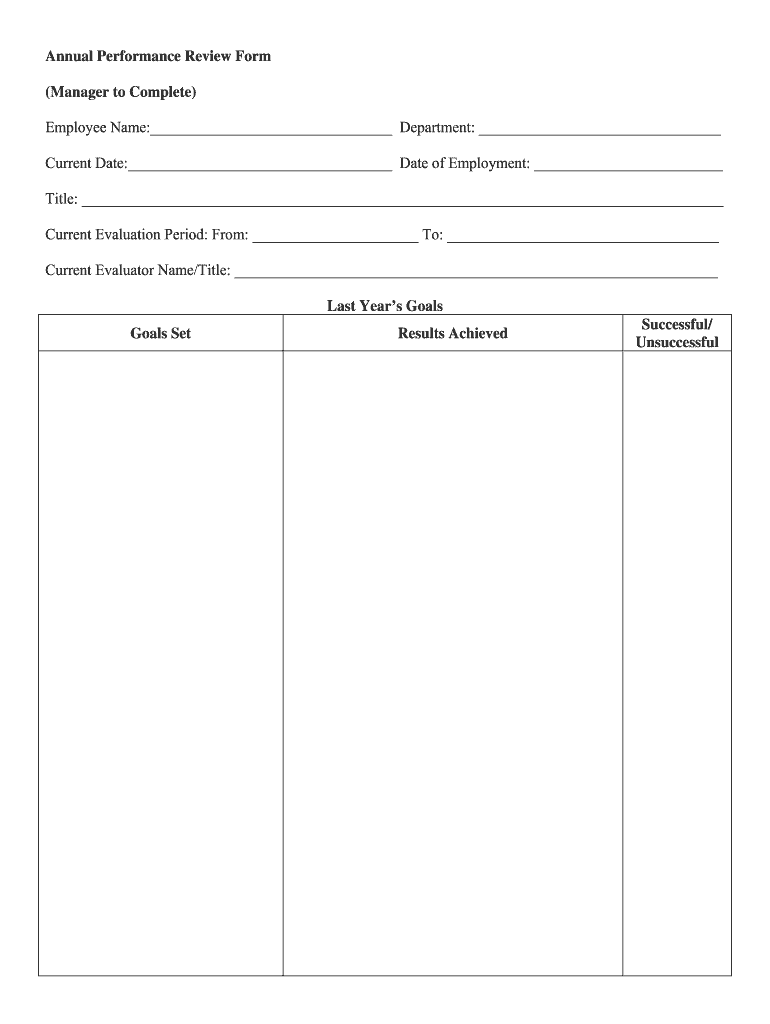
Annual Performance Review Form (Manager to Complete ... - HROI Preview on Page 1

Here's how it works

01. Edit your form online
Type text, add images, blackout confidential details, add comments, highlights and more.
02. Sign it in a few clicks
Draw your signature, type it, upload its image, or use your mobile device as a signature pad.
03. Share your form with others
Send it via email, link, or fax. You can also download it, export it or print it out.

How to use or fill out Annual Performance Review Form (Manager to Complete ... - HROI with DocHub

Form edit decoration
9.5
Ease of Setup
DocHub User Ratings on G2
9.0
Ease of Use
DocHub User Ratings on G2
  1. Click ‘Get Form’ to open it in the editor.
  2. Begin by entering the employee's name, department, current date, and date of employment in the designated fields at the top of the form.
  3. Fill in the title and evaluation period, ensuring accuracy for effective performance assessment.
  4. In the 'Last Year’s Goals' section, document goals set and results achieved. Indicate whether each goal was successful or unsuccessful.
  5. Evaluate work performance across various categories such as Client Service Skills and Team Work Skills. Use the rating scale provided and add comments for clarity.
  6. Complete the 'Progress' section by detailing how well the employee has integrated into their position.
  7. Summarize overall performance ratings based on evaluations and outline development goals for the next period.
  8. Ensure all signatures are collected at the end of the form, including reviewer and employee signatures along with dates.

Start using our platform today to streamline your document editing process for free!

See more Annual Performance Review Form (Manager to Complete ... - HROI versions

We've got more versions of the Annual Performance Review Form (Manager to Complete ... - HROI form. Select the right Annual Performance Review Form (Manager to Complete ... - HROI version from the list and start editing it straight away!
Versions Form popularity Fillable & printable
2007 4 Satisfied (41 Votes)
be ready to get more

Complete this form in 5 minutes or less

Get form

Got questions?

We have answers to the most popular questions from our customers. If you can't find an answer to your question, please contact us.
Contact us
You demonstrate strong leadership qualities by consistently guiding your team members towards achieving their goals. Your ability to inspire and motivate your team contributes docHubly to our teams overall success. Youve shown excellent leadership in managing projects, driving both process and results.
Mention skills youve developed If youve recently gotten better at a specific skill, talk about how youve progressed. Consider talking about how youve grown as an employee and what knowledge youve gained since the last performance review.
Effective managers can be available so that employees can ask questions or request help with tasks. You might say that your manager is very approachable and welcomes questions. You can also mention how your manager encourages communication and makes themselves accessible to the team.
When you fill the form: Be honest and critical. Analyze your failures and mention the reasons for it. Keep the words minimal. Identify weaknesses. Mention your achievements. Link achievements to the job description and the organizations goals. Set the goals for the next review period. Resolve conflicts and grievances.
30 Manager Performance Review Phrase Examples Carl demonstrates strong leadership by effectively directing and motivating team members toward success. John consistently sets clear expectations and aligns team goals with company objectives, ensuring clarity for everyone.

Security and compliance

At DocHub, your data security is our priority. We follow HIPAA, SOC2, GDPR, and other standards, so you can work on your documents with confidence.

Learn more
ccpa2
pci-dss
gdpr-compliance
hipaa
soc-compliance