




Here's how it works



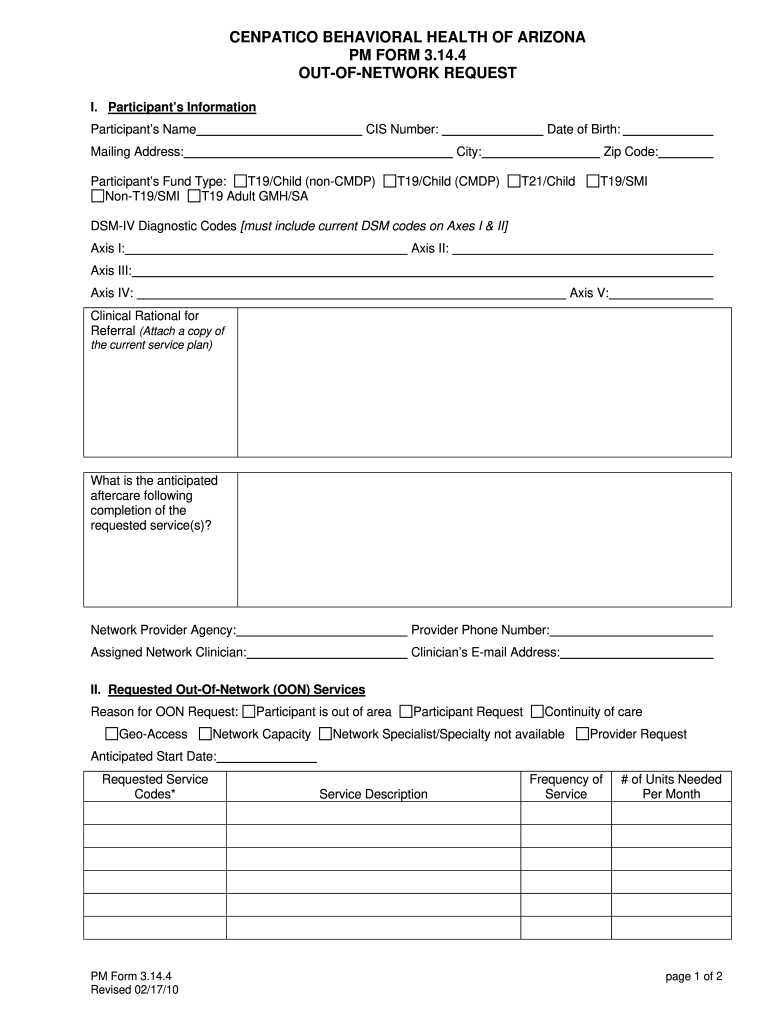
How to use or fill out Cenpatico behavioral health of arizona pm form 3.14.4 out-of-network request

- Click ‘Get Form’ to open it in the editor.
- Begin by filling in the Participant’s Information section, including the CIS Number, Name, Mailing Address, Date of Birth, and Fund Type. Ensure all fields are accurately completed.
- In the DSM-IV Diagnostic Codes section, provide the necessary codes for Axes I & II. This is crucial for processing your request.
- Detail the Clinical Rationale for Referral and anticipated aftercare following the requested services. Attach any relevant service plans as needed.
- Move to the Requested Out-Of-Network Services section. Clearly state the reason for your OON request and fill in the anticipated start date along with requested service codes.
- Complete the Out-of-Network Provider Information section with details about your chosen provider, ensuring you include their credentials and contact information.
- Finally, review all entries for completeness before submitting. Remember that incomplete forms will not be processed.
Start using our platform today to streamline your form completion process effortlessly!
It's free
See more Cenpatico behavioral health of arizona pm form 3.14.4 out-of ... versions
| Versions | Form popularity | Fillable & printable |
|---|---|---|
| 2010 | 4.8 Satisfied (120 Votes) |
Got questions?
Can I type my eSignature on my cenpatico medicaid?
Yes, a typed name is recognized as a valid electronic signature when you create it on your document using a compliant solution like DocHub. Simply upload your cenpatico medicaid to our editor, click Sign in the top tool pane → Create your signature → Type your name in the appropriate tab, and decide how it will appear on your document.
How do you get cenpatico provider phone number?
You can find the latest and most relevant version of the cenpatico provider phone number in our DocHub forms collection. Search it by categories or use the search field to locate the exact template that suits your case. You can open this form for editing once you find it.
Security and compliance
At DocHub, your data security is our priority. We follow HIPAA, SOC2, GDPR, and other standards, so you can work on your documents with confidence.
Learn more




