



01. Edit your ftcc forms online
Type text, add images, blackout confidential details, add comments, highlights and more.

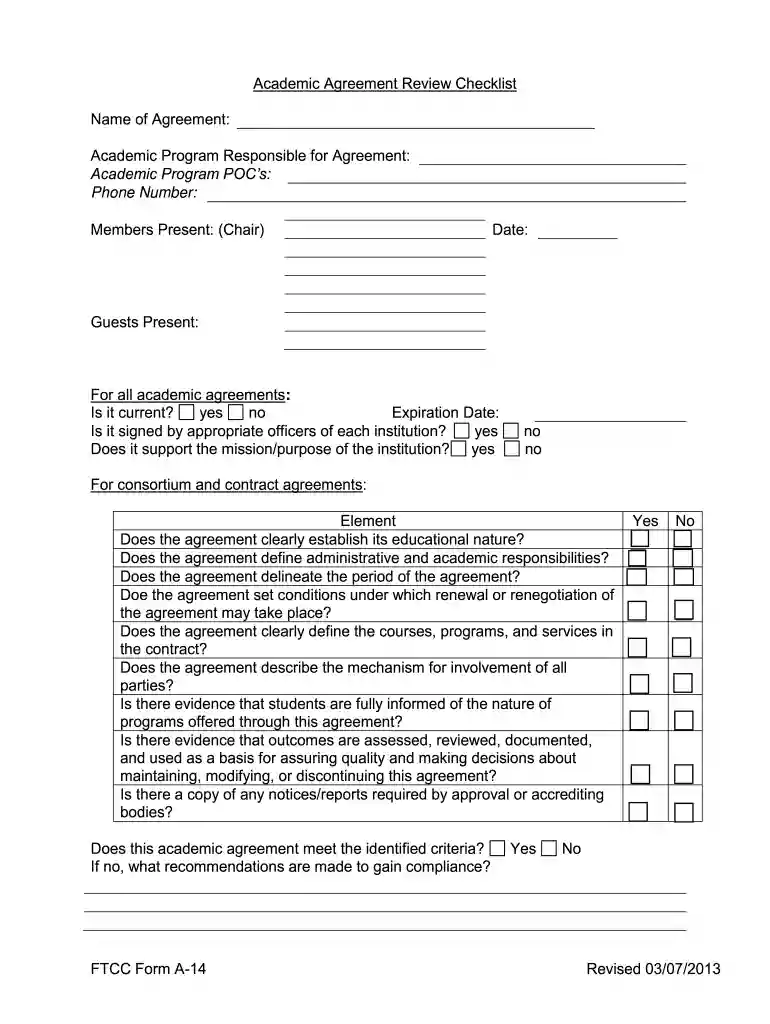
Type text, add images, blackout confidential details, add comments, highlights and more.

Draw your signature, type it, upload its image, or use your mobile device as a signature pad.

Send ftcc las vegas via email, link, or fax. You can also download it, export it or print it out.

Start using our platform today to effortlessly complete your form A-14 agreement online for free!
We've got more versions of the ftcc forms form. Select the right ftcc forms version from the list and start editing it straight away!
| Versions | Form popularity | Fillable & printable |
|---|---|---|
| 2013 | 4.9 Satisfied (487 Votes) |
Electronic document signing requires a software solution that works in compliance with data protection and eSignature laws. DocHub is an excellent tool for that, since it fulfills all the above mentioned requirements. Whatever method you prefer to sign your form a 14 agreement in DocHub, your electronic signature will be legally binding and court-admissible.
If your go-to electronic mail service is Gmail, it is simple to integrate your DocHub editor in your work. Edit your form a 14 agreement with DocHub instruments and connect it to your drafts in Gmail. See how easy it can be to exchange papers and work together having a swift PDF editing solution at hand.
At DocHub, your data security is our priority. We follow HIPAA, SOC2, GDPR, and other standards, so you can work on your documents with confidence.
Apr 24, 2013 (1) RESPONSE ACTION CONTRACT.The term response ac- tion contract means any written contract or agreement en- tered into by a responseRead more
This contract form serves as a master agreement for provision of services for construction-related disciplines on an as-needed basis.Read more


