







Understanding Form 30 RTO Goa: Definition and Importance
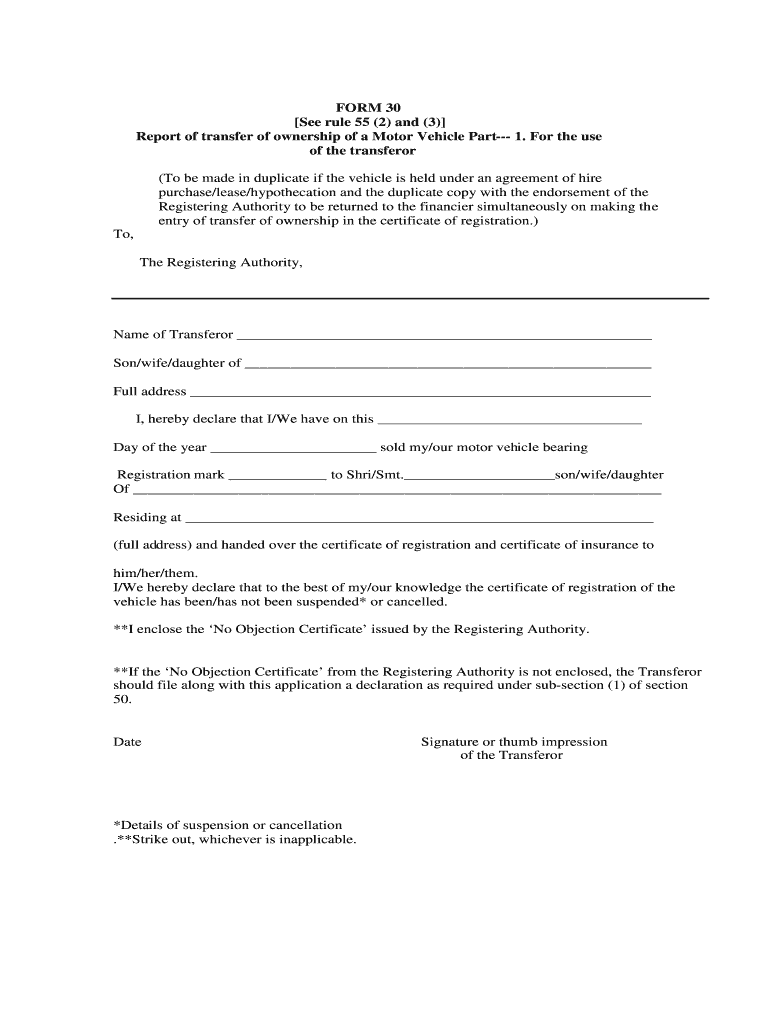
Form 30 is an official document utilized for reporting the transfer of ownership of a motor vehicle in Goa. This form is essential for both the transferor (the current owner) and the transferee (the new owner) to declare the sale and provide necessary details about the vehicle and parties involved. This ensures proper documentation and legal compliance during the transfer process.
Key components included in Form 30 are:
- Transferor and Transferee Details: Personal information such as name, address, and identification details.
- Vehicle Information: Registration number, chassis number, engine number, and other relevant specifications of the vehicle.
- Declaration of Sale: A section where the transferor declares the sale of the vehicle and acknowledges the transfer.
The accurate completion of Form 30 is crucial, as it serves as a legal record of the ownership transfer and is required for updating the Registering Authority's records.
Required Documents for Form 30 Submission
To successfully complete Form 30, several supporting documents must be gathered. These documents are critical for validating the transfer and ensuring that all legal obligations are met. Here are the typical requirements:
- Certificate of Registration (RC): This document proves that the vehicle is registered with the relevant authorities.
- Insurance Certificate: A valid insurance certificate for the vehicle is required to ensure compliance with legal norms.
- No Objection Certificate (NOC): If the vehicle is under a hire purchase scheme, a NOC from the financier or bank is necessary.
- Identity Proof: Proof of identity for both the seller and buyer, which could include government-issued identification documents.
- Address Proof: A document that verifies the address of both parties involved in the transfer.
Ensuring that these documents are collected ahead of time can streamline the submission process and prevent delays.
Steps to Complete and Submit Form 30
Completing Form 30 requires careful attention to detail. Follow the outlined steps to ensure a smooth process:
- Download Form 30: Obtain the form either online or at the local RTO office. The official format must be used to ensure validity.
- Fill in Personal Details: Enter the required personal information for both transferor and transferee accurately.
- Provide Vehicle Information: Complete sections related to the vehicle, including registration and identification numbers.
- Sign and Date: Both parties must sign the form, confirming their agreement to the transfer.
- Attach Required Documents: Ensure all supporting documents are included with the form to validate the transfer.
- Submission Method: Submit the completed form and documents to the local RTO office. This can often be done in person or through prescribed online methods depending on the RTO's processes.
Following these steps thoroughly can minimize misunderstandings and speed up the processing time for the transfer.
Importance of Accurate Completion of Form 30
Filling out Form 30 accurately is crucial. Mistakes or omissions can lead to complications, including:
- Delays in Processing: Incomplete forms may result in the RTO rejecting submissions, requiring resubmission.
- Legal Issues: Incorrect information could lead to disputes regarding ownership, affecting the transfer's legitimacy.
- Financial Implications: Fines or penalties may apply for non-compliance with vehicle ownership transfer regulations.
To avoid these potential pitfalls, take the time to review and double-check the completed form and accompanying documents before submission.
Compliance with RTO Goa Regulations
Form 30 is governed by specific regulations set by the Regional Transport Office (RTO) Goa. Compliance with these regulations ensures that the transfer of ownership is legally binding and recognized by the authorities. Here are a few important points to consider:
- Submission Time Frame: It is essential to submit Form 30 within the stipulated time frame after the sale, typically within 14 days, to avoid penalties.
- Official Receipt: After submission, ensure that you obtain an acknowledgment receipt from the RTO. This serves as proof of submission and may be needed for future reference.
- Privacy and Security: Personal information on the form must be handled with care. Ensure that the form is submitted directly to authorized personnel.
These compliance measures ensure that both the transferor and transferee's interests are protected throughout the ownership transfer process.


