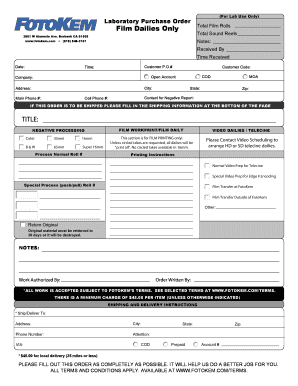
Improve your work productivity with Purchasing Order Forms

Papers administration consumes to half of your business hours. With DocHub, you can reclaim your time and effort and increase your team's productivity. Get Purchasing Order Forms category and check out all form templates relevant to your daily workflows.

Effortlessly use Purchasing Order Forms:

  1. Open Purchasing Order Forms and utilize Preview to get the relevant form.
  2. Click Get Form to begin working on it.
  3. Wait for your form to open in the online editor and start editing it.
  4. Add new fillable fields, symbols, and pictures, change pages order, etc.
  5. Fill your file or prepare it for other contributors.
  6. Download or deliver the form by link, email attachment, or invite.

Boost your daily file administration with the Purchasing Order Forms. Get your free DocHub account right now to discover all forms.


Video Guide on Purchasing Order Forms management

video background

Commonly Asked Questions about Purchasing Order Forms

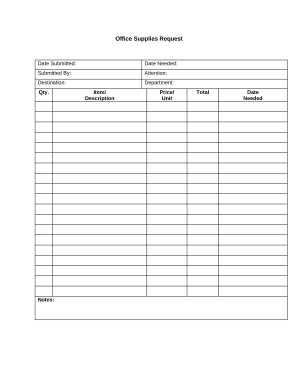
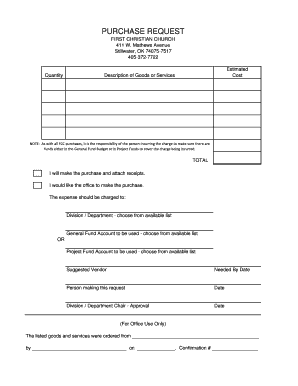
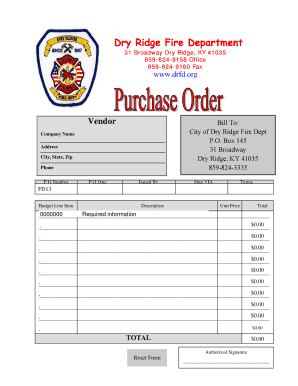
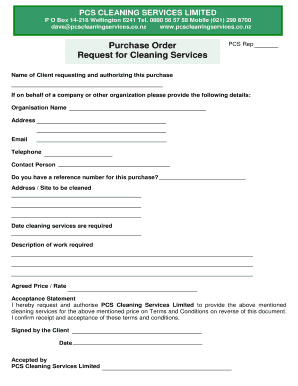
A purchase order needs to contain the following information: Purchase order date. Purchase order number (PO number) this is a unique, sequential number that allows both sides to easily find and log the PO in the purchase order system. Buyer details formal name, billing address, and shipping address.
A purchase order (PO) is an official document, created by the buyer, which authorizes a purchase transaction for goods or services from a supplier.
A purchase order form is used as an official record and contractual agreement of the business transaction between buyer and supplier, and outlines key information of the order. It is important for record keeping, auditing, and matching the PO to the invoice in order to issue payment.
A purchase order form is used as an official record and contractual agreement of the business transaction between buyer and supplier, and outlines key information of the order. It is important for record-keeping, auditing, and matching the PO to the invoice in order to issue payment.
Open a blank Excel spreadsheet. Click on the New tab in the top left corner of the software. Select the Purchase orders option from the list that appears. Click on the template that matches the type of PO you plan to create.
The numbered and dated example purchase order form includes the order date, company name, company information, the buyers and sellers contact information, billing, and shipping information, shipping and payment terms, estimated delivery date, order line items with item number, description, quantity, unit price, and What are Purchase Order Forms? Template and Overview - Tipalti tipalti.com procurement-hub purchase-order-f tipalti.com procurement-hub purchase-order-f
A purchase order is issued by the buyer, who wants to make sure they got exactly what they ordered, while an invoice is issued by the vendor, who wants to make sure they get paid. Purchase orders are sent by the buyer to the vendor first, and they outline exactly what the order should contain and when it should arrive.
Creating an order using Word First, open a Microsoft word document and click on the MS icon on the top left corner of the screen. From there, a drop-down list will appear, and then choose the option new. Under new, a list of template options will appear; choose the purchase order.
What To Include In A Purchase Order? Purchase order number (PO number) Company name and details - relevant contact information, business address, phone number. Purchase order date. Suppliers contact information. Item details - description, SKUs, quantity, unit measure, price. Expected delivery date.