Transform your form administration with Professional Legal Templates

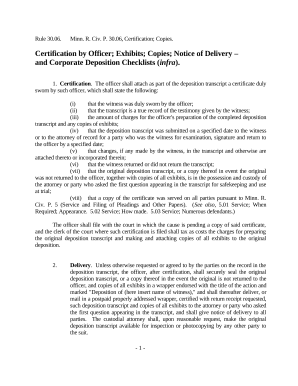
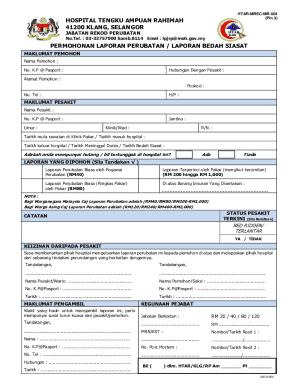
Your workflows always benefit when you are able to get all of the forms and documents you will need on hand. DocHub delivers a vast array of documents to ease your everyday pains. Get hold of Professional Legal Templates category and quickly browse for your form.

Begin working with Professional Legal Templates in several clicks:

  1. Access Professional Legal Templates and get the document you need.
  2. Click Get Form to open it in our editor.
  3. Start changing your form: add fillable fields, highlight paragraphs, or blackout sensitive facts.
  4. The application saves your modifications automatically, and after you are all set, you are able to download or distribute your file with other contributors.

Enjoy effortless file managing with DocHub. Check out our Professional Legal Templates online library and find your form right now!


Video Guide on Professional Legal Templates management

video background

Commonly Asked Questions about Professional Legal Templates

Most law reviews use the same typeface style, which includes Ordinary Times New Roman, Italics, and SMALL CAPITALS. In court documents, use Ordinary Roman, Italics, and Underlining.
Requirements of the standard document format are as follows: The entire document must be legible reproducible. The paper is white, standard weight, and letter or legal-sized. The ink is black, blue, or red, except that signatures may be other colors. The top margin is a minimum of 1/2 inch for every page.
Most word-processing programs have automatic formatting for margins and spacing, but law firms can also set the margins manually. Ideally, the top margin should be two inches and the bottom margin should be one inch. Most legal documentation uses 1.5 or double spacing.
Legal Templates is a Free Online Legal Form Document Creator.
8 Essential Steps for Formatting a Word Document Pick the right font. Use standard page size and margins. Organize content for readability. Add section breaks. Set up headers, footers, and page numbering. Make sure line and paragraph formatting is consistent. Take advantage of styles for consistency. Keep it simple.
Heres how to write a legal document in 10 simple steps: Plan Out the Document Before You Begin. Write with Clear and Concise Language. Ensure the Correct Use of Grammar. Be as Accurate as Possible. Make Information Accessible. Ensure All Necessary Information Is Included. Always Use an Active Voice.
While those documents are usually 8.5 x 11 inches, legal documents are 8.5 x 14 inches. If youll be printing on that size paper, start your document formatting by choosing the right size for your document. Go to Layout and choose the Size option.
Most lawyers draft their own templates based on the specific areas on contract law they practice and the laws in the state they operate in.