Handle Judicial District Court Documents effortlessly online

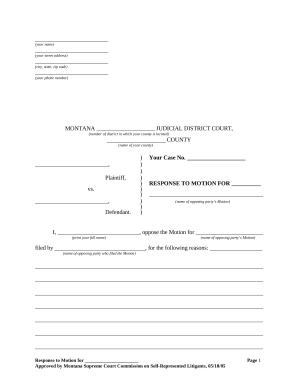
Document managing can overwhelm you when you can’t locate all of the documents you need. Fortunately, with DocHub's considerable form library, you can get all you need and swiftly deal with it without the need of switching between apps. Get our Judicial District Court Documents and start utilizing them.

The best way to manage our Judicial District Court Documents using these basic steps:

  1. Examine Judicial District Court Documents and select the form you need.
  2. Preview the template and then click Get Form.
  3. Wait for it to open in our online editor.
  4. Edit your document: add new information and pictures, and fillable fields or blackout some parts if required.
  5. Fill out your document, conserve changes, and prepare it for delivering.
  6. When you are ready, download your form or share it with your contributors.

Try out DocHub and browse our Judicial District Court Documents category without trouble. Get a free profile right now!


Video Guide on Judicial District Court Documents management

video background

Commonly Asked Questions about Judicial District Court Documents

There is no real standard when it comes to printing in colour. However, we would advise you print documents that contain more images in colour as it stands out better when somebody is skimming through the pages. We print documents both in colour and black white.
ELECTRONIC FILING THROUGH THE NEW YORK STATE COURTS ELECTRONIC FILING SYSTEM IS MANDATORY FOR ALL CASES COMMENCED IN THIS COURT (EXCEPT ARTICLE 70 AND 78 PROCEEDINGS, AND MATRIMONIAL, MENTAL HYGIENE LAW AND ELECTION LAW MATTERS).
To commence an e-filed action or special proceeding, a summons and complaint or summons with notice in an action, or a petition in a special proceeding shall be filed with the County Clerk through NYSCEF by uploading the documents to the NYSCEF site in PDF-A format.
Transcripts and recordings can be ordered through the Online Registry Website launch, provided users have an account. Anyone who is a party to a case can order a transcript or recording online. You will be able to order, track, process, pay and receive transcripts in one location.
cases must be commenced by filing with the County Clerk electronically through NYSCEF and all subsequent documents in such cases must be e-filed, except in the limited circumstances set forth in the relevant rules (Uniform Rule 202.5-bb). Hard copy filing is permitted in a defined emergency.
Once you have registered, you will be given access to an online account which you can use to file and receive documents. You will also be notified via your online account if your electronically filed documents have been accepted or rejected.
The principle of open justice In practice this means that, absent exceptional circumstances, the public can access key court documents such as the documents setting out the claim and the defence. In addition, all hearings and the trial are conducted in public.
You can access various court records through legal databases like Lexis, Westlaw, and Fastcase. State Law Library patrons can use Fastcase remotely to find final opinions for select Texas and federal appellate cases. Lexis and Westlaw are available at the library in person.