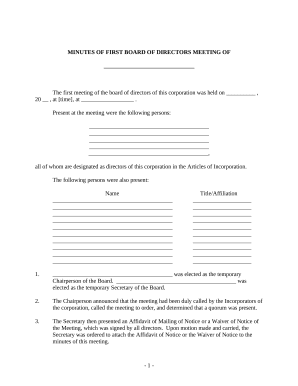
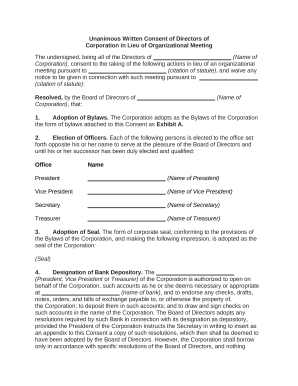
Manage Corporation Meeting Minutes Templates quickly online

Document managing can overpower you when you can’t discover all of the documents you require. Luckily, with DocHub's extensive form collection, you can get everything you need and swiftly deal with it without the need of changing among applications. Get our Corporation Meeting Minutes Templates and start working with them.

Using our Corporation Meeting Minutes Templates using these easy steps:

  1. Check Corporation Meeting Minutes Templates and choose the form you require.
  2. Preview the template and click Get Form.
  3. Wait for it to upload in the online editor.
  4. Adjust your template: add new information and images, and fillable fields or blackout certain parts if necessary.
  5. Fill out your template, preserve changes, and prepare it for delivering.
  6. When you are ready, download your form or share it with your contributors.

Try out DocHub and browse our Corporation Meeting Minutes Templates category with ease. Get a free profile today!


Video Guide on Corporation Meeting Minutes Templates management

video background

Commonly Asked Questions about Corporation Meeting Minutes Templates

Meeting Minutes Template: Organization Name. Meeting Minutes. Date: Opening: The meeting was called to order at [Time] by [Name] at [Location]. Present: [List of all present members] Absent: [List of any members who were not present] Approval of Agenda: The agenda was reviewed and approved. Approval of Minutes:
Alternatively, you can also browse the templates available under the Meeting Minutes category. Select a template: Choose a template that suits your needs and click on it to open it in Word. Customize the template: Fill in the necessary details such as the meeting date, time, location, attendees, and agenda items.
Corporate meeting minutes typically include: The meetings date, time and location. A list of attendees and absentees, including any present board members or officers. Agenda items. Summaries of all discussion points. Details of all activities completed or agreed upon. Results of any votes or motions.
How to write and automate meeting minutes: 7 best practices 1 Communicate the meeting purpose and objectives. 2 Plan a meeting outline using an agenda template. 3 Record the date, time, and names of participants. 4 Track key points and action items. 5 Integrate company goals and OKRs.
Meeting minutes may vary based on the type of meeting they record, but they generally include these key components: Date. Time. Location (online/in person) Attendees and absentees. Agenda. Decisions. Action points.
Following are 10 steps that can help you compose an effective meeting minutes report: Make an outline. Include factual information. Write down the purpose. Record decisions made. Add details for the next meeting. Be concise. Consider recording. Edit and proofread.
The style and content of meeting minutes will vary depending on the organization and how its structured. Regardless, you should always include the basics, like date, time, and participants. But many organizations will also benefit from having other, optional items like supplementary documents and action items.
A common format for recording meeting minutes in word documents is the simple black white meeting agenda. It is a template that makes it simple to organize and record the meetings proceedings. The template contains information on the date, the title, the conference details, and the agenda items.