Improve your file management with Business Contracts Templates

Your workflows always benefit when you are able to discover all the forms and documents you require at your fingertips. DocHub provides a wide array of documents to alleviate your day-to-day pains. Get hold of Business Contracts Templates category and quickly browse for your document.

Start working with Business Contracts Templates in a few clicks:

  1. Access Business Contracts Templates and get the form you require.
  2. Click on Get Form to open it in our online editor.
  3. Begin adjusting your form: add fillable fields, highlight sentences, or blackout sensitive data.
  4. The app saves your modifications automatically, and once you are ready, you can download or distribute your file with other contributors.

Enjoy fast and easy record administration with DocHub. Discover our Business Contracts Templates online library and discover your form right now!


Video Guide on Business Contracts Templates management

video background

Commonly Asked Questions about Business Contracts Templates

HOW TO WRITE A BUSINESS CONTRACT USE PLAIN LANGUAGE. The clearer and simpler your business contracts are, the better. IDENTIFY THE 5 WS. Include all of the relevant details in your contract. INCLUDE PAYMENT INFORMATION. DESCRIBE TERMINATION PROCEDURES. INCLUDE DISPUTE RESOLUTION.
Finding a Legal Template through Word In the search bar, type in legal and click search. One of the templates that that may be the most useful is the Legal pleading paper.
Contract templates - Use some of the provided contract templates or store custom templates that are easily accessible by the contracts management team. Edit the document library by updating the folder names and uploading resources.
Why You Need a Business Contract Lawyer. If youre asking whether you need a lawyer to draft a contract, legally, the answer is no. Anyone can draft a contract on their own and as long as the elements above are included and both parties are legally competent and consent to the agreement, it is generally lawful.
Open Word. Click on New Browse available templates, or type contract in the search bar. Select template of your choice.
A properly formatted contract will typically have copy that is left-aligned and single-spaced. If the contract is long or has multiple sections, a table of contents should be included to make it easier to review.
You can download free, pre-built document templates with useful and creative themes from Office when you click File New in your Office app. Templates can include calendars, business cards, letters, cards, brochures, newsletters, resumes, cover letters, presentations, social media and much more.
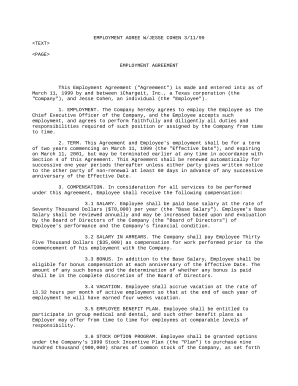
One of the easiest ways to format a contract in Word is to use a template. Microsoft Word offers several templates that are specifically designed for creating contracts. You can choose from different types of contracts, such as service agreements, sales contracts, and employment contracts.