
Confirmation of employment Canada Forms - Page 2
Discover case-specific Confirmation of employment Canada Forms and stay compliant with local and international regulations. Modify, complete, and securely save your forms without switching between accounts.

Create a new Confirmation of employment Canada Form
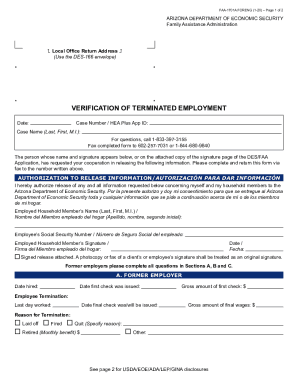
FAA-1701A - Verification of Terminated Employment
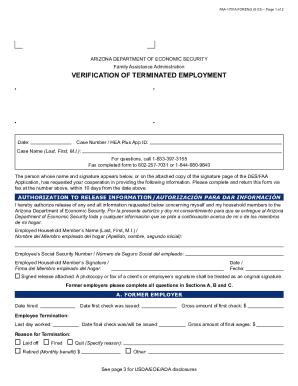
FAA-1701A - Verification of Terminated Employment

Confirmation of progress for the apprenticeship incentive grant
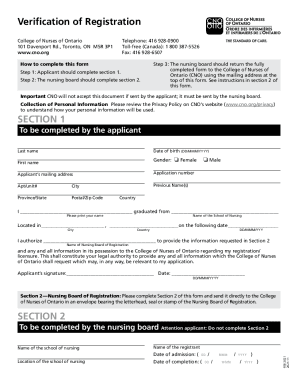
Verification cno form
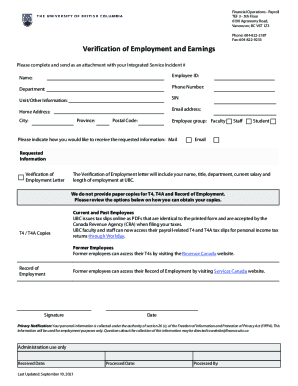
Ubc verification employment
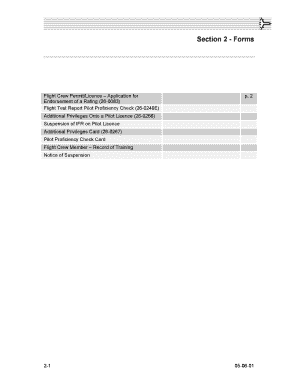
26 0083e

Oklahoma verification employment form
- 1
-
2
Get and manage Confirmation of employment Canada Forms online
Boost your document management using our Confirmation of employment Canada Forms library with ready-made form templates that suit your requirements. Get the form, change it, complete it, and share it with your contributors without breaking a sweat. Start working more effectively with your documents.
The best way to use our Confirmation of employment Canada Forms:
- Open our Confirmation of employment Canada Forms and find the form you want.
- Preview your form to ensure it’s what you want, and click on Get Form to begin working on it.
- Alter, add new text, or highlight important information with DocHub tools.
- Complete your form and preserve the adjustments.
- Download or share your form with other recipients.
Explore all of the opportunities for your online document management using our Confirmation of employment Canada Forms. Get a totally free DocHub account today!
Video Guide on Confirmation of employment Canada Forms management

Commonly Asked Questions about Confirmation of employment Canada Forms
How do I request confirmation of employment?
How to request an employment verification letter from your employer Ask your supervisor. Ask your supervisor if they can write an employment verification for you. Contact the human resources department. Review company policy. Include all the necessary details. Request it in writing. Ensure that it has a handwritten signature.
What is an example of a letter of confirmation of employment?
I am writing to confirm the employment of [First Name] [Last Name]. [First Name] has been employed with [Company Name] since [date]. Her/His employment history (including positions, dates and nature of duties) includes the following: [Position 1]
How do I get proof of employment in Canada?
PROOF OF EMPLOYMENT: JOB REFERENCE LETTERS You can prove work experience by collecting Job Reference letters (Employment Confirmation letters) from current and previous employers, Employment Contracts, Paystubs, and even statements from previous supervisors or co-workers.
How long does it take for Roe to show up?
To check if your employer has issued your ROE, sign in to MSCA and select Records of Employment. Your employer should issue your ROE within 5 calendar days after the final pay period. If youve requested the ROE and it has not been issued within this timeframe, contact us.
Can I download an ROE form?
ROEs are always available online and employees can view or print copies using My Service Canada Account.
How do I print the ROE form in Quickbooks?
Select Payroll Tax, and then select Employer Forms. 5 In the Employer Forms window, select the appropriate employee from the drop-down list. Select ROE to generate the form. 6 In the Record of Employment window, click View to review or print the form.
Related Templates

BremerCounty - Iowa Department of Public Safety
The document is a building permit application form from the Bremer County Building Inspection Department, which outlines ...

Cdcr cadet handbook test answers
The document is a Cadet Handbook Test for the Basic Correctional Juvenile Academy, outlining core values, behavioral exp ...

Ca 201 form
The document outlines the Vapor Recovery Test Procedure TP-201.1D, which details the method for quantifying the leak rat ...

Self-Certification Affidavit Name: of Birth: Last Firs - Midwest Compliance
The document is a Self-Certification Affidavit for commercial drivers in Delaware, requiring personal information and th ...

***POST THIS FORM WITH SIGN-IN SHEETS AND CONFLICT OF INTEREST SUMMARY AT ALL ACTIVITIES***
***POST THIS FORM WITH SIGN-IN SHEETS AND CONFLICT OF INTEREST SUMMARY AT ALL ACTIVITIES***
The document is a SESSION DOCUMENTATION FORM for the OB/GYN Grand Rounds presented by Matthew Manfredini on May 28, 2015 ...

2019 USDA FS-5100-31
The document is a Health Screening Questionnaire (HSQ) from the USDA Forest Service designed to assess the health risks ...

Self-Analysis Form - Nebraska Department of Roads - State of - transportation nebraska
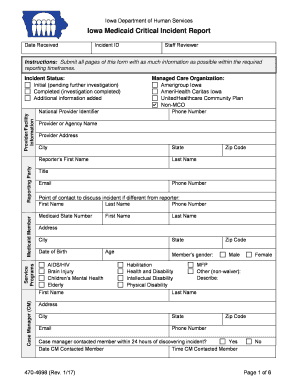
Iowa Medicaid Enterprise - Iowa Department of Human Services - dhs iowa
The document outlines the Iowa Medicaid Critical Incident Report process, detailing the necessary information to be subm ...