Type text, add images, blackout confidential details, add comments, highlights and more.
02. Sign it in a few clicks
Draw your signature, type it, upload its image, or use your mobile device as a signature pad.
03. Share your form with others
Send from 25 via email, link, or fax. You can also download it, export it or print it out.
How to use or fill out form 25 26 with our platform
Ease of Setup
DocHub User Ratings on G2
Ease of Use
DocHub User Ratings on G2
Click ‘Get Form’ to open it in the editor.
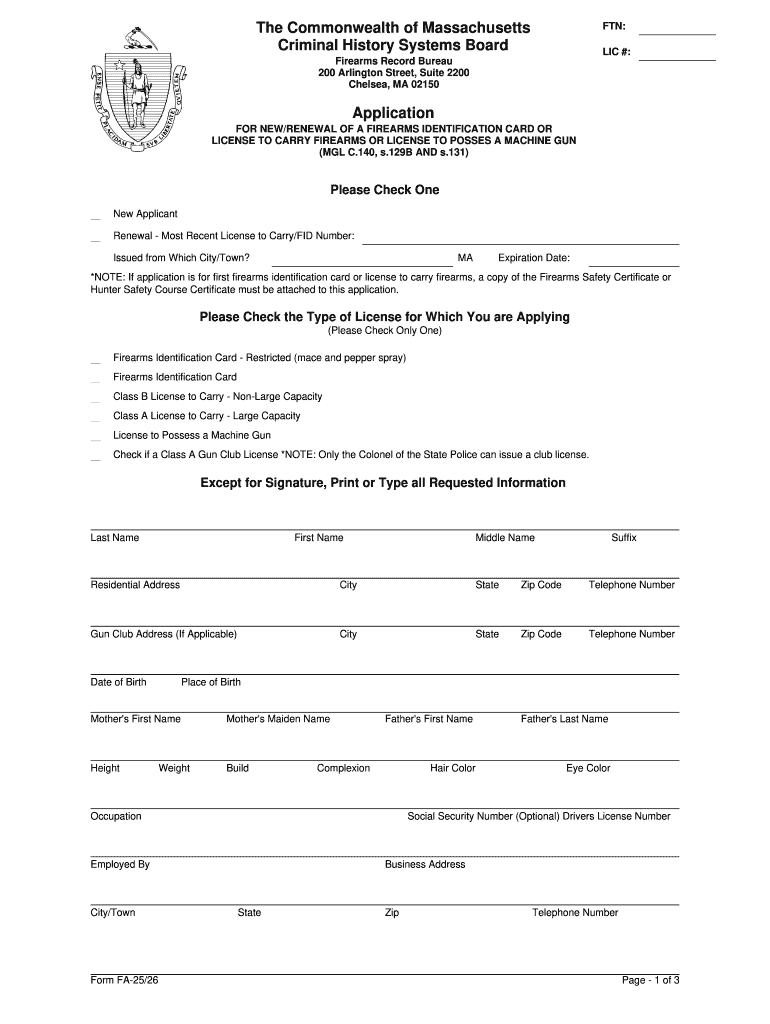
Begin by selecting whether you are a new applicant or renewing your license. Fill in the most recent License to Carry/FID Number if applicable.
Complete the personal information section, including your last name, first name, middle name, and suffix. Ensure that your residential address is accurate.
Provide your date of birth and place of birth. Fill in details about your parents as required, including their names and any relevant identification numbers.
Answer all questions regarding citizenship, previous names, age, and any criminal history accurately. If you answer 'YES' to any questions from 4-14, provide detailed explanations.
List two references with their names and addresses. Finally, review all information for accuracy before signing the application under penalties of perjury.
Start filling out form 25 26 online for free today!
Printable form 25 26Form 25 26 pdf25 26 FAFSA PDFHow to fill out form 25 26FAFSA form 25 2625 26 FAFSA dependency questionsFafsa paper form 26 27Which fafsa form for fall 2026
Security and compliance
At DocHub, your data security is our priority. We follow HIPAA, SOC2, GDPR, and other standards, so you can work on your documents with confidence.
In all circumstances a student must present a copy of an unexpired valid government-issued photo identification (ID) such as, but not limited to, a driversRead more
Jul 19, 2005 Please note that the certification statement is on the back of the form. PROVIDER IDENTIFICATION NUMBER (Field 25A). The Medicaid Provider IDRead more
Cookie consent notice
This site uses cookies to enhance site navigation and personalize your experience.
By using this site you agree to our use of cookies as described in our Privacy Notice.
You can modify your selections by visiting our Cookie and Advertising Notice.