




Here's how it works

01. Edit your form online
Type text, add images, blackout confidential details, add comments, highlights and more.

02. Sign it in a few clicks
Draw your signature, type it, upload its image, or use your mobile device as a signature pad.

03. Share your form with others
Send it via email, link, or fax. You can also download it, export it or print it out.
How to use or fill out nycers power of attorney 2012 form with our platform

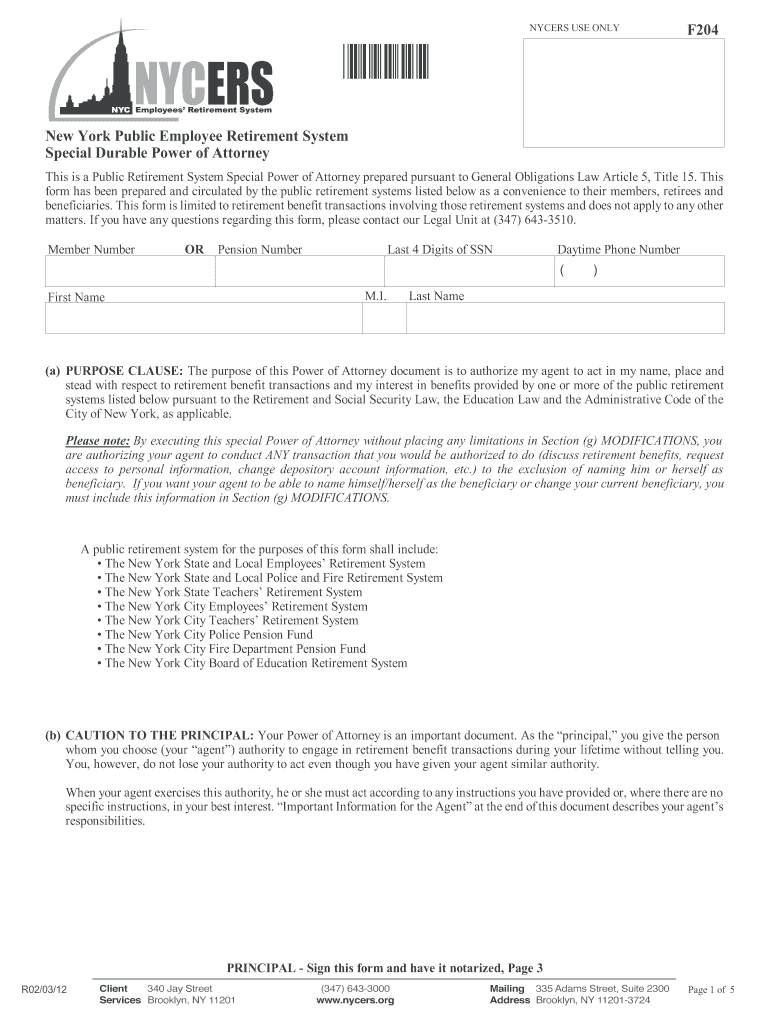
- Click ‘Get Form’ to open the nycers power of attorney 2012 form in the editor.
- Begin by entering your Member Number or Pension Number, along with the last four digits of your SSN and your daytime phone number. This information is crucial for identification purposes.
- In the 'Purpose Clause', clearly state the authority you are granting to your agent regarding retirement benefit transactions. Ensure you understand that this grants them significant power over your benefits.
- Designate your agent(s) by filling in their names and addresses in the 'Designation of Agent(s)' section. If you have multiple agents, indicate whether they can act separately or must act together.
- Review the 'Grant of Authority' section carefully. This outlines what actions your agent can take on your behalf. Make sure it aligns with your intentions.
- If necessary, use the 'Modifications' section to add any specific limitations or additional powers for your agent.
- Finally, sign and date the document in front of a notary public to ensure its validity. Remember that notarization is essential for this Power of Attorney to be effective.
Start using our platform today to easily fill out and manage your nycers power of attorney 2012 form online for free!
Fill out nycers power of attorney 2012 form online
It's free
It's free
See more nycers power of attorney 2012 form versions
We've got more versions of the nycers power of attorney 2012 form form. Select the right nycers power of attorney 2012 form version from the list and start editing it straight away!
Security and compliance
At DocHub, your data security is our priority. We follow HIPAA, SOC2, GDPR, and other standards, so you can work on your documents with confidence.
Learn more


