Metlife form beneficiary insurance 2026

Get Form
metlife form library Preview on Page 1

Here's how it works

01. Edit your metlife form library online
Type text, add images, blackout confidential details, add comments, highlights and more.

02. Sign it in a few clicks
Draw your signature, type it, upload its image, or use your mobile device as a signature pad.

03. Share your form with others
Send metlife forms library via email, link, or fax. You can also download it, export it or print it out.

How to use or fill out MetLife Form Beneficiary Insurance with Our Platform

Form edit decoration
9.5
Ease of Setup
DocHub User Ratings on G2
9.0
Ease of Use
DocHub User Ratings on G2
  1. Click ‘Get Form’ to open it in the editor.
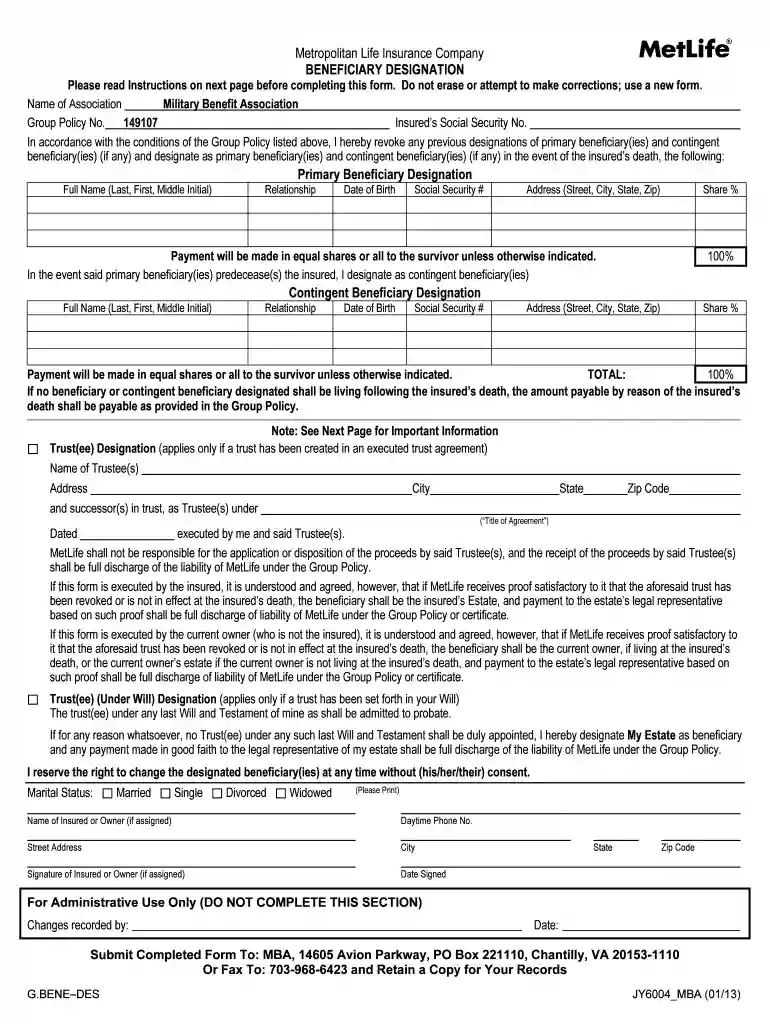
  2. Begin by entering the Name of Association, Group Policy Number, and Insured’s Social Security Number at the top of the form. This information is crucial for identifying your policy.
  3. Fill out the Primary Beneficiary section. For each beneficiary, provide their Full Name, Relationship to you, Date of Birth, Social Security Number, Address, and Share Percentage. Ensure that the total share percentages equal 100%.
  4. If applicable, complete the Contingent Beneficiary section in a similar manner as the Primary Beneficiary section. This ensures that your insurance proceeds are distributed according to your wishes if primary beneficiaries are unavailable.
  5. If you wish to designate a Trust(ee), fill out one of the Trust(ee) Designation sections instead of listing primary or contingent beneficiaries. Include all required details about the Trust(ee).
  6. Finally, sign and date the form at the bottom. Retain a copy for your records before submitting it as instructed.

Start using our platform today for free to easily complete your MetLife beneficiary designation form!

See more metlife form beneficiary insurance versions

We've got more versions of the metlife form beneficiary insurance form. Select the right metlife form beneficiary insurance version from the list and start editing it straight away!
Versions Form popularity Fillable & printable
2013 4.8 Satisfied (102 Votes)
be ready to get more

Complete this form in 5 minutes or less

Get form

Got questions?

We have answers to the most popular questions from our customers. If you can't find an answer to your question, please contact us.
Contact us
spouse, partner, children, parents, brothers and sisters, business partner, key employee, trust and charitable organization.
The beneficiary designation form is an estate planning tool that ensures assets are passed to the correct person(s) or organization(s) after a persons death.
Write the names of the first beneficiary(ies) you would like to receive your benefit after you die. You may name an individual(s), entity (such as a charity, business, religious organization, funeral home, etc.), trust, or estate. You may name more than one.
Navigate to the Fund Transfer section, where you will typically find the option to add a new beneficiary. Select Add Payee and choose the type of their account (it can be own bank or other banks). Fill in the beneficiarys name, account number, bank name and IFSC accurately, and then click on Add and Confirm.
The Beneficiary Change form should be used to make changes or corrections to your beneficiary information. You can download the form from our self-service page, metlife.com/annuityforms.

People also ask

A beneficiary is the person or entity that you legally designate to receive the benefits from your financial products.

Related links