




Here's how it works

01. Edit your lic power of attorney filled sample online
Type text, add images, blackout confidential details, add comments, highlights and more.

02. Sign it in a few clicks
Draw your signature, type it, upload its image, or use your mobile device as a signature pad.

03. Share your form with others
Send lichfl power of attorney filled sample via email, link, or fax. You can also download it, export it or print it out.
How to use or fill out lichfl attorney with our platform

- Click ‘Get Form’ to open the lichfl attorney document in the editor.
- Begin by filling in your personal details at the top of the form, including your name, address, and relationship to the attorney. Ensure accuracy as this information is crucial for identification.
- In the section where you appoint your attorney, clearly state their name and address. This identifies who will act on your behalf regarding loan applications.
- Proceed to fill out each act or deed that you authorize your attorney to perform. Be thorough in detailing any specific powers granted, such as applying for loans or managing property transactions.
- After completing all sections, review the document carefully. Each page should be initialed where indicated, and ensure that both you and your attorney sign at the designated areas.
- Finally, upload the completed document back into our platform for notarization if required. This step is essential for legal validation of your Power of Attorney.
Start using our platform today to streamline your document editing and signing process for free!
Fill out lichfl attorney online
It's free
It's free
Security and compliance
At DocHub, your data security is our priority. We follow HIPAA, SOC2, GDPR, and other standards, so you can work on your documents with confidence.
Learn more


Related forms

Universal Waste Recycling Log - bEnviroStarsb - envirostars
The document is a Universal Waste Recycling Log designed for businesses to record their recycling and disposal activitie ...

Office of Public Guardian for Hillsborough County
The document is a Guardianship Intake and Referral Form from Aging Solutions, Inc., specifically for the Office of Publi ...

Secret service apat
The document outlines the Applicant Physical Abilities Test (APAT) required for candidates applying to the United States ...

Form pm086 defence
The document is a medical examination form for aviation personnel within the Department of Defence, focusing on eye heal ...

Virasept
The Virasept Ready-To-Use Product Specification Document outlines the features and applications of Virasept, a patented ...
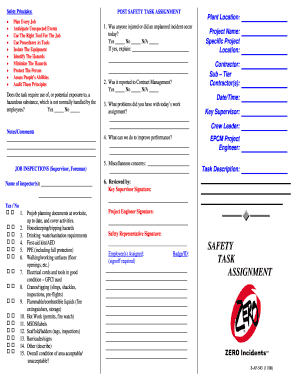
Safety task assignment
The document outlines safety principles and procedures for task assignments in a work environment. It emphasizes the imp ...

Validation summary report example
The document outlines the development and guidelines for using tools and templates created by the NGS Quality Workgroup ...

Parts Reconciliation Form
The document is a Monthly Parts Department Reconciliation Form used by a company to compare and reconcile the balance of ...