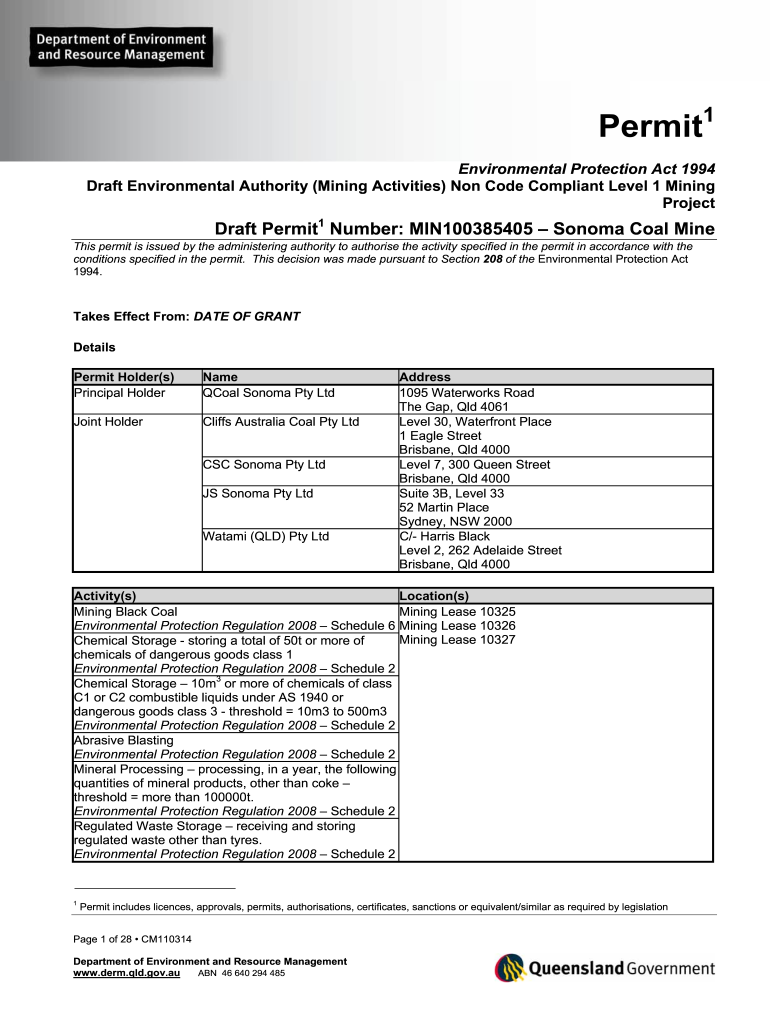
Environmental Authority (Mining Activities) Non Code Compliant Level 1 Mining Permit number MIN100385405. Permit number MIN100385405 outlines the conditions for the project 2026

Get Form
Environmental Authority (Mining Activities) Non Code Compliant Level 1 Mining Permit number MIN100385405. Permit number MIN100385405 outlines the conditions for the project Preview on Page 1

Here's how it works

01. Edit your form online
Type text, add images, blackout confidential details, add comments, highlights and more.
02. Sign it in a few clicks
Draw your signature, type it, upload its image, or use your mobile device as a signature pad.
03. Share your form with others
Send it via email, link, or fax. You can also download it, export it or print it out.

How to use or fill out Environmental Authority (Mining Activities) Non Code Compliant Level 1 Mining Permit number MIN100385405

Form edit decoration
9.5
Ease of Setup
DocHub User Ratings on G2
9.0
Ease of Use
DocHub User Ratings on G2
  1. Click ‘Get Form’ to open it in the editor.
  2. Begin by entering the permit holder's details, including the name and address of QCoal Sonoma Pty Ltd and joint holders. Ensure all information is accurate.
  3. Fill in the activity details, specifying the types of mining activities authorized under this permit, such as mining black coal and chemical storage.
  4. Review the conditions outlined in the permit, ensuring compliance with financial assurance requirements and environmental monitoring obligations.
  5. Complete any additional sections related to waste management and rehabilitation plans as required by the permit.
  6. Once all fields are filled out, save your progress and utilize our platform’s signing feature to finalize your document.

Engage with our platform today for free to streamline your document editing and ensure compliance with your mining permit!

be ready to get more

Complete this form in 5 minutes or less

Get form

Got questions?

We have answers to the most popular questions from our customers. If you can't find an answer to your question, please contact us.
Contact us

Approving documents on a mobile device is fast, easy, and doesn’t require software installation if you have an account with DocHub. Sign in from any browser, complete your blank fields with your data, and click on Sign → Create your signature. You can draw your electronic signature the same way you usually do on paper, add its picture to your Environmental Authority (Mining Activities) Non Code Compliant Level 1 Mining Permit number MIN100385405. Permit number MIN100385405 outlines the conditions for the project, or type in your name and stylize its look. Whatever option you select, your form will be valid.

If you store your papers in Google Drive, there is no need to download your Environmental Authority (Mining Activities) Non Code Compliant Level 1 Mining Permit number MIN100385405. Permit number MIN100385405 outlines the conditions for the project on your computer and upload it back to our editor. A significantly easier way is to set up a browser extension created by DocHub to simplify this flow. The extension allows editing PDFs in your internet browser. Alternatively, you may integrate your DocHub and Gmail accounts for more efficient modifying.