




01. Edit your form f0003 online
Type text, add images, blackout confidential details, add comments, highlights and more.

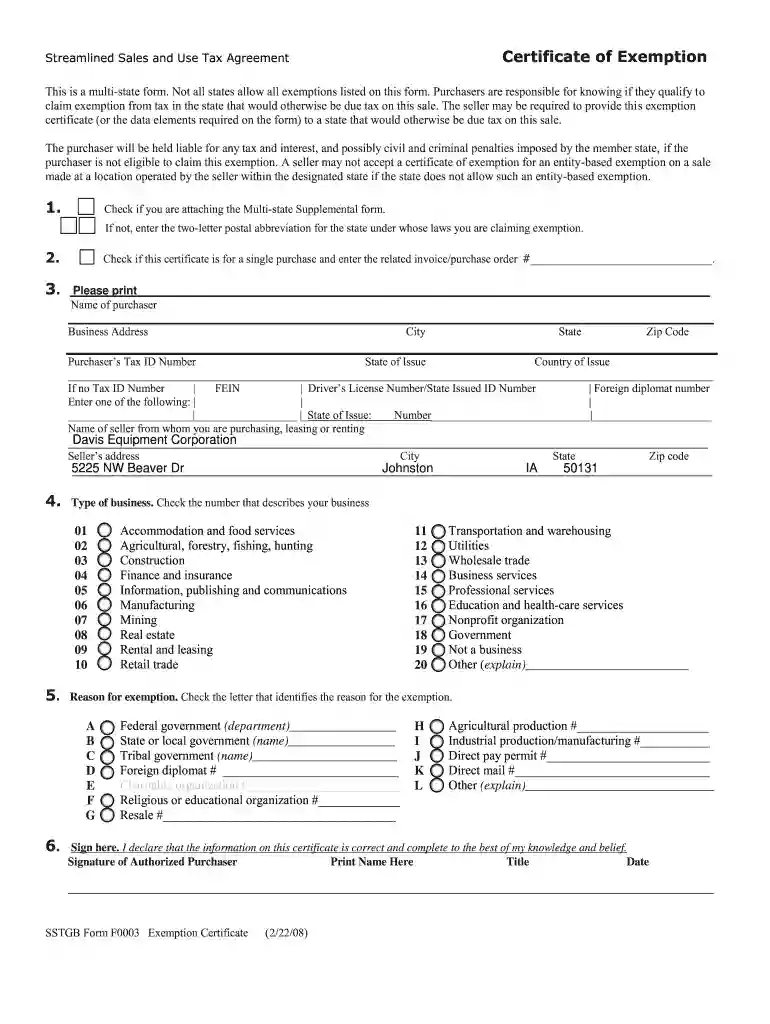
Type text, add images, blackout confidential details, add comments, highlights and more.

Draw your signature, type it, upload its image, or use your mobile device as a signature pad.

Send sstgb form f0003 via email, link, or fax. You can also download it, export it or print it out.

Start filling out form f0003 today on our platform for free!
Many software solutions are available out there for document modifying and signing. DocHub is one of the most widely used online solutions that comply with all security and compliance requirements and ensures your eSigned paperwork is legally enforceable. All you need to give it a try is to register an account, upload your sstgb form f0003 exemption certificate, provide the necessary details, and click Sign. Generate your eSignature by typing, drawing it, uploading its picture to your form, or scanning a unique QR code.
With a swift editing system like DocHub, you do not need anything but a web browser and internet connection to edit your f0003 on the internet quickly. Upload your file or get the relevant form in DocHub’s catalog, open our editor with one click, and complete it electronically. To edit your forms anytime, sign up a free profile with DocHub.
At DocHub, your data security is our priority. We follow HIPAA, SOC2, GDPR, and other standards, so you can work on your documents with confidence.
Dec 21, 2021 This is a multi-state form for use in the states listed. Not all states allow all exemptions listed on this form.Read more
This is a multi-state form. Not all states allow all exemptions listed on this form. Purchasers are responsible for knowing if they qualify to.Read more
f0003,F,Cf0009,0,f0003,F,f0003,F,Cf0009,0,f0003,F,f0003,F,800,FCf0005,0,7FF Send a Free Format Form Feed command (,), to begin form processing at aRead more


