Type text, add images, blackout confidential details, add comments, highlights and more.
02. Sign it in a few clicks
Draw your signature, type it, upload its image, or use your mobile device as a signature pad.
03. Share your form with others
Send nh raffle permit via email, link, or fax. You can also download it, export it or print it out.
How to use or fill out raffle permit with our platform
Ease of Setup
DocHub User Ratings on G2
Ease of Use
DocHub User Ratings on G2
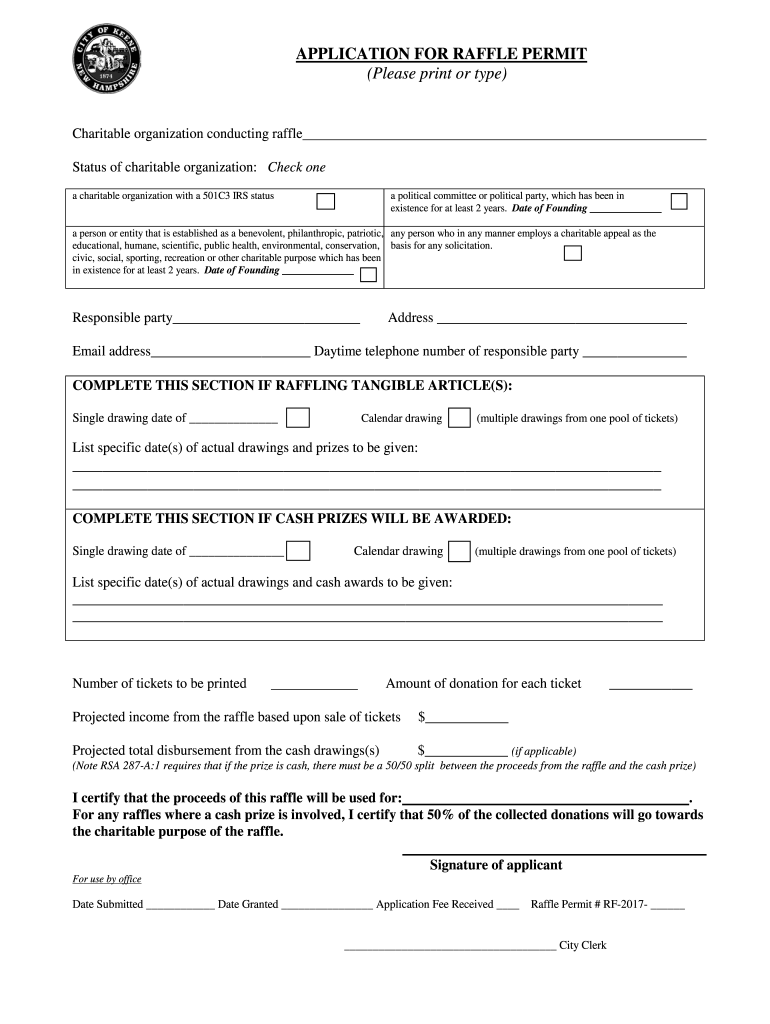
Click ‘Get Form’ to open the raffle permit in the editor.
Begin by filling in the name of your charitable organization conducting the raffle. Select the appropriate status by checking one of the options provided.
Enter the date of founding if applicable, and provide the responsible party's name, address, email, and daytime telephone number.
If you are raffling tangible articles, specify the single drawing date or list multiple drawing dates along with corresponding prizes.
For cash prizes, similarly indicate the drawing date(s) and list specific cash awards to be given.
Complete the financial sections by entering the number of tickets to be printed, donation amount per ticket, projected income from ticket sales, and total disbursement for cash drawings if applicable.
Finally, certify that proceeds will be used for charitable purposes and sign where indicated before submitting your application.
Start using our platform today to streamline your raffle permit process for free!
SPECIAL RAFFLE PERMITS | State Regulations | US Law
State regulations are updated quarterly; we currently have two versions available. Below is a comparison between our most recent version and the prior quarterlyRead more
A raffle permit allows a bona fide nonprofit organization to raffle liquor to its members at a specified date and place. Apply online on the LCB Portal.Read more
Cookie consent notice
This site uses cookies to enhance site navigation and personalize your experience.
By using this site you agree to our use of cookies as described in our Privacy Notice.
You can modify your selections by visiting our Cookie and Advertising Notice.