




Here's how it works



How to use or fill out iaut1 with our platform

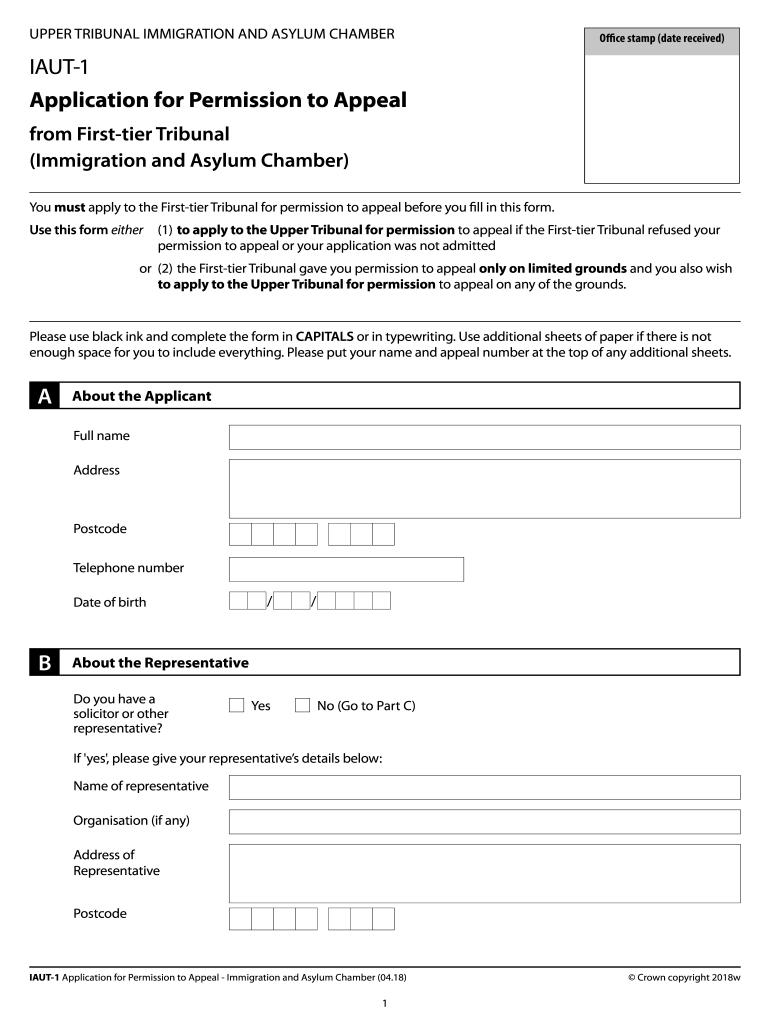
- Click ‘Get Form’ to open the iaut1 application in the editor.
- Begin by filling out Section A, 'About the Applicant.' Enter your full name, address, postcode, telephone number, and date of birth. Ensure all information is accurate and written in capital letters.
- Proceed to Section B if you have a representative. Indicate 'Yes' or 'No' and provide your representative's details if applicable.
- In Section C, input your First-tier Tribunal appeal details including appeal number and Home Office reference number. Note the date on which the First-tier Tribunal’s decision was served.
- Complete Section D regarding permission to appeal. Answer whether permission was granted and provide reasons for any delays if applicable.
- Fill out Section E with a Statement of Truth, ensuring it is signed by you or your representative.
- In Section F, articulate your reasons for appealing based on legal errors made by the First-tier Tribunal.
- Finally, review all sections for completeness before submitting your application as instructed at the end of the form.
Start using our platform today to streamline your document editing and submission process for free!
It's free
Got questions?
How do I sign my iaut1 without printing?
Electronic signatures are a perfect replacement for traditional signing, as they save time, effort, and costs people spend on printing, scanning, and paper delivery. You can electronically sign your iaut1 utilizing a trustworthy and robust online document processing tool like DocHub. It complies with primary eSignature regulations (ESIGN and UETA), so all forms approved there are legally binding and have the same validity as physically signed ones.
How do you fill out iaut1 online?
You may get and modify your iaut1 online with the help of DocHub. Its straightforward but feature-rich design enables you to begin productive work right after you register your account. Create your profile and add your file, and then our interface will guide you through our stress-free form completion experience.
Security and compliance
At DocHub, your data security is our priority. We follow HIPAA, SOC2, GDPR, and other standards, so you can work on your documents with confidence.
Learn more




