In summary, while both forms are related to the management of Army property, DA Form 2062 is more focused on tracking accountability of items, and DA Form 3161 is more of a request and transfer tool that manages broader supply chain processes within the Army.
How long is a DA 2062 good for?
0:22 2:17 The DA form 5960 is available on the United States Army documentation. Website or can be suppliedMoreThe DA form 5960 is available on the United States Army documentation. Website or can be supplied through the chain of command. The first step is to supply your basic identifying.
Who signs the 2062?
Signatures: Both the issuing and receiving parties must sign to confirm the transfer. These signatures serve as proof that the equipment was received and that both parties understand their responsibilities.
How to fill up 2062?
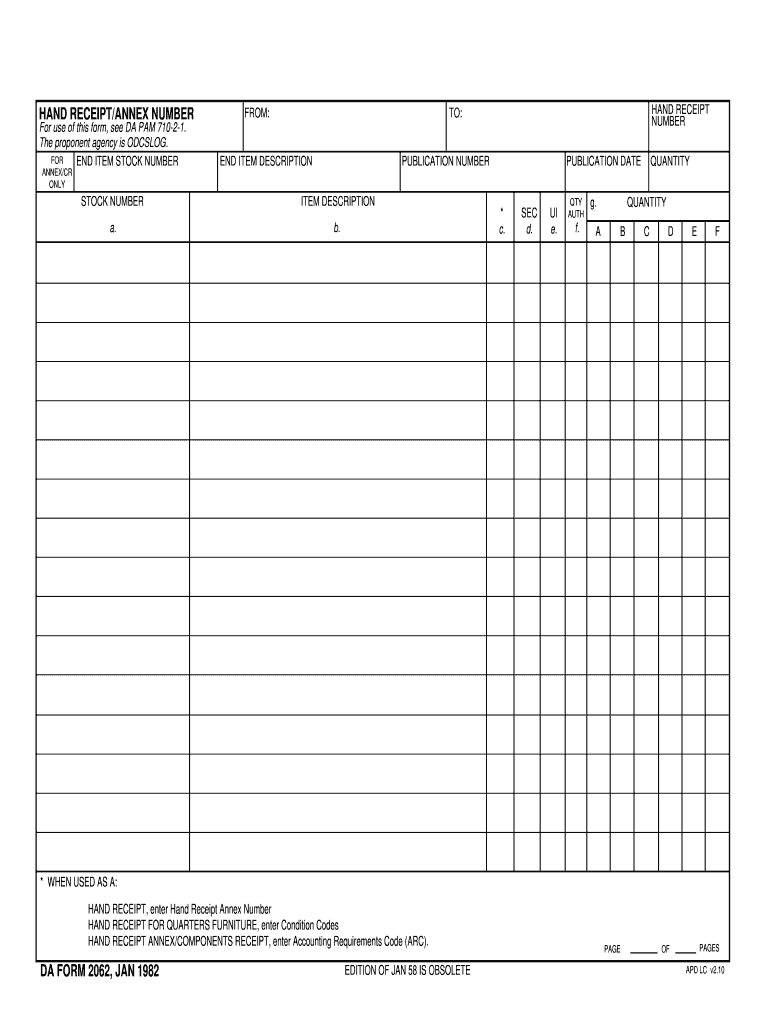
0:43 1:23 In the table provided enter the requested. Information in each column for each item concerned. IfMoreIn the table provided enter the requested. Information in each column for each item concerned. If more space is required use another copy of this form. And continue the list. There.
How to properly fill out a DA form 2062?
0:46 1:51 You must provide the required. Information about each item. Including the detailed. InformationMoreYou must provide the required. Information about each item. Including the detailed. Information needed in the boxes on the right of the description. Lines.
2062 army
Da form 2062 fillable word templateDa form 2062 fillable word pdfDA Form 2062 dec 2023 PDFDA Form 2062 Army pubsDa Form 2062 exampleDa form 2062 fillable word armyDA Form 2062 2023DA Form 2062 download
Security and compliance
At DocHub, your data security is our priority. We follow HIPAA, SOC2, GDPR, and other standards, so you can work on your documents with confidence.
What is the difference between DA form 2062 and DA form 3161?
DA Form 2062 Hand Receipt/Annex Number - used for hand receipt, component annex, temporary hand receipt, inventory list.
army 2062
DA Form 2062
HAND RECEIPT, enter Hand Receipt Annex Number. HAND RECEIPT FOR QUARTERS FURNITURE, enter Condition Codes. HAND RECEIPT ANNEX/COMPONENTS RECEIPT, enterRead more
Cookie consent notice
This site uses cookies to enhance site navigation and personalize your experience.
By using this site you agree to our use of cookies as described in our Privacy Notice.
You can modify your selections by visiting our Cookie and Advertising Notice.