




Here's how it works

01. Edit your assignment agreements for all passengers online
Type text, add images, blackout confidential details, add comments, highlights and more.

02. Sign it in a few clicks
Draw your signature, type it, upload its image, or use your mobile device as a signature pad.

03. Share your form with others
Send assignment agreement for all passengers via email, link, or fax. You can also download it, export it or print it out.
How to use or fill out assignment forms for all passengers with our platform

- Click ‘Get Form’ to open the assignment form in the editor.
- Begin by entering your first and last name in the designated fields labeled 'First Name' and 'Last Name'. This identifies you as the Client.
- Next, input your booking reference number. This is crucial for linking your claim to the specific flight.
- Fill in your address accurately. This information is necessary for any correspondence related to your claim.
- Review the authorization section carefully. By signing, you grant AirHelp ownership of your claim and authorize them to act on your behalf regarding personal data protection laws.
- Sign and date the form at the bottom. Your signature confirms that you understand the terms outlined in this assignment form.
Start using our platform today to streamline your document editing and claims process for free!
Fill out assignment forms for all passengers online
It's free
It's free
Security and compliance
At DocHub, your data security is our priority. We follow HIPAA, SOC2, GDPR, and other standards, so you can work on your documents with confidence.
Learn more


Related forms
Request for the redemption of invalid swedish banknotes
The document provides instructions for submitting a request to redeem invalid Swedish banknotes to Sveriges Riksbank. It ...

Use Tax Rates - Illinois Department of Revenue
The document is the Illinois Department of Revenue's ST-1-X form, used for filing an amended Sales and Use Tax and E911 ...

Form 70D: Financial Statement
The document is a Financial Statement form used in the King's Bench Family Division, detailing the financial circumstanc ...
Evaluation of the Maine Historic Rehabilitation Tax Credit
The document is a Tax Credit Summary Schedule for Mississippi, detailing various tax credit codes and their correspondin ...
Montana Business Registration Form
The document is a Business Registration Form for the state of Montana, detailing the necessary information and steps req ...
2023 Montana Individual Income Tax Return
The document is the 2023 Montana Individual Income Tax Return form, which provides instructions and sections for taxpaye ...

Docs 4506645 motion for discovery form summary purpose of form accompanying
The document is a 'Motion for Discovery' form used to request the court's permission to obtain factual information from ...
I open a fillable form and can't save the complete
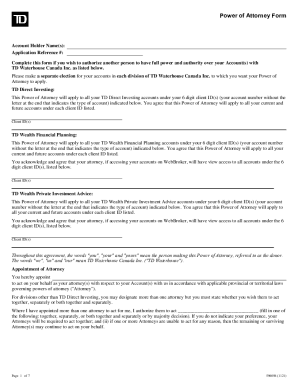
The document is a Power of Attorney form for TD Waterhouse Canada Inc., allowing an account holder to authorize another ...