Type text, add images, blackout confidential details, add comments, highlights and more.
02. Sign it in a few clicks
Draw your signature, type it, upload its image, or use your mobile device as a signature pad.
03. Share your form with others
Send kyc online pdf via email, link, or fax. You can also download it, export it or print it out.
How to use or fill out Paytm KYC with our platform
Ease of Setup
DocHub User Ratings on G2
Ease of Use
DocHub User Ratings on G2
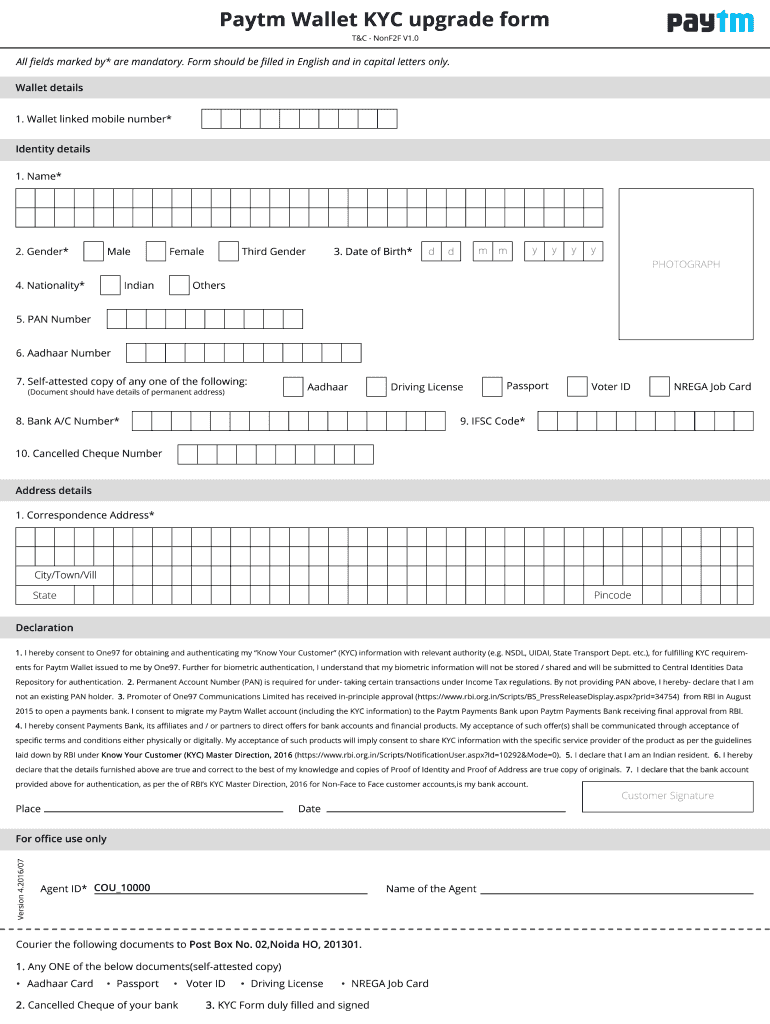
Click ‘Get Form’ to open the Paytm KYC document in the editor.
Begin by entering your personal details in the designated fields. This includes your name, date of birth, and address. Ensure that all information is accurate to avoid any delays.
Next, upload a clear copy of your identification documents. Our platform allows you to easily drag and drop files or select them from your device.
Review all entered information for accuracy. Use the editing tools available to make any necessary adjustments before finalizing your submission.
Once everything is complete, click on the ‘Submit’ button to send your KYC form for processing. You will receive a confirmation notification shortly after.
Start using our platform today for free and simplify your Paytm KYC process!
by N Agarwal 2016 Cited by 9 Even without KYC, transactions of up to Rs. 10,000 per month (Rs. 1.2 Lakh per annum) can be carried out without any sort of paperwork involved. Moreover, theRead more
Jun 16, 2024 If you intend to trade amount of over 5,000 per trade you will need to complete KYC with PayTM. With KYC users are limited to: Maximum of RsRead more
Paytm: Navigating the Transition from an E-Wallet to a
Paytm Payments Bank had come under the scrutiny of RBI for not abiding by the prescribed Know Your Customer (KYC) norms and for the cashbacks it had offeredRead more
Cookie consent notice
This site uses cookies to enhance site navigation and personalize your experience.
By using this site you agree to our use of cookies as described in our Privacy Notice.
You can modify your selections by visiting our Cookie and Advertising Notice.