



Here's how it works



How to use or fill out pa campaign finance with our platform

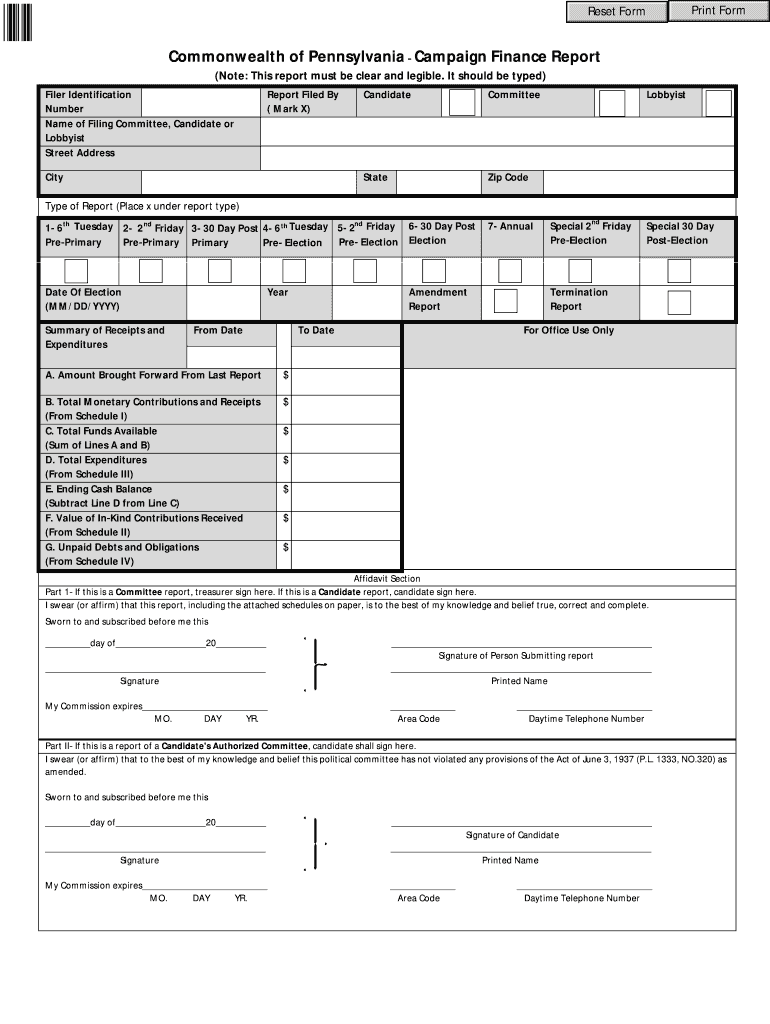
- Click ‘Get Form’ to open the PA Campaign Finance Report in the editor.
- Begin by filling out the Filer Identification Number and the Name of Filing Committee, Candidate, or Lobbyist. Ensure that your information is clear and legible.
- Select the type of report you are filing by placing an 'X' under the appropriate report type section. This includes options like Pre-Primary, Primary, Pre-Election, and others.
- Enter the Date of Election in MM/DD/YYYY format. This is crucial for accurate reporting.
- Complete the Summary of Receipts and Expenditures section by entering amounts for each category: Amount Brought Forward, Total Monetary Contributions, Total Expenditures, and Ending Cash Balance.
- In the Affidavit Section, ensure that either the treasurer or candidate signs where indicated. This confirms that all information provided is true and complete.
- Finally, review all entries for accuracy before submitting your form through our platform.
Start using our editor today to streamline your PA campaign finance reporting!
It's free
Got questions?
Can I use DocHub to create legal eSignatures on my pa campaign finance?
Yes, you can utilize DocHub for signing any business and personal documentation, including your pa campaign finance. All electronic signatures you create with our tool are legally binding and court-admissible, as DocHub complies with criteria required by ESIGN and UETA. Save your completed paperwork with a detailed Audit Trail if necessary.
How do you edit pa campaign finance on iOS?
You can easily edit and complete your pa campaign finance on any iOS device. Open an internet browser of your choice, go to the DocHub site, authorize or create a new account, upload your file for editing, and make your desired alterations. Our service is mobile-friendly, so utilizing its features on your phone will be a no-brainer, even on the first try.
What is the purpose of campaign finance?
What is the main source of campaign funds?
How are campaigns usually funded?
Security and compliance
At DocHub, your data security is our priority. We follow HIPAA, SOC2, GDPR, and other standards, so you can work on your documents with confidence.
Learn more


Related forms