Myweb aurora mental health 2026

Get Form
myweb Preview on Page 1

Here's how it works

01. Edit your myweb online
Type text, add images, blackout confidential details, add comments, highlights and more.
02. Sign it in a few clicks
Draw your signature, type it, upload its image, or use your mobile device as a signature pad.
03. Share your form with others
Send myweb aurora mental health via email, link, or fax. You can also download it, export it or print it out.

How to use or fill out myweb aurora mental health with our platform

Form edit decoration
9.5
Ease of Setup
DocHub User Ratings on G2
9.0
Ease of Use
DocHub User Ratings on G2
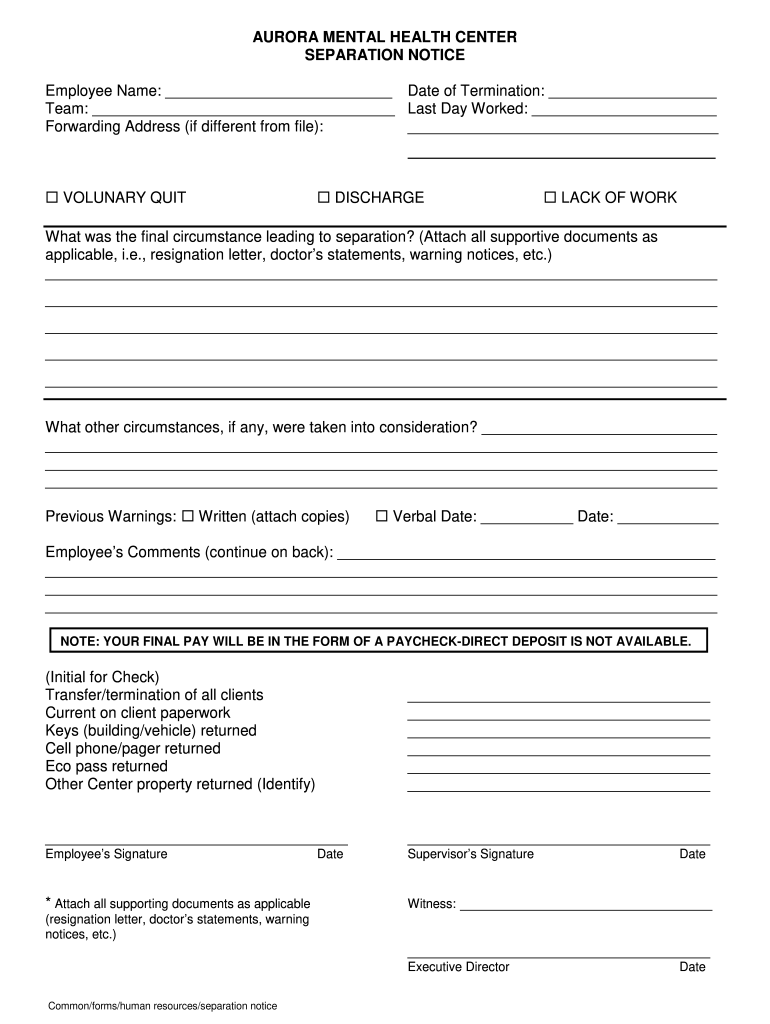
  1. Click ‘Get Form’ to open the myweb aurora mental health separation notice in the editor.
  2. Begin by entering the employee's name and date of termination in the designated fields at the top of the form.
  3. Fill in the team name and last day worked, ensuring accuracy for record-keeping purposes.
  4. Indicate the reason for separation by checking one of the options: Voluntary Quit, Discharge, or Lack of Work.
  5. In the section provided, describe the final circumstances leading to separation. Attach any relevant documents such as resignation letters or warning notices.
  6. Complete any additional considerations regarding circumstances that were taken into account during separation.
  7. Document any previous warnings by checking either Written or Verbal and providing dates as necessary.
  8. Encourage employees to add their comments in the designated area, continuing on a separate page if needed.
  9. Ensure all required signatures are obtained from both employee and supervisor before finalizing the document.

Start using our platform today to easily fill out your myweb aurora mental health forms online for free!

be ready to get more

Complete this form in 5 minutes or less

Get form

Got questions?

We have answers to the most popular questions from our customers. If you can't find an answer to your question, please contact us.
Contact us

Sure, and it’s really easy! DocHub is an online PDF editor with advanced document processing functions that allow you quickly modify your documents, fill out blank fields and add new ones for other people to fill out, and create eSignatures in several ways. Import your myweb aurora mental health, provide information as requested, and choose how you want to eSign your template - by typing your name, drawing your signature, uploading its image, or using a QR code.

Document editing with DocHub is equally convenient on desktop and mobile devices. You just need an internet browser to revise your myweb aurora mental health on Android. Open our website and sign in to access the instruments you require. Add your document and introduce your intended changes. Next, you can keep your form in your document storage or send it out right away.