Connecticut residential property 2026

Get Form
connecticut residential property Preview on Page 1

Here's how it works

01. Edit your form online
Type text, add images, blackout confidential details, add comments, highlights and more.

02. Sign it in a few clicks
Draw your signature, type it, upload its image, or use your mobile device as a signature pad.

03. Share your form with others
Send it via email, link, or fax. You can also download it, export it or print it out.

How to use or fill out Connecticut Residential Property with our platform

Form edit decoration
9.5
Ease of Setup
DocHub User Ratings on G2
9.0
Ease of Use
DocHub User Ratings on G2
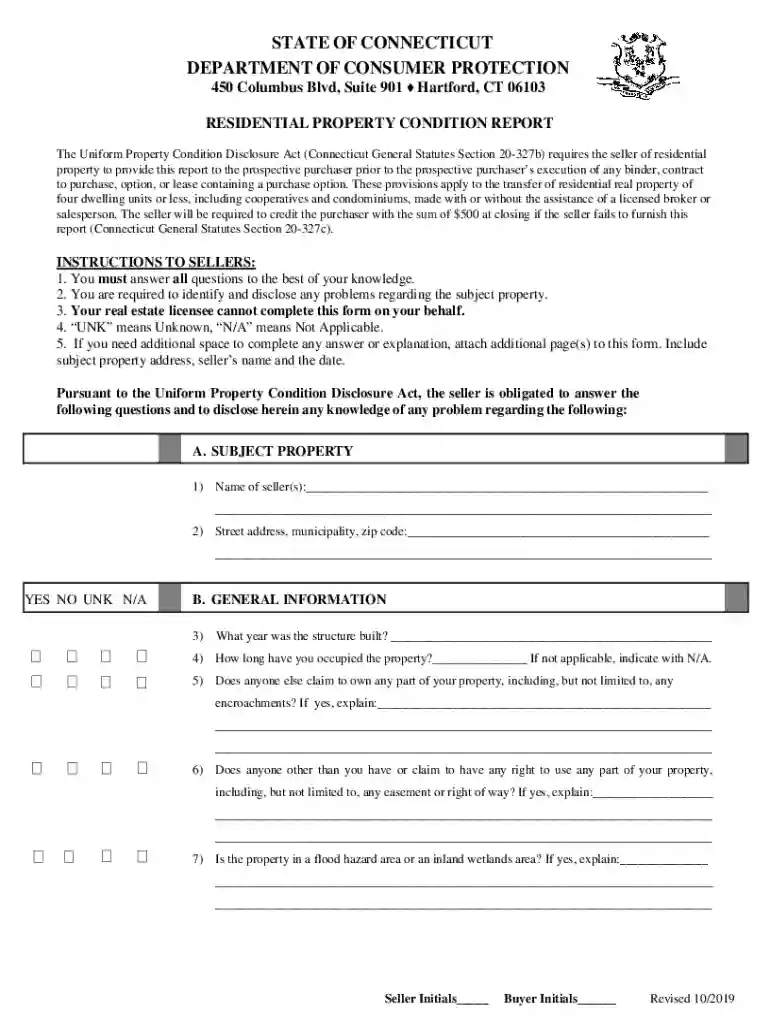
  1. Click ‘Get Form’ to open the Connecticut Residential Property Condition Report in the editor.
  2. Begin by filling out the 'Subject Property' section. Enter the seller's name and the street address, municipality, and zip code of the property.
  3. Proceed to 'General Information'. Answer questions regarding the year built, occupancy duration, and any claims of ownership or easements on the property.
  4. In 'Leased Equipment', indicate if there are any leased items that require transfer or replacement. Check all applicable boxes.
  5. Move to 'Mechanical/Utility Systems' and provide details about fuel types, heating systems, plumbing issues, and any known problems with utilities.
  6. Complete sections on water systems and sewage disposal by specifying whether they are public or private and detailing any associated fees or issues.
  7. Finally, review your entries for accuracy. If additional space is needed for explanations, attach extra pages as required.

Start using our platform today to streamline your document editing and ensure a smooth property transaction!

See more connecticut residential property versions

We've got more versions of the connecticut residential property form. Select the right connecticut residential property version from the list and start editing it straight away!
Versions Form popularity Fillable & printable
2019 4.8 Satisfied (43 Votes)
2018 4.4 Satisfied (171 Votes)
be ready to get more

Complete this form in 5 minutes or less

Get form

Security and compliance

At DocHub, your data security is our priority. We follow HIPAA, SOC2, GDPR, and other standards, so you can work on your documents with confidence.

Learn more
ccpa2
pci-dss
gdpr-compliance
hipaa
soc-compliance