




Here's how it works

01. Edit your vehicle lease agreement format in word online
Type text, add images, blackout confidential details, add comments, highlights and more.

02. Sign it in a few clicks
Draw your signature, type it, upload its image, or use your mobile device as a signature pad.

03. Share your form with others
Send vehicle lease agreement template word via email, link, or fax. You can also download it, export it or print it out.
How to use or fill out lease agreement automobile with our platform

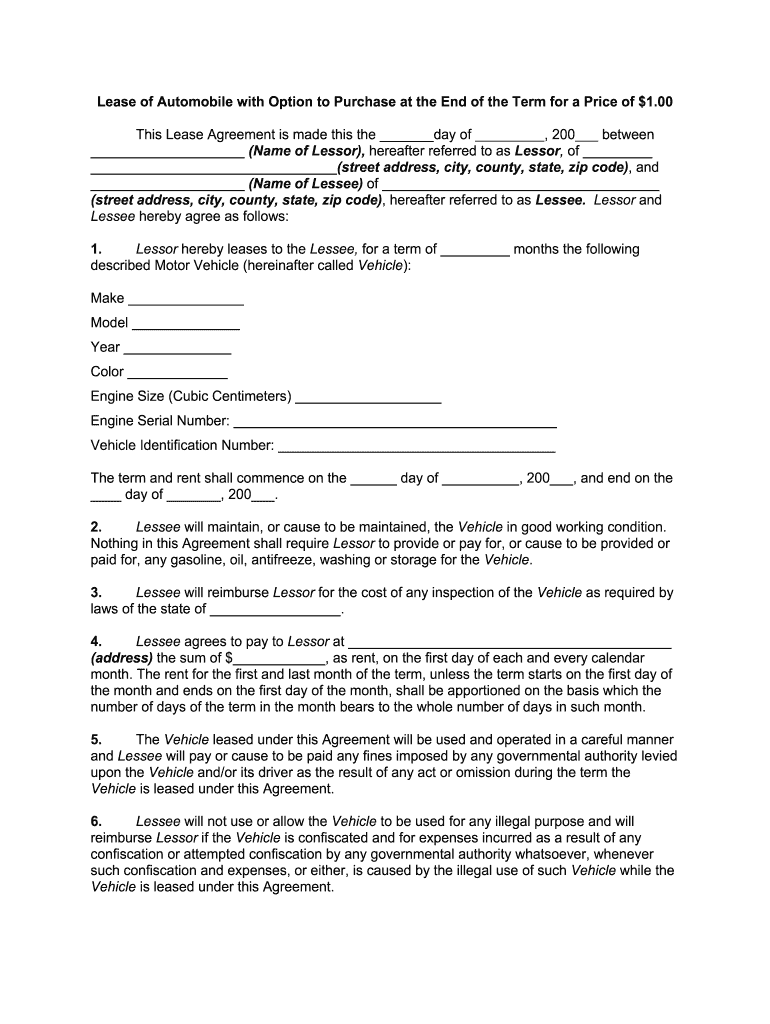
- Click ‘Get Form’ to open the lease agreement automobile in the editor.
- Begin by filling in the date at the top of the document, followed by the names and addresses of both the Lessor and Lessee. Ensure all details are accurate for legal purposes.
- In Section 1, provide specific information about the vehicle being leased, including make, model, year, color, engine size, engine serial number, and Vehicle Identification Number (VIN).
- Proceed to Section 4 to enter the rental amount and payment address. Specify any adjustments for partial months if applicable.
- Review Sections 5 through 11 carefully. Fill in any required insurance amounts and ensure you understand your responsibilities regarding maintenance and repairs.
- Complete Section 22 if you wish to exercise the option to purchase at the end of the lease term. Indicate how many days prior notice you will give.
- Finally, sign and date at the bottom of the document along with your Lessor to finalize your agreement.
Start using our platform today for free to streamline your lease agreement process!
Fill out lease agreement automobile online
It's free
It's free
Security and compliance
At DocHub, your data security is our priority. We follow HIPAA, SOC2, GDPR, and other standards, so you can work on your documents with confidence.
Learn more


