Type text, add images, blackout confidential details, add comments, highlights and more.
02. Sign it in a few clicks
Draw your signature, type it, upload its image, or use your mobile device as a signature pad.
03. Share your form with others
Send affiant example via email, link, or fax. You can also download it, export it or print it out.
How to Use or Fill Out Common Law with Our Platform
Ease of Setup
DocHub User Ratings on G2
Ease of Use
DocHub User Ratings on G2
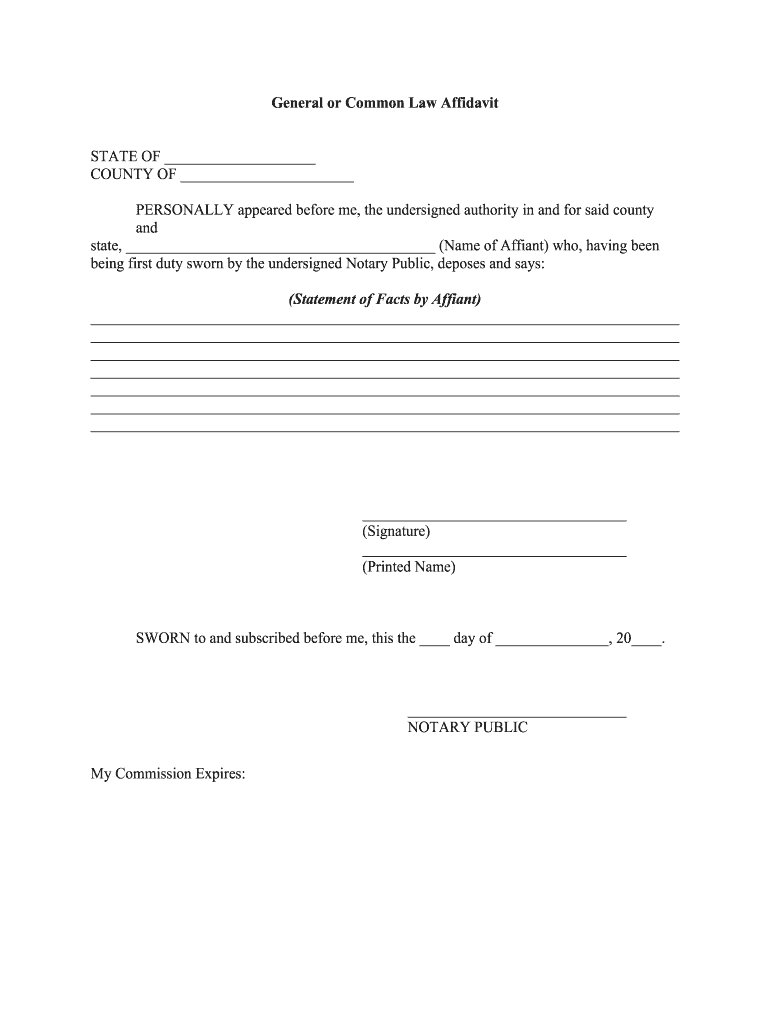
Click ‘Get Form’ to open the General or Common Law Affidavit in the editor.
Begin by entering the STATE and COUNTY at the top of the form. This information is crucial for jurisdiction purposes.
In the section labeled 'Name of Affiant', input your full name as it appears on your identification. This identifies you as the person making the affidavit.
Next, provide a detailed 'Statement of Facts by Affiant'. Clearly outline the facts you wish to present, ensuring they are concise and relevant.
After completing your statement, sign in the designated area labeled 'Signature' and print your name below it in the 'Printed Name' section.
Finally, leave space for a Notary Public to complete their section, including their signature and commission expiration date.
Start using our platform today to fill out your common law documents easily and for free!
Common law marriageCommon law vs civil lawCommon law Middle AgesCommon law examplesWhat is common law relationshipHistory of common lawCommon law vs statutory lawCommon law PDF
Security and compliance
At DocHub, your data security is our priority. We follow HIPAA, SOC2, GDPR, and other standards, so you can work on your documents with confidence.
common law | Wex | US Law | LII / Legal Information Institute
Common law is law developed through judicial decisions rather than enacted statutes. In the United States, early courts relied heavily on English common lawRead more
Judicial Recognition of a Relationship as a Marriage
The decree recognizing a relationship as a marriage is the same as getting married. The only advantage of a common law marriage is to formally recognizeRead more
Cookie consent notice
This site uses cookies to enhance site navigation and personalize your experience.
By using this site you agree to our use of cookies as described in our Privacy Notice.
You can modify your selections by visiting our Cookie and Advertising Notice.