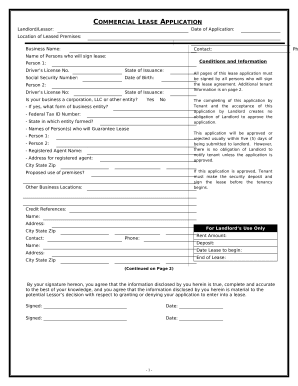
Type text, add images, blackout confidential details, add comments, highlights and more.
02. Sign it in a few clicks
Draw your signature, type it, upload its image, or use your mobile device as a signature pad.
03. Share your form with others
Send it via email, link, or fax. You can also download it, export it or print it out.
How to use or fill out roommate amendment with our platform
Ease of Setup
DocHub User Ratings on G2
Ease of Use
DocHub User Ratings on G2
Click ‘Get Form’ to open the roommate amendment in the editor.
Begin by entering the date at the top of the form. This is crucial for establishing when the amendment takes effect.
In the 'Purpose of Amendment' section, specify whether you are adding a new resident or deleting an existing one. Check the appropriate box to indicate your choice.
Fill in details about the new resident, including their name and move-in date. Ensure that all parties involved understand their obligations under this amendment.
Address security deposits by checking how they will be handled. This includes whether the old resident's share will be transferred to the new resident or if any additional deposits are required.
Complete sections regarding guarantors if applicable, ensuring that all necessary signatures are obtained for legal validity.
Finally, review all entries for accuracy before saving and sharing your completed document with all parties involved.
Start using our platform today to easily manage your roommate amendments online for free!
Jan 12, 2026 Should it be? The Fourth Amendment to the United States Constitution guarantees our protection against unreasonable search and seizures.[1] ItRead more
Mar 5, 2026 HB4517 - 104th General Assembly ; 15, monitoring. If a new roommate does not consent to authorized ; 16, electronic monitoring and the residentRead more
Cookie consent notice
This site uses cookies to enhance site navigation and personalize your experience.
By using this site you agree to our use of cookies as described in our Privacy Notice.
You can modify your selections by visiting our Cookie and Advertising Notice.