What is legally required on a BOL?
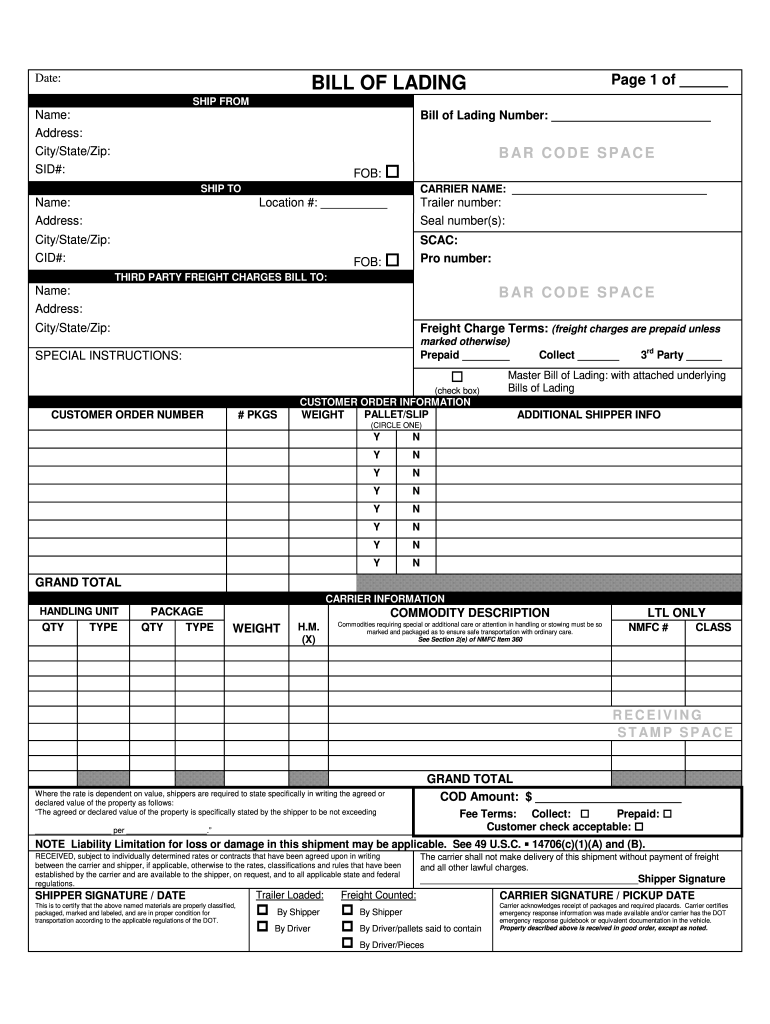
Legally, a Bill of Lading (BOL) must include shipper/consignee details, origin/destination, cargo description (type, quantity, weight, packaging), pickup/delivery dates, carrier info, payment terms, and handling instructions, especially for hazardous materials, serving as a contract and receipt for interstate freight. Key requirements focus on clarity for the FMCSA for compliance, with specific rules for household goods shipments and hazardous materials adding more detail. Essential Legal Requirements (Federal/FMCSA) Parties: Full names, addresses, and phone numbers for shipper, consignee, and notify party. Origin Destination: Origin and destination names and addresses. Cargo Details: Complete description, quantity (pieces/units), weight/volume, and packaging type (e.g., carton, skid). Freight Class: National Motor Freight Classification (NMFC) item/class. Dates: Pickup and delivery dates. Carrier Info: Legal or trade name, address, phone, and U.S. DOT number. Specific Handling Payment Terms Special Services: Details for liftgates, call-before-delivery, etc. Payment Terms: Prepaid or collect, with COD payment info if applicable. Liability/Insurance: Details on liability, often Full Value Protection or released rates for household goods. Hazardous Materials (HM) Requirements More stringent rules apply, requiring proper shipping name, hazard class, UN/NA identification number, and specific markings/labels as per DOT regulations. Household Goods (HHG) Specifics Carriers must issue a BOL with 17 specific items (e.g., company ID number, terms for payment, liability choices). A BOL functions as a contract, receipt, and title document, requiring signatures from both shipper and carrier to be legally binding. AI can make mistakes, so double-check responsesBill of Lading Legal Requirements: A Complete Guide - VectorFederally Required Information (FMCSA Guidelines) Federal law mandates that a bill of lading include specific key details for compVector10.14 Bill of Lading Requirements - CSABefore receiving a shipment of household goods from a shipper, the household goods motor carrier must prepare and issue a bill of Department of Transportation (.gov)
What are the three types of BL?
What Is a Bill of Lading? A bill of lading must accompany shipped goods and be signed by an authorized representative from the carrier, shipper, and receiver. Three types of bills of lading include straight bill of lading, order bill of lading, and bearer bill of lading.