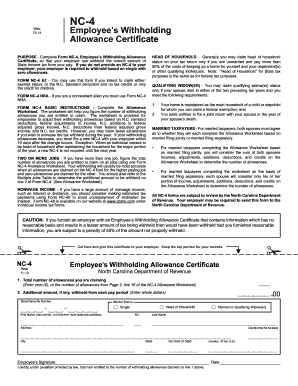
Initial FP Questionnaire - hgfincomau 2025

Get Form
Initial FP Questionnaire - hgfincomau Preview on Page 1

Here's how it works

01. Edit your form online
Type text, add images, blackout confidential details, add comments, highlights and more.
02. Sign it in a few clicks
Draw your signature, type it, upload its image, or use your mobile device as a signature pad.
03. Share your form with others
Send it via email, link, or fax. You can also download it, export it or print it out.

How to use or fill out Initial FP Questionnaire - hgfincomau with our platform

Form edit decoration
9.5
Ease of Setup
DocHub User Ratings on G2
9.0
Ease of Use
DocHub User Ratings on G2
  1. Click ‘Get Form’ to open it in the editor.
  2. Begin by entering your personal information, including your name, address, phone number, and date of birth. Ensure all details are accurate for effective communication.
  3. In the 'Current Situation' section, select your employment status. This helps assess your financial standing.
  4. Proceed to the 'Wealth Creation' section. Answer questions regarding home loans and superannuation funds. Fill in the required fields such as interest rates and outstanding loan amounts.
  5. Continue through sections on tax reduction, income protection, wealth protection, and distribution. Provide detailed responses where applicable to ensure a comprehensive assessment.
  6. Review all entries for accuracy before submitting. Use our platform’s features to save your progress or make edits as needed.

Start filling out your Initial FP Questionnaire today for free and streamline your financial planning process!

be ready to get more

Complete this form in 5 minutes or less

Get form

Got questions?

We have answers to the most popular questions from our customers. If you can't find an answer to your question, please contact us.
Contact us

Yes, it is possible with DocHub. This reliable and compliant online service has a phone-based signing option. When you log in to your DocHub account and import your Initial FP Questionnaire - hgfincomau to our editor, fill out all required areas and utilize the Sign feature on the top barf. Click on Create your signature and select Phone from the available choices. Here, you scan a QR code with your smartphone and draw your signature on your phone screen, as you normally do when approving hard copies. If you access DocHub right from your mobile device, you can eSign your form by drawing your electronic signature, uploading its image, or simply with a typed name.

If you use Chrome, there are two straightforward methods to modify your Initial FP Questionnaire - hgfincomau online. First, go to the DocHub website, add your document, and modify it utilizing our toolbar. You may also set up our Chrome extension and modify any document by dragging and dropping it in your browser tab.

be ready to get more

Complete this form in 5 minutes or less

Get form