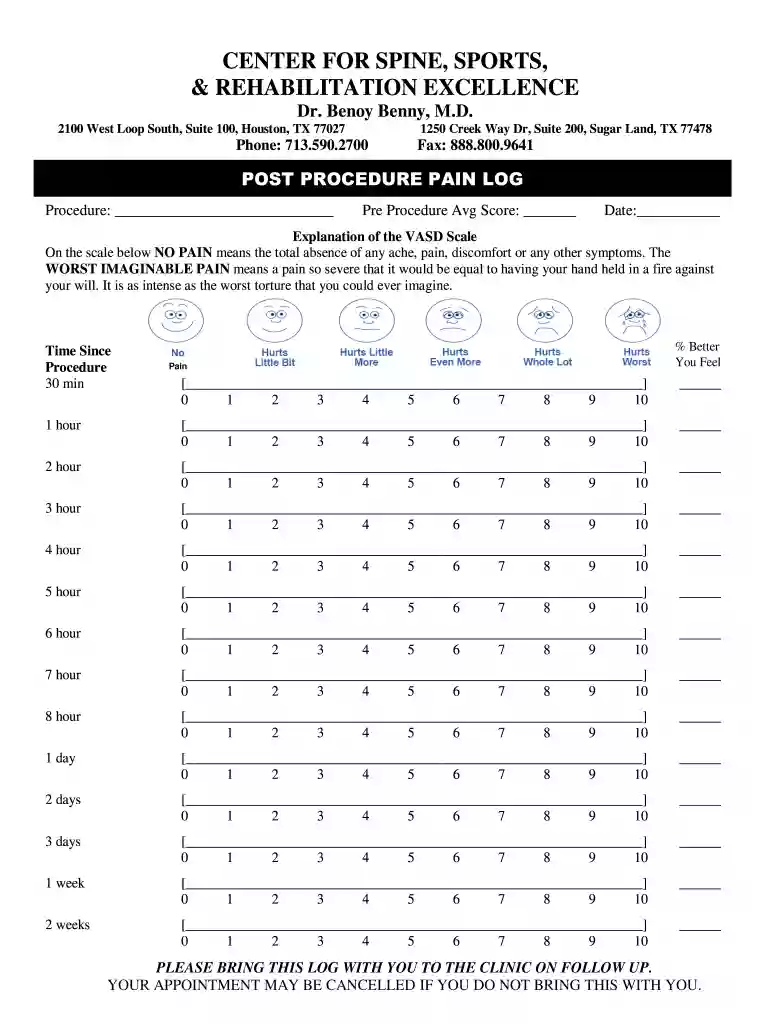
CSSARE - Pain Log 2026

Get Form
CSSARE - Pain Log Preview on Page 1

Here's how it works

01. Edit your form online
Type text, add images, blackout confidential details, add comments, highlights and more.

02. Sign it in a few clicks
Draw your signature, type it, upload its image, or use your mobile device as a signature pad.

03. Share your form with others
Send it via email, link, or fax. You can also download it, export it or print it out.

How to use or fill out CSSARE - Pain Log with our platform

Form edit decoration
9.5
Ease of Setup
DocHub User Ratings on G2
9.0
Ease of Use
DocHub User Ratings on G2
  1. Click ‘Get Form’ to open the CSSARE - Pain Log in the editor.
  2. Begin by entering the procedure name in the designated field at the top of the form.
  3. Next, indicate your average pain score before the procedure in the 'Pre Procedure Avg Score' section.
  4. Fill in the date of your procedure to keep track of your pain log accurately.
  5. For each time interval listed (30 min, 1 hour, etc.), record your pain level on a scale from 0 to 10. Use the provided space to describe how you feel at each interval.
  6. Finally, ensure that you bring this completed log with you to your follow-up appointment as instructed.

Start using our platform today for free and streamline your document management!

be ready to get more

Complete this form in 5 minutes or less

Get form

Got questions?

We have answers to the most popular questions from our customers. If you can't find an answer to your question, please contact us.
Contact us
Overview. Cervical spondylosis is a general term for age-related wear and tear affecting the spinal disks in your neck. As the disks dehydrate and shrink, signs of osteoarthritis develop, including bony projections along the edges of bones (bone spurs). Cervical spondylosis is very common and worsens with age.
This can affect your ability to take care of yourself, work and maintain relationships. It can also worsen chronic conditions. Living with chronic pain also increases your risk of: Depression and/or generalized anxiety disorder.
Individuals who experience chronic pain may find themselves feeling depressed or anxious. They will also be at risk for substance abuse and other mental health disorders. Other common emotional responses to pain can include sadness, frustration, anger or feeling misunderstood and demoralized.
The three most commonly utilized tools to quantify pain intensity include verbal rating scales, numeric rating scales, and visual analogue scales. Verbal Rating Scales (Verbal Descriptor Scales) utilize common words (eg, mild, severe) to grade pain intensity.
What should you include in a pain diary? What your pain levels were like [for example, on a scale of one to 10]. Which part of your body was the pain in, and what did it feel like was it burning or cold? Did it exhaust you? Did your joints feel stiff or swollen.

Security and compliance

At DocHub, your data security is our priority. We follow HIPAA, SOC2, GDPR, and other standards, so you can work on your documents with confidence.

Learn more
ccpa2
pci-dss
gdpr-compliance
hipaa
soc-compliance
be ready to get more

Complete this form in 5 minutes or less

Get form

People also ask

Chronic pain, however, is often more complex. People often think of pain as a purely physical sensation. However, pain has biological, psychological and emotional factors. Furthermore, chronic pain can cause feelings such as anger, hopelessness, sadness and anxiety.

Related links